




01. Edit your chase w9 online
Type text, add images, blackout confidential details, add comments, highlights and more.

Type text, add images, blackout confidential details, add comments, highlights and more.

Draw your signature, type it, upload its image, or use your mobile device as a signature pad.

Send chase tax center via email, link, or fax. You can also download it, export it or print it out.
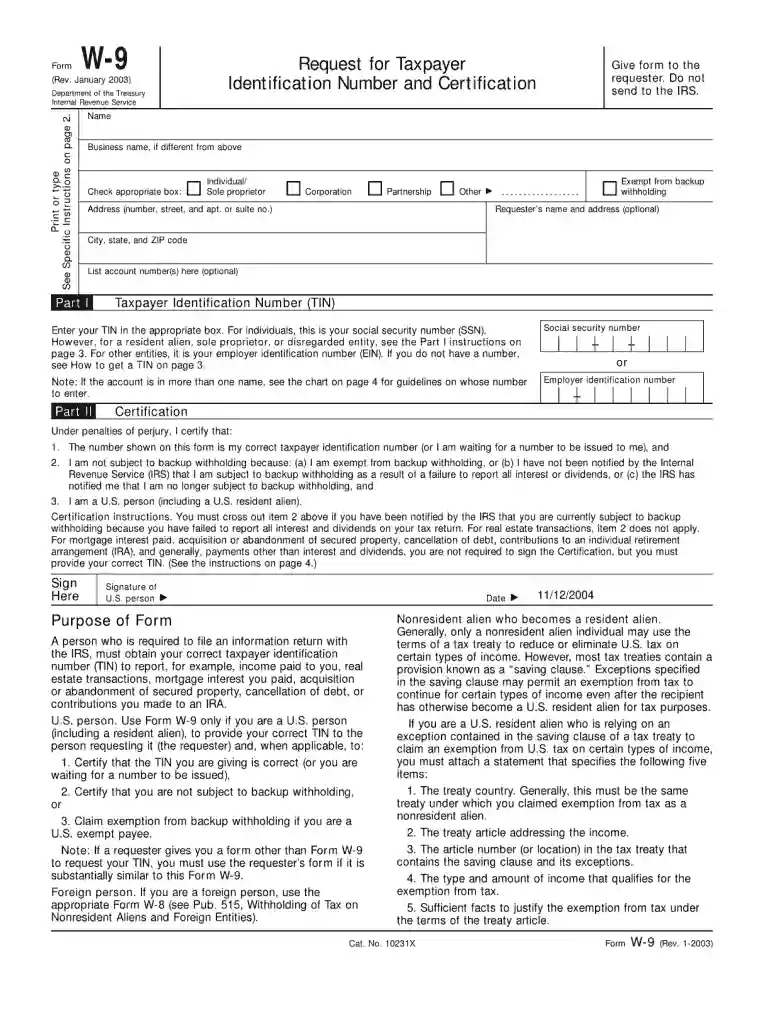
The "Chase W-9 Online" form is an electronic version of the standard W-9 form, which is a Request for Taxpayer Identification Number and Certification. Issued by the Internal Revenue Service (IRS), this form is used by financial institutions, such as Chase, to collect identifying information from individuals and businesses. It requires taxpayers to provide their name, taxpayer identification number (TIN), and other pertinent details to ensure accurate tax reporting and compliance with IRS regulations.
Obtaining the Chase W-9 Online is a straightforward process. If you are a client or are conducting business with Chase, you can access the form through their official website or financial representative. It's offered as a downloadable PDF, and you may also receive a secure link directly from Chase to complete the form online.
The Chase W-9 Online form is used primarily to report income paid, such as dividends, interest, or other forms of payment. It’s crucial for freelancers, contractors, and businesses receiving income to ensure Chase has their current TIN on file.
Completing the Chase W-9 Online is an essential process for ensuring accurate tax filing and avoiding penalties. Follow these specific steps to complete the form effectively:
Understanding the terminology associated with the Chase W-9 Online is vital for accurately completing the form. Here are terms frequently encountered on the form:
The Chase W-9 Online must be completed accurately and submitted in compliance with IRS guidelines to avoid civil penalties. This form is legally binding and serves as a certification of the taxpayer's information.
Chase adheres to IRS provisions for the W-9 form, ensuring that all procedures align with federal tax laws. Taxpayers are obligated to comply with these guidelines:
Real-world scenarios highlight the diverse applications of the Chase W-9 Online, illustrating its significance in various transactions. Here’s how it is commonly used:
Each section of this content provides ample coverage of the Chase W-9 Online form, offering detailed explanations and practical advice to help users complete the form effectively.
eSignatures are a perfect alternative to traditional signing, as they save time, effort, and costs people spend on printing, scanning, and paper delivery. You can eSign your chase tax forms utilizing a trustworthy and robust online document processing tool like DocHub. It complies with main eSignature standards (ESIGN and UETA), so all documents approved there are legally binding and have the same validity as manually signed ones.
As a comprehensive document editing platform, DocHub is accessible on smart phones. Open DocHub in your choice of mobile browser and employ our intelligent mobile-friendly toolset to complete your chase w9 online.
At DocHub, your data security is our priority. We follow HIPAA, SOC2, GDPR, and other standards, so you can work on your documents with confidence.
Feb 14, 2020 Indicate by check mark if the registrant is a well-known seasoned issuer, as defined in Rule 405 of the Securities Act.Read more
The W-8BEN is an IRS mandated form to collect correct Nonresident Alien (NRA) taxpayer information for individuals for reporting purposes and to document
Mar 2, 2026 Use IRS Direct Pay to securely pay taxes and make estimated tax payments directly from your bank account for free.


