How to use or fill out Boat Registration App print out with our platform
- Click ‘Get Form’ to open the Boat Registration App print out in the editor.
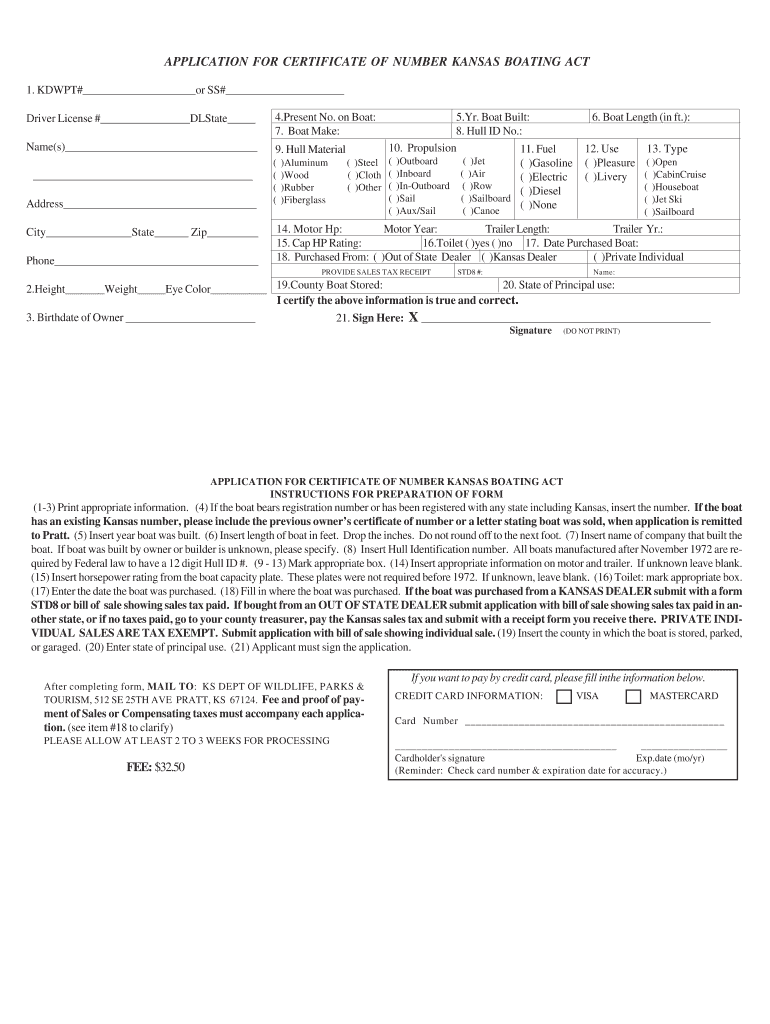
- Begin by entering your KDWPT# or SS# in the designated field, followed by your Driver License number and state.
- Fill in your name(s) and address details, ensuring accuracy for effective communication.
- Provide the present registration number on the boat if applicable, along with the make and year built of the boat.
- Complete the hull identification number and specify propulsion type, fuel, and hull material by marking the appropriate boxes.
- Indicate the length of your boat in feet, then select its intended use and type from the options provided.
- Enter motor horsepower, trailer details, and whether a toilet is installed. Include purchase date and seller information as required.
- Finally, sign where indicated to certify that all information is true before submitting your application.
Start using our platform today to easily complete your Boat Registration App print out for free!
Fill out Boat Registration App print out Boat Registration App print out online
It's free
It's free
Security and compliance
At DocHub, your data security is our priority. We follow HIPAA, SOC2, GDPR, and other standards, so you can work on your documents with confidence.
Learn more