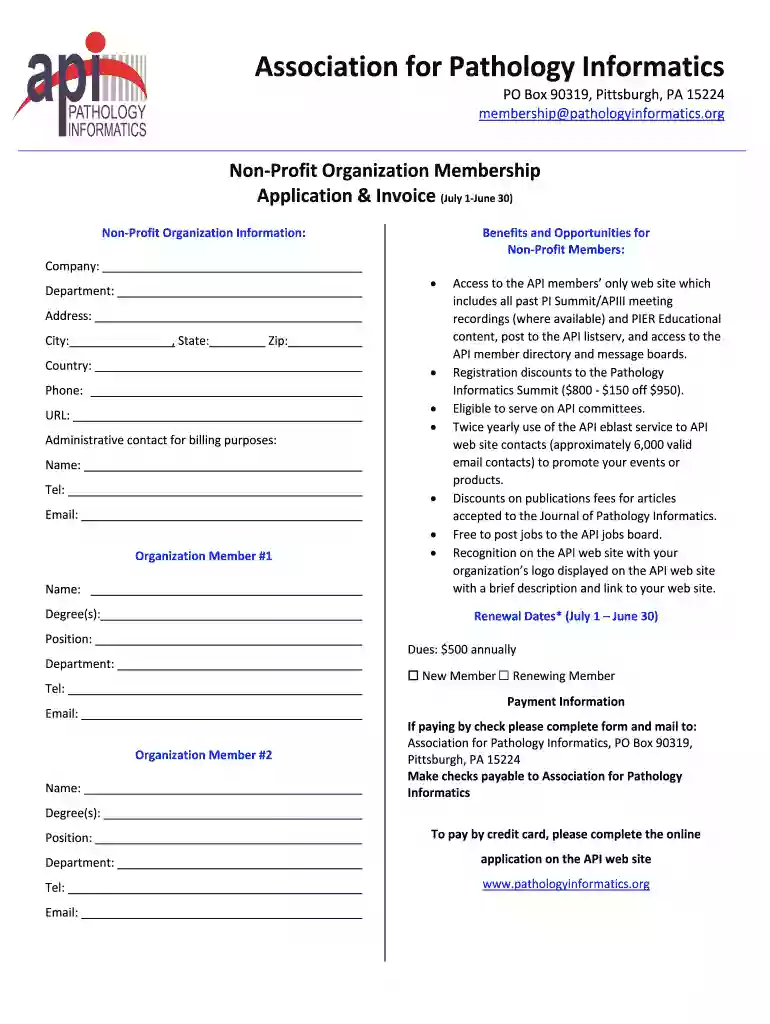
CDFI PROGRAM NACA PROGRAM 2026

Get Form
CDFI PROGRAM NACA PROGRAM Preview on Page 1

Here's how it works

01. Edit your form online
Type text, add images, blackout confidential details, add comments, highlights and more.

02. Sign it in a few clicks
Draw your signature, type it, upload its image, or use your mobile device as a signature pad.

03. Share your form with others
Send it via email, link, or fax. You can also download it, export it or print it out.

How to use or fill out CDFI PROGRAM NACA PROGRAM with our platform

Form edit decoration
9.5
Ease of Setup
DocHub User Ratings on G2
9.0
Ease of Use
DocHub User Ratings on G2
  1. Click ‘Get Form’ to open the CDFI PROGRAM NACA PROGRAM in the editor.
  2. Begin by entering your organization’s name, address, and contact information in the designated fields. Ensure accuracy as this information is crucial for communication.
  3. Indicate whether you are a new or renewing member by selecting the appropriate checkbox. This helps streamline your application process.
  4. Fill in the details for Organization Member #1 and #2, including their names, degrees, positions, and contact information. This section is important for identifying key representatives from your organization.
  5. Review the benefits listed for non-profit members to understand what you will gain from joining. This can help reinforce your decision to apply.
  6. Complete the payment information section. If paying by credit card, follow the prompts to ensure a smooth transaction through our platform.

Start filling out your CDFI PROGRAM NACA PROGRAM today for free using our platform!

See more CDFI PROGRAM NACA PROGRAM versions

We've got more versions of the CDFI PROGRAM NACA PROGRAM form. Select the right CDFI PROGRAM NACA PROGRAM version from the list and start editing it straight away!
Versions Form popularity Fillable & printable
2020 4.7 Satisfied (51 Votes)
be ready to get more

Complete this form in 5 minutes or less

Get form

Got questions?

We have answers to the most popular questions from our customers. If you can't find an answer to your question, please contact us.
Contact us

Approving documents on a mobile device is fast, simple, and doesn’t require software installation if you have an account with DocHub. Log in from any browser, fill in your empty fields with your data, and click on Sign → Create your signature. You can draw your electronic signature the same way you usually do on paper, add its image to your CDFI PROGRAM NACA PROGRAM, or type in your name and stylize its look. No matter what option you select, your paperwork will be valid.

You can easily edit fill out your CDFI PROGRAM NACA PROGRAM on any iOS gadget. Open an internet browser of your liking, visit the DocHub website, authorize or create a new account, add your file for editing, and make your required adjustments. Our service is mobile-friendly, so using its functions on your phone will be a no-brainer, even on the first try.

The CDFI Program uses monetary Awards and training opportunities to invest in and build the capacity of CDFIs, empowering them to grow, achieve organizational sustainability, and drive community revitalization.
CDFI loans vs. Some CDFIs do not have a minimum credit score requirement, while others may require a 600 or above. Typically 680.
Pending final Congressional appropriations, the CDFI Fund plans to award approximately $348 million in FY 2025 to be divided as follows: $155 million in CDFI Program Financial Assistance (FA) and Technical Assistance (TA) Awards. $25.2 million in NACA Program FA and TA Awards.

Security and compliance

At DocHub, your data security is our priority. We follow HIPAA, SOC2, GDPR, and other standards, so you can work on your documents with confidence.

Learn more
ccpa2
pci-dss
gdpr-compliance
hipaa
soc-compliance
be ready to get more

Complete this form in 5 minutes or less

Get form

People also ask

2022 CDFI Survey CDFI NameTotal Assets 1 The Change Company CDFI, LLC $1,600,000,000 2 Prestamos CDFI $2,100,000,000

Related links