




Here's how it works

01. Edit your roehampton hardship fund online
Type text, add images, blackout confidential details, add comments, highlights and more.

02. Sign it in a few clicks
Draw your signature, type it, upload its image, or use your mobile device as a signature pad.

03. Share your form with others
Send university of roehampton hardship fund via email, link, or fax. You can also download it, export it or print it out.
How to use or fill out roehampton hardship fund with our platform

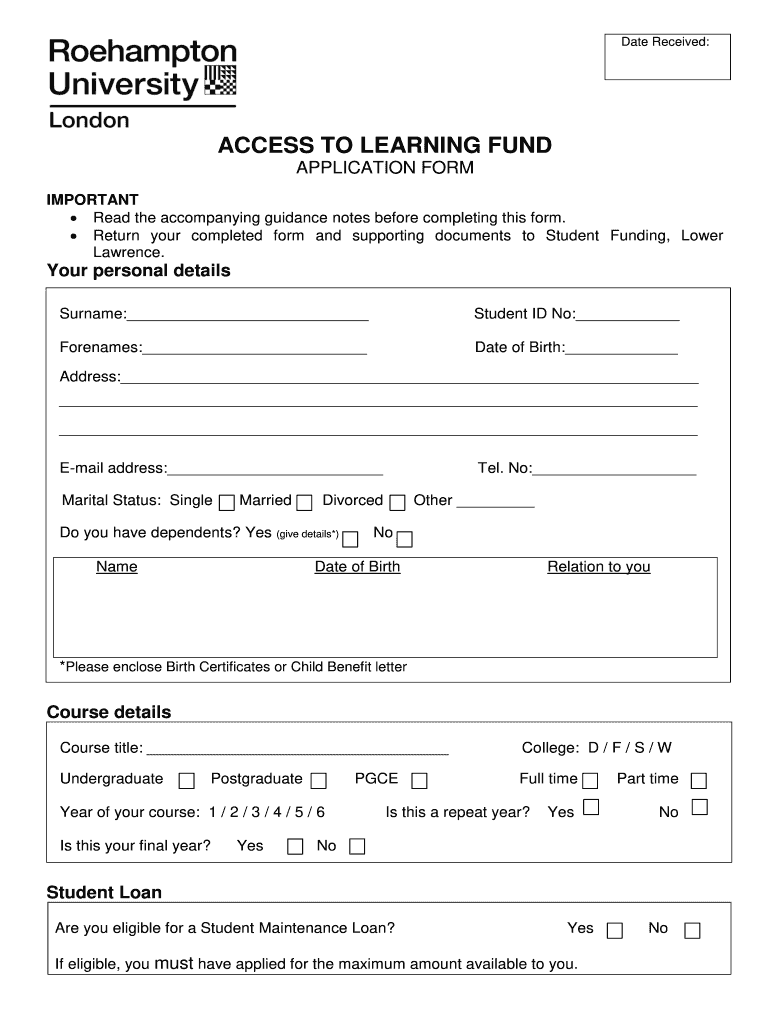
- Click ‘Get Form’ to open the roehampton hardship fund application in the editor.
- Begin by entering your personal details, including your surname, student ID number, forenames, date of birth, and address. Ensure all information is accurate.
- Indicate your marital status and whether you have dependents. If applicable, provide details about your dependents and attach necessary documents like birth certificates.
- Fill in your course details, including the course title, college designation (D/F/S/W), and year of study. Specify if it’s a final or repeat year.
- Complete the disability/special medical needs section if relevant. Indicate if you have applied for Disabled Students Allowance (DSA) and any diagnostic tests.
- Provide bank/building society details where any award will be paid. Attach copies of your last three months' bank statements as required.
- In the supporting statement section, explain your financial difficulties clearly. You may continue on a separate sheet if needed.
- Complete the income and expenditure section by detailing all sources of income and expenses per week. Ensure accuracy for a comprehensive overview.
- Review the declarations section carefully before signing to confirm that all information provided is correct and complete.
Start filling out your roehampton hardship fund application today using our platform for free!
Fill out roehampton hardship fund online
It's free
See more roehampton hardship fund versions
We've got more versions of the roehampton hardship fund form. Select the right roehampton hardship fund version from the list and start editing it straight away!
| Versions | Form popularity | Fillable & printable |
|---|---|---|
| 2013 | 4.7 Satisfied (52 Votes) |
Security and compliance
At DocHub, your data security is our priority. We follow HIPAA, SOC2, GDPR, and other standards, so you can work on your documents with confidence.
Learn more


