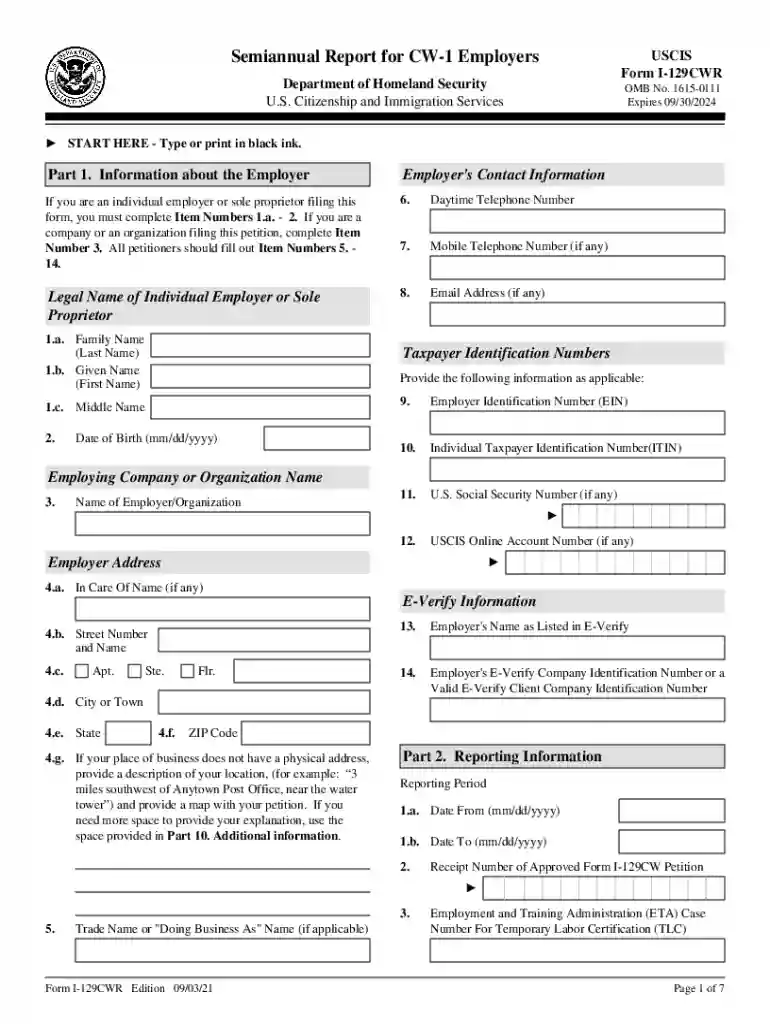
uscis cw 1 Preview on Page 1

Business Law- How Do I Comply With The Department of 2026

Here's how it works

  • 01. Edit your uscis cw 1 online

    Type text, add images, blackout confidential details, add comments, highlights and more.

  • 02. Sign it in a few clicks

    Draw your signature, type it, upload its image, or use your mobile device as a signature pad.

  • 03. Share your form with others

    Send it via email, link, or fax. You can also download it, export it or print it out.

How to use or fill out Business Law- How Do I Comply With The Department of with our platform

Form edit decoration
9.5
Ease of Setup
DocHub User Ratings on G2
9.0
Ease of Use
DocHub User Ratings on G2
  1. Click ‘Get Form’ to open it in the editor.
  2. Begin with Part 1, where you will enter the employer's contact information. Fill in your legal name, daytime and mobile telephone numbers, email address, and Employer Identification Number (EIN). Ensure all details are accurate.
  3. Proceed to Part 2 to report the employment information. Enter the reporting period dates and the receipt number of your approved Form I-129CW petition. Provide details about wages and total workers approved.
  4. In Part 3, input worker-specific information such as their job title, duties, and current status. If there are additional workers, use the Additional Worker Attachment.
  5. Complete Part 4 by attesting to compliance with employment terms. Review each statement carefully before signing.
  6. Finally, fill out Parts 5 through 7 for certification and signature. Ensure that all contact information is correct before submitting.

Start using our platform today for free to streamline your document editing and form completion!

See more uscis cw 1 versions

We've got more versions of the uscis cw 1 form. Select the right uscis cw 1 version from the list and start editing it straight away!

VersionsForm popularityFillable & printable
20244.3 Satisfied (30 Votes)
20214.8 Satisfied (205 Votes)

be ready to get more

Complete this form in 5 minutes or less

Security and compliance

At DocHub, your data security is our priority. We follow HIPAA, SOC2, GDPR, and other standards, so you can work on your documents with confidence.

Related links

Part 80: Rules and Regulations on Controlled Substances in

In addition to the requirements set forth in article 33 of the Public Health Law, holders of licenses shall comply with the following requirements: (a) ExceptRead more

Learn more
What is Business Law - And Why is it Important?

May 16, 2023 Business law helps to ensure that a company is operating in compliance with state, federal, and international laws - allowing the company toRead more

Learn more
FAQs: Corporations Business Entities | Department of State

A business corporation may be formed by filing a Certificate of Incorporation pursuant to Section 402 of the Business Corporation Law.Read more

Learn more
If you believe that this page should be taken down, please follow our DMCA take down process here