Ohio business central gov 2026

Get Form
ohiobusinesscentral gov Preview on Page 1

Here's how it works

01. Edit your ohiobusinesscentral gov online
Type text, add images, blackout confidential details, add comments, highlights and more.

02. Sign it in a few clicks
Draw your signature, type it, upload its image, or use your mobile device as a signature pad.

03. Share your form with others
Send form 555 via email, link, or fax. You can also download it, export it or print it out.

How to use or fill out ohio business central gov with our platform

Form edit decoration
9.5
Ease of Setup
DocHub User Ratings on G2
9.0
Ease of Use
DocHub User Ratings on G2
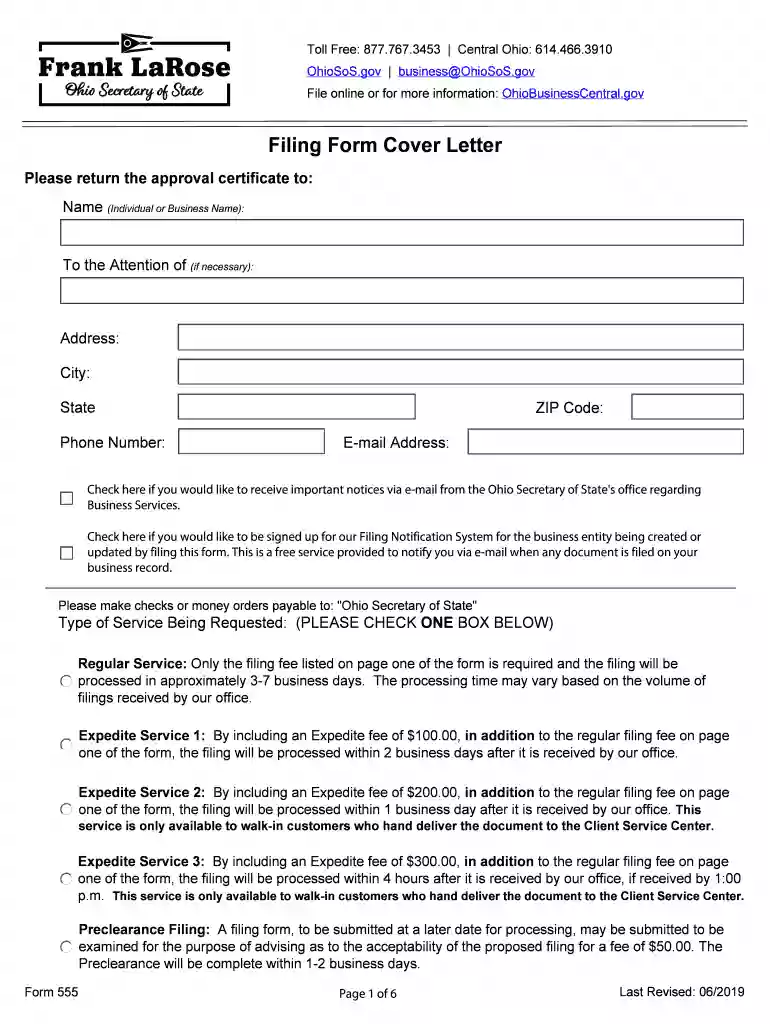
  1. Click ‘Get Form’ to open the Ohio Business Central form in the editor.
  2. Begin by entering the name of the individual or business in the designated field. If applicable, include the attention line for specific recipients.
  3. Fill in your complete address, including city, state, ZIP code, and phone number. Ensure accuracy for effective communication.
  4. Provide your email address and check the boxes if you wish to receive important notices or sign up for the Filing Notification System.
  5. Select the type of service requested by checking one of the options provided: Regular Service or any of the Expedite Services based on your urgency.
  6. Complete all required fields regarding applicant information, including jurisdiction of formation and general partners' names if applicable.
  7. Describe your trademark or service mark clearly, detailing its use and associated goods or services. Attach a specimen showing its usage.
  8. Sign and date the application as required, ensuring that it is completed by an authorized representative if necessary.

Start using our platform today to streamline your Ohio Business Central form completion!

See more ohio business central gov versions

We've got more versions of the ohio business central gov form. Select the right ohio business central gov version from the list and start editing it straight away!
Versions Form popularity Fillable & printable
2019 4.8 Satisfied (88 Votes)
be ready to get more

Complete this form in 5 minutes or less

Get form

Got questions?

We have answers to the most popular questions from our customers. If you can't find an answer to your question, please contact us.
Contact us
You can use the Ohio Secretary of States Business Search portal to see if a business is registered to do business in Ohio.
Business entities in Ohio are not required to file an annual report. However, certain types of entities and registrations are required to file reports at different intervals.
Id suggest filing with this $39 + state filing fee package from Northwest registered agent. So if the Ohio filing fee is $99, you can get your llc under $140. The best thing is that the service will handle everything including being your registered agent for the year.
Over the life of a limited liability company, additional filings with the Ohio Secretary of State may be required. Although limited liability companies are not required to submit annual or biennial filings, certain actions taken by the limited liability company may trigger a filing requirement.
To get started, youll need to download the Certificate of Amendment or Restatement form from the Secretary of States website, complete it, and then drop it off, mail it, or fax it to the state office. You can also file online via the Ohio Business Central website.

Security and compliance

At DocHub, your data security is our priority. We follow HIPAA, SOC2, GDPR, and other standards, so you can work on your documents with confidence.

Learn more
ccpa2
pci-dss
gdpr-compliance
hipaa
soc-compliance
be ready to get more

Complete this form in 5 minutes or less

Get form

People also ask

Initial and Annual Fees for LLCs StateFiling FeeAnnual Fee California LLC $70 $800 Franchise Tax (LLCs formed between January 2021 and January 1st 2024 are exempt for first year.) $20 Statement of Information Colorado LLC $50 $10 Connecticut LLC $120 $80 Delaware LLC $110 $30049 more rows

ohio form 555