What to do if your company isn't handling coronavirus well 2026

Get Form
what to do if your company isn't handling coronavirus well Preview on Page 1

Here's how it works

01. Edit your form online
Type text, add images, blackout confidential details, add comments, highlights and more.

02. Sign it in a few clicks
Draw your signature, type it, upload its image, or use your mobile device as a signature pad.

03. Share your form with others
Send it via email, link, or fax. You can also download it, export it or print it out.

How to use or fill out what to do if your company isn't handling coronavirus well

Form edit decoration
9.5
Ease of Setup
DocHub User Ratings on G2
9.0
Ease of Use
DocHub User Ratings on G2
  1. Click ‘Get Form’ to open it in the editor.
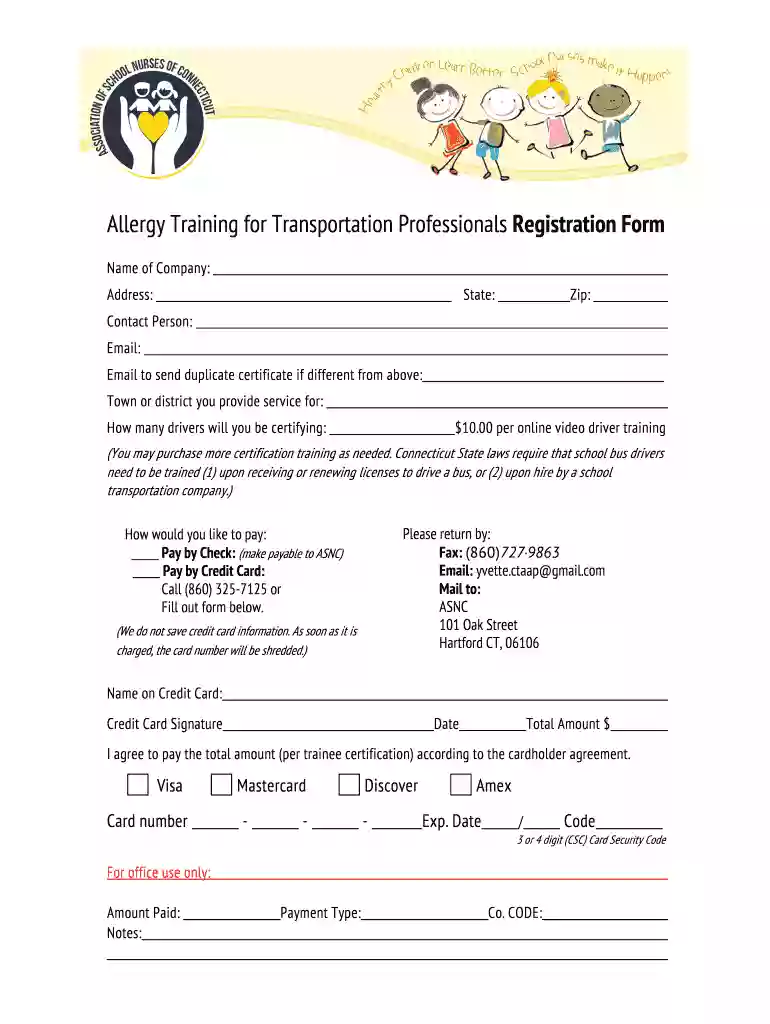
  2. Begin by entering the 'Name of Company' in the designated field. This identifies your organization for training purposes.
  3. Fill in the 'Address', 'State', and 'Zip' fields accurately to ensure proper communication and certification delivery.
  4. Provide the 'Contact Person' details, including their 'Email'. If a different email is needed for sending a duplicate certificate, fill that in as well.
  5. Indicate the 'Town or district you provide service for' and specify how many drivers will be certifying. This helps in managing training sessions effectively.
  6. Select your payment method by checking either 'Pay by Check' or 'Pay by Credit Card'. If using a credit card, complete all required fields including card number and expiration date.
  7. Review all entered information for accuracy before submitting. Ensure you agree to pay the total amount as per the cardholder agreement.

Start filling out your form today on our platform for free and streamline your training process!

be ready to get more

Complete this form in 5 minutes or less

Get form

Got questions?

We have answers to the most popular questions from our customers. If you can't find an answer to your question, please contact us.
Contact us

If you often work with documents kept in your Google Drive, DocHub is an excellent option for you to easily and quickly complete, modify, and approve them. This editor integrates properly with Google services, so you can export your what to do if your company isn't handling coronavirus well from your Google Drive to the editor without downloading and re-uploading it. Right-click on your document, select Open With → DocHub PDF Sign and Edit. In our editor, add and assign Signature Fields for all parties involved, then click on the Menu option above → Send → decide on how you want to share your paperwork.

As a comprehensive document modifying service, DocHub is accessible on smart phones. Open DocHub in your choice of mobile browser and employ our smart mobile-friendly toolset to fill out your what to do if your company isn't handling coronavirus well.

can i sue my employer for setting me up to fail? You may be able to sue your employer for false promises, which are misleading statements can land an employer in court for negligent misrepresentation, fraudulent inducement, or other legal issues.
If you believe working conditions are unsafe or unhealthful, we recommend that you bring the conditions to your employers attention, if possible. You may file a complaint with OSHA concerning a hazardous working condition at any time.
These COVID-19 shield laws generally protect businesses from lawsuits that try to hold them legally responsible for a persons COVID-19 infection, unless the person suing can prove gross negligence, willful misconduct, or failure to follow public health orders.

Security and compliance

At DocHub, your data security is our priority. We follow HIPAA, SOC2, GDPR, and other standards, so you can work on your documents with confidence.

Learn more
ccpa2
pci-dss
gdpr-compliance
hipaa
soc-compliance

People also ask

Common Symptoms of COVID-19 You should encourage employees to let supervisors know if they think they have been in close contact with a COVID-19 case or if they have symptoms. Workers should stay home unless they need medical care. Paid sick leave may be available to them while they recover at home.
Best practices include conducting a workplace risk assessment for potential COVID-19 exposure, preparing a response plan, and taking steps to improve ventilation. In areas with substantial or high transmission, employers should provide face coverings for all workers, as appropriate, regardless of vaccination status.
If the condition clearly presents a risk of death or serious physical harm, there is not sufficient time for OSHA to inspect, and, where possible, you have brought the condition to the attention of your employer, you may have a legal right to refuse to work in a situation in which you would be exposed to the hazard.
Identify and Isolate Suspected Cases If a worker develops signs or symptoms of COVID-19 at the workplace, send the person home or to seek medical care. (Similarly, consider asking customers and visitors who develop signs and/or symptoms of COVID-19 at the workplace to leave to avoid infecting others.)
If you havent gotten COVID-19 yet but are concerned that conditions at your workplace put you at heightened risk, you should raise the issue with your employer. If that doesnt lead to concrete changes, you can try filing a complaint with the federal Occupational Health and Safety Administration (OSHA).

Related links