




Here's how it works

01. Edit your nf 10 form online
Type text, add images, blackout confidential details, add comments, highlights and more.

02. Sign it in a few clicks
Draw your signature, type it, upload its image, or use your mobile device as a signature pad.

03. Share your form with others
Send nf 10 via email, link, or fax. You can also download it, export it or print it out.
How to use or fill out nf 10 form with our platform

- Click ‘Get Form’ to open the nf 10 form in the editor.
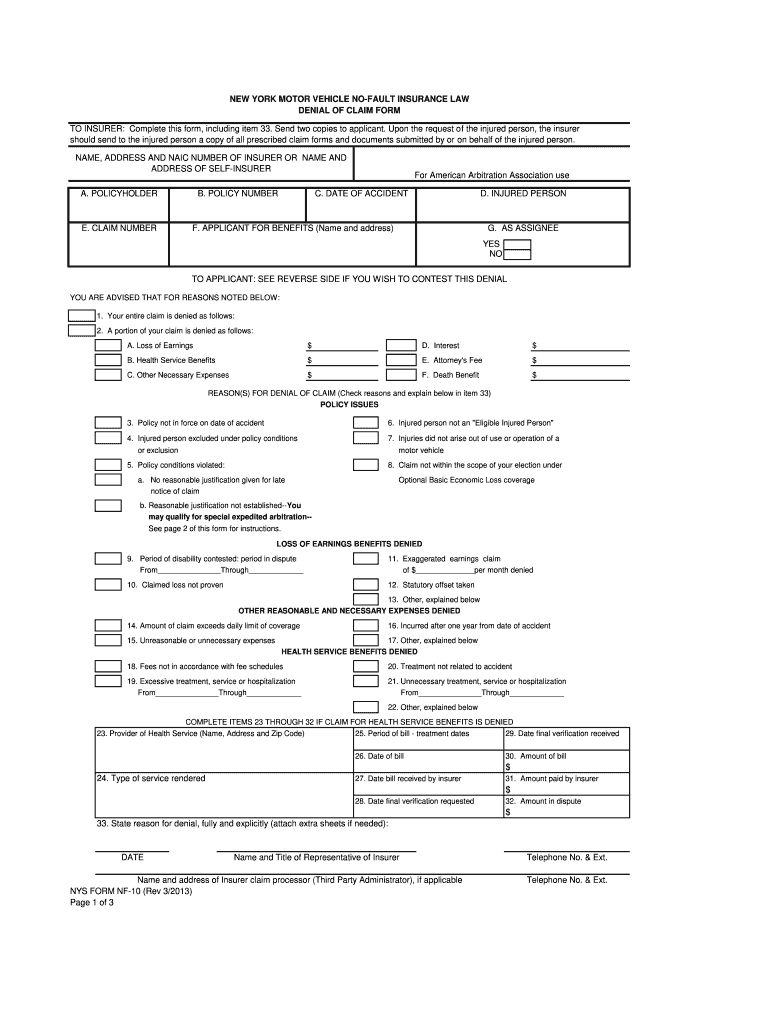
- Begin by filling in the insurer's name, address, and NAIC number at the top of the form. This information is crucial for identifying the insurance provider.
- Next, complete the policyholder's details, including their name and address. Ensure accuracy to avoid processing delays.
- Fill in the claim number and policy number as these are essential for tracking your claim.
- Indicate the date of the accident and provide details about the injured person and applicant for benefits. If applicable, check 'Yes' or 'No' for assignee status.
- In sections detailing denied claims, specify amounts for loss of earnings, health service benefits, and other necessary expenses. Clearly state reasons for denial in item 33.
- Review all entries for accuracy before submitting. Use our platform’s features to save your progress or share it with others if needed.
Start using our platform today to fill out your nf 10 form easily and efficiently!
Fill out nf 10 form online
It's free
Security and compliance
At DocHub, your data security is our priority. We follow HIPAA, SOC2, GDPR, and other standards, so you can work on your documents with confidence.
Learn more


