Type text, add images, blackout confidential details, add comments, highlights and more.
02. Sign it in a few clicks
Draw your signature, type it, upload its image, or use your mobile device as a signature pad.
03. Share your form with others
Send it via email, link, or fax. You can also download it, export it or print it out.
How to use or fill out CARNA Employer Complaint Form with our platform
Ease of Setup
DocHub User Ratings on G2
Ease of Use
DocHub User Ratings on G2
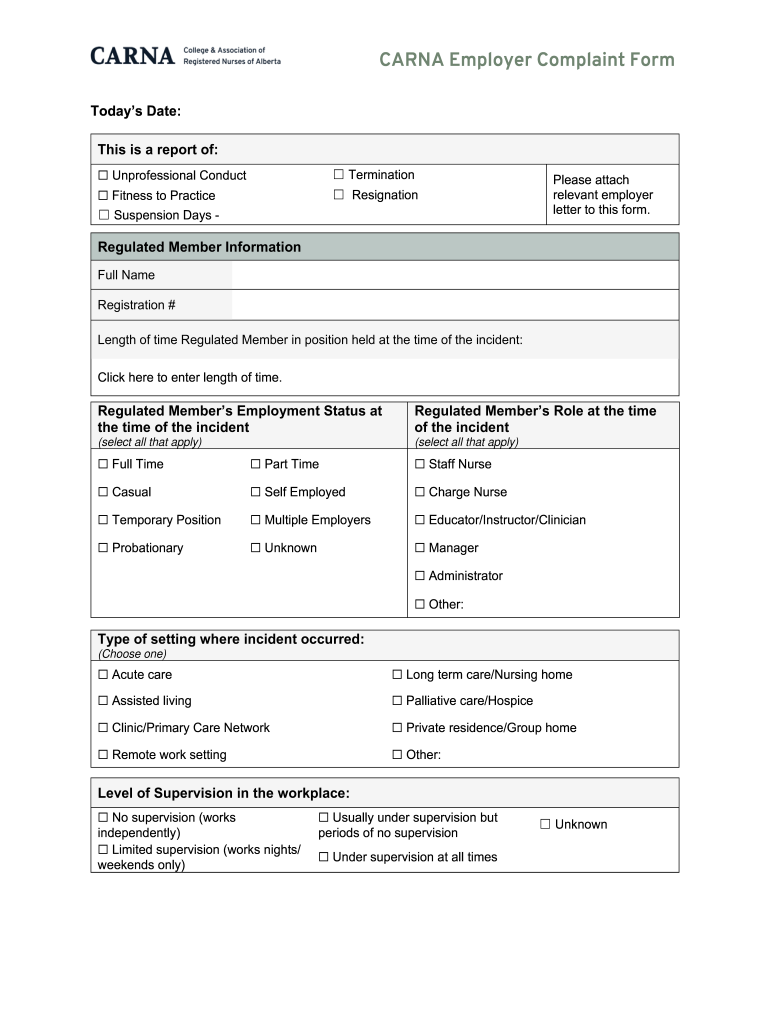
Click ‘Get Form’ to open the CARNA Employer Complaint Form in the editor.
Begin by entering today’s date at the top of the form. Then, select the type of report you are submitting by checking the appropriate box (e.g., Unprofessional Conduct, Termination).
In the 'Regulated Member Information' section, fill in the full name and registration number of the regulated member involved. Specify their length of time in position at the time of the incident.
Indicate the employment status and role of the regulated member during the incident by selecting all applicable options from the provided checkboxes.
Describe where and when the incident occurred in detail. Use clear language to explain what happened and who was involved. If necessary, attach additional sheets for more information.
Complete any remaining sections regarding harm caused, investigation outcomes, and remediation plans as required. Ensure all fields are filled accurately before submission.
Start filling out your CARNA Employer Complaint Form online for free today!
Fill out CARNA Employer Complaint Form online It's free
Child Abuse and Neglect Reporting Act (CANRA) | Compliance
Fill out Form SS 8572; Submit form to the agency to whom you spoke with; Keep a copy of the form for your records. Violation of the University Policy onRead more
Cookie consent notice
This site uses cookies to enhance site navigation and personalize your experience.
By using this site you agree to our use of cookies as described in our Privacy Notice.
You can modify your selections by visiting our Cookie and Advertising Notice.