



C10 form disability 2026

Get Form
request to claimant for information c10 Preview on Page 1

Here's how it works

01. Edit your request to claimant for information c10 online
Type text, add images, blackout confidential details, add comments, highlights and more.

02. Sign it in a few clicks
Draw your signature, type it, upload its image, or use your mobile device as a signature pad.

03. Share your form with others
Send c10 form disability nj via email, link, or fax. You can also download it, export it or print it out.

How to use or fill out c10 form disability with our platform

Form edit decoration
9.5
Ease of Setup
DocHub User Ratings on G2
9.0
Ease of Use
DocHub User Ratings on G2
  1. Click ‘Get Form’ to open the c10 form disability in the editor.
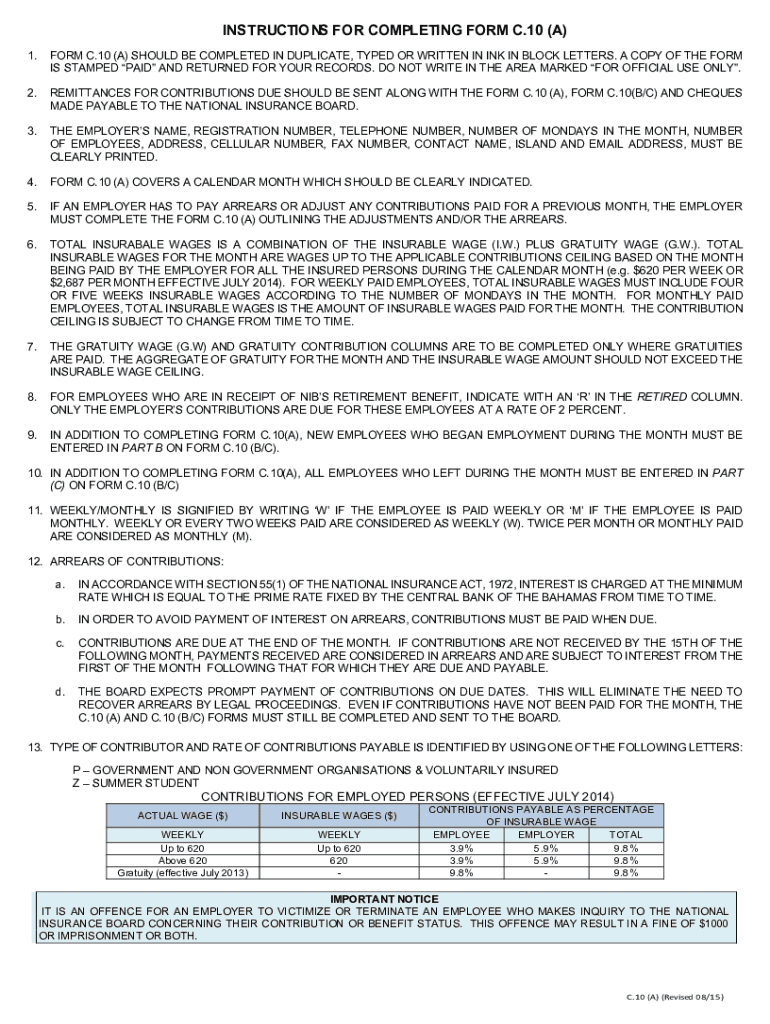
  2. Begin by filling in your employer’s name, registration number, and contact details clearly. Ensure all information is typed or written in block letters.
  3. Indicate the calendar month for which you are reporting contributions. This is crucial for accurate processing.
  4. If applicable, complete the sections for arrears or adjustments from previous months. Clearly outline any changes to ensure compliance.
  5. Calculate and enter total insurable wages, combining insurable wage and gratuity wage as necessary. Be mindful of contribution ceilings.
  6. For employees receiving retirement benefits, mark them with an ‘R’ in the designated column. Remember that only employer contributions are required for these individuals.
  7. Finally, review all entries for accuracy before submitting the form through our platform to ensure a smooth process.

Start using our platform today to fill out your c10 form disability easily and efficiently!

See more c10 form disability versions

We've got more versions of the c10 form disability form. Select the right c10 form disability version from the list and start editing it straight away!
Versions Form popularity Fillable & printable
2015 4.8 Satisfied (49 Votes)
2014 4 Satisfied (46 Votes)
be ready to get more

Complete this form in 5 minutes or less

Get form

Got questions?

We have answers to the most popular questions from our customers. If you can't find an answer to your question, please contact us.
Contact us
C10 - Request to Claimant for Information: Youll receive this form if your claim has missing or conflicting information.
4 Things Not to Say in a Disability Interview: Tips for Success I Can Do Some Work While it might seem like an innocent statement, saying you can still perform some type of work can hurt your claim. Im Not That Bad I Havent Tried Treatment Im Feeling Better Today
C10 - Request to Claimant for Information We send this form if your application is missing information, or if the information you provide doesnt match the statement of your medical provider and/or employer. We will tell you which question(s) you need to re-answer.
What Is the Most Approved Disability? Arthritis and other musculoskeletal system disabilities make up the most commonly approved conditions for social security disability benefits. This is because arthritis is so common.
Be honest and thorough. Provide as much information as you can about your condition and how it affects your ability to work and perform other daily tasks. Be thorough, but dont be tempted to exaggerate or embellish, as this will only hurt your claim. Work with an attorney.

Security and compliance

At DocHub, your data security is our priority. We follow HIPAA, SOC2, GDPR, and other standards, so you can work on your documents with confidence.

Learn more
ccpa2
pci-dss
gdpr-compliance
hipaa
soc-compliance

