APPLICATION FOR COURSE WAIVER 2026

Get Form
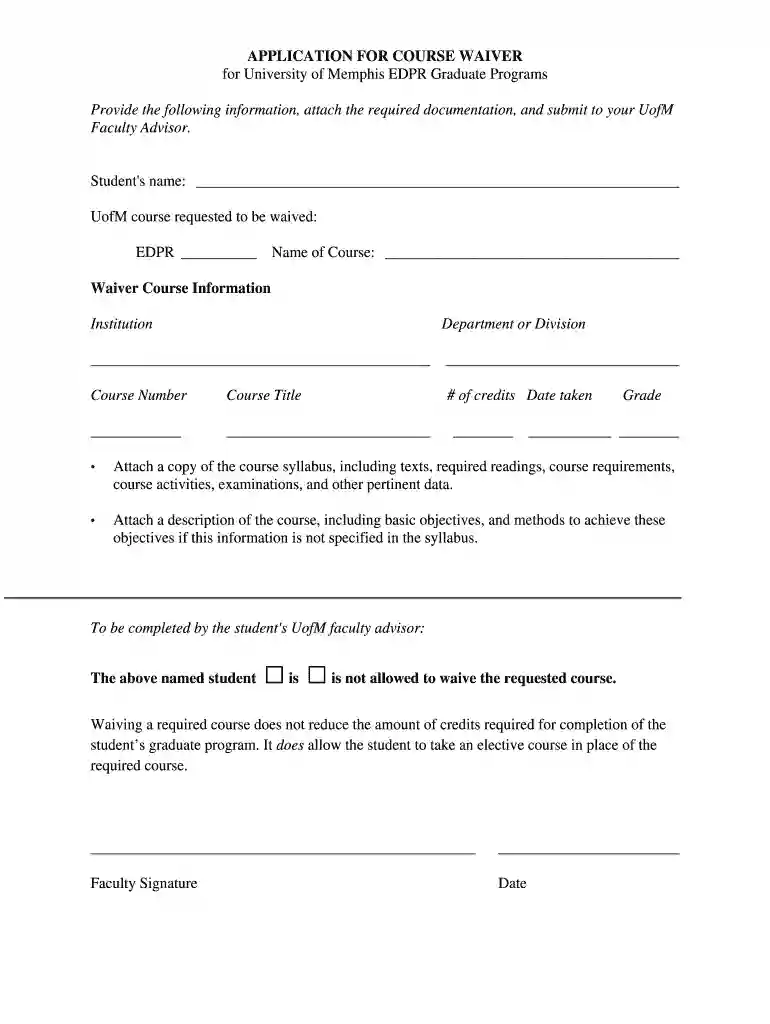
APPLICATION FOR COURSE WAIVER Preview on Page 1

Here's how it works

01. Edit your form online
Type text, add images, blackout confidential details, add comments, highlights and more.

02. Sign it in a few clicks
Draw your signature, type it, upload its image, or use your mobile device as a signature pad.

03. Share your form with others
Send it via email, link, or fax. You can also download it, export it or print it out.

How to use or fill out APPLICATION FOR COURSE WAIVER with our platform

Form edit decoration
9.5
Ease of Setup
DocHub User Ratings on G2
9.0
Ease of Use
DocHub User Ratings on G2
  1. Click ‘Get Form’ to open the APPLICATION FOR COURSE WAIVER in the editor.
  2. Begin by entering your name in the designated field at the top of the form. This identifies you as the student requesting the waiver.
  3. In the next section, specify the UofM course you wish to waive by filling in 'EDPR' and providing the course name.
  4. For Waiver Course Information, fill out details about the institution, department or division, course number, title, credits, and date taken. Ensure accuracy for a smooth review process.
  5. Attach required documentation such as a copy of the course syllabus and a description of the course objectives if not included in the syllabus. Use our platform's attachment feature for convenience.
  6. Finally, ensure your faculty advisor completes their section by indicating whether you are allowed to waive the requested course and signing it with their name and date.

Start using our platform today to easily complete your APPLICATION FOR COURSE WAIVER online for free!

be ready to get more

Complete this form in 5 minutes or less

Get form

Got questions?

We have answers to the most popular questions from our customers. If you can't find an answer to your question, please contact us.
Contact us
The first official step to take when figuring out how to request a course substitution or course waiver in college is to go to the college registrar or department for your major and locate the course substitution/course waiver form.
Course waivers are defined as classes that a student may be exempted from taking. These waived courses are classified as core courses or required electives for certificates. Waived course credits do not apply towards degree completion. Replacement course(s) will have to be taken in lieu of the waived course(s).
A waiver of a course means the faculty accepts prior work by the student was satisfactory to meet a program course requirement. The waiver excuses the student from taking the required course, but does not lessen the credits required for graduation.
A waiver of requirement allows you to not take a required course and indicates you have met the course requirements and associated competencies that are associated with this course. However, a waiver does NOT alleviate the semester hour requirement associated with completing any degree.
A waiver is considered to be a complete elimination of any academic requirement, Core curriculum or program requirement, without any type of replacement.

Security and compliance

At DocHub, your data security is our priority. We follow HIPAA, SOC2, GDPR, and other standards, so you can work on your documents with confidence.

Learn more
ccpa2
pci-dss
gdpr-compliance
hipaa
soc-compliance