




Here's how it works

01. Edit your form online
Type text, add images, blackout confidential details, add comments, highlights and more.

02. Sign it in a few clicks
Draw your signature, type it, upload its image, or use your mobile device as a signature pad.

03. Share your form with others
Send it via email, link, or fax. You can also download it, export it or print it out.
How to use or fill out briefing note - National Center for Ethics in Health Care Home

- Click ‘Get Form’ to open it in the editor.
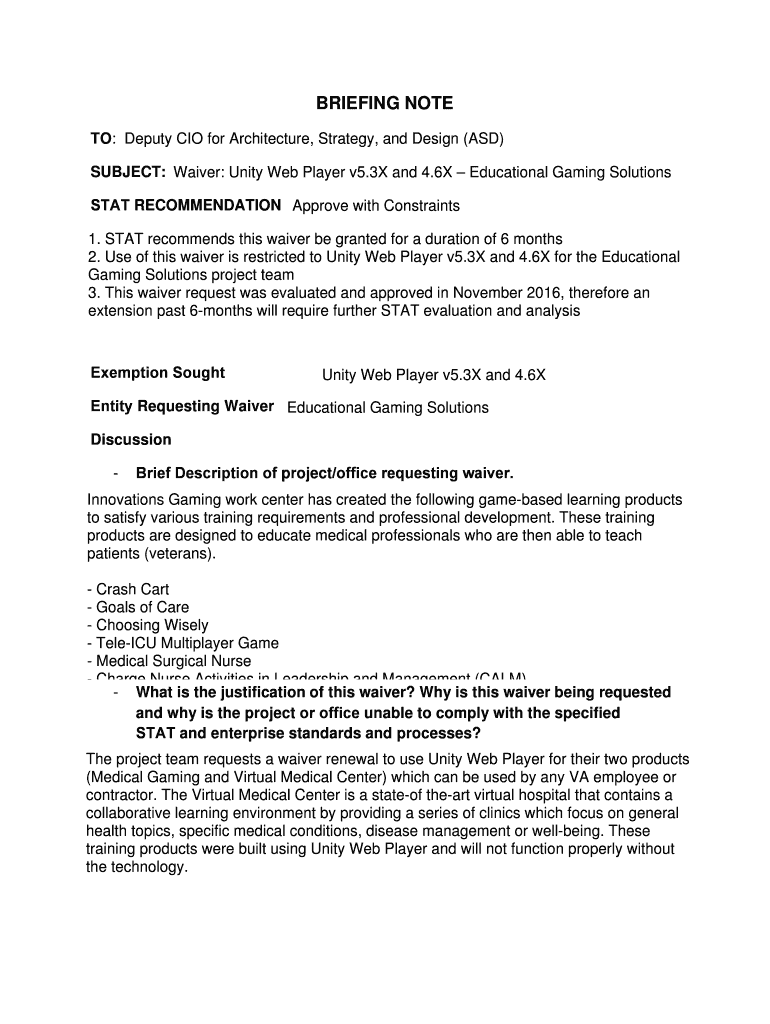
- Begin by filling out the 'TO' field with the appropriate recipient, ensuring you specify the Deputy CIO for Architecture, Strategy, and Design (ASD).
- In the 'SUBJECT' section, clearly state the purpose of the waiver request, including details about Unity Web Player versions.
- Proceed to the 'STAT RECOMMENDATION' area. Here, indicate your approval status and any constraints related to the waiver duration and usage restrictions.
- In the 'Exemption Sought' section, specify which software versions are being requested for exemption.
- Provide a brief description of the project requesting the waiver in the 'Discussion' section. Include relevant training products developed for medical professionals.
- Outline any implications for both VA and project teams in their respective sections, detailing how these waivers affect operations and future projects.
- Finally, ensure all necessary approvals are digitally signed at the end of the document before submission.
Start using our platform today to streamline your document editing and form completion process for free!
Fill out briefing note - National Center for Ethics in Health Care Home online
It's free
Security and compliance
At DocHub, your data security is our priority. We follow HIPAA, SOC2, GDPR, and other standards, so you can work on your documents with confidence.
Learn more


