01. Edit your short form contract between owner and contractor online
Type text, add images, blackout confidential details, add comments, highlights and more.
02. Sign it in a few clicks
Draw your signature, type it, upload its image, or use your mobile device as a signature pad.
03. Share your form with others
Send short form construction contract via email, link, or fax. You can also download it, export it or print it out.
How to use or fill out short form contract between owner and contractor
Ease of Setup
DocHub User Ratings on G2
Ease of Use
DocHub User Ratings on G2
Click ‘Get Form’ to open it in the editor.
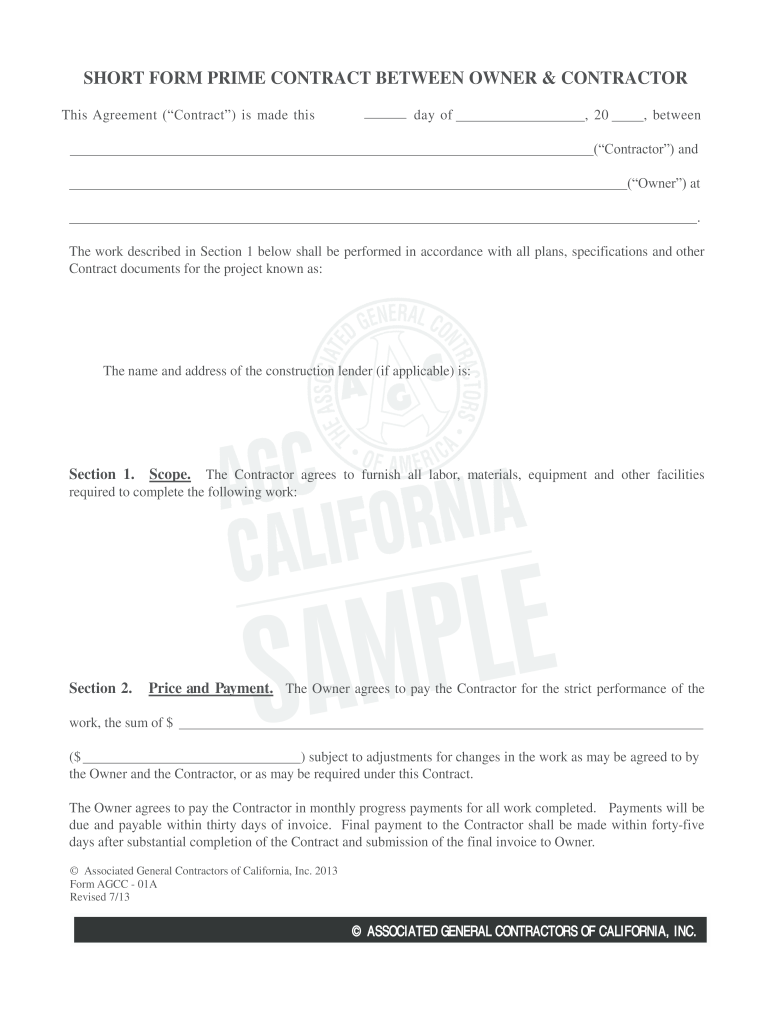
Begin by entering the date of the agreement at the top of the form. Fill in the names of both the Contractor and Owner, along with their respective addresses.
In Section 1, clearly outline the scope of work that the Contractor will perform. Be specific about labor, materials, and equipment required.
Proceed to Section 2 to specify the total price for the work. Include any adjustments for changes as agreed upon by both parties.
Complete Sections 3 through 16 by reviewing each clause carefully. Ensure all necessary details regarding timeframes, inspections, permits, and insurance are accurately filled out.
Finally, have both parties sign and date at the bottom of the document to finalize the agreement.
Start using our platform today to streamline your contract process for free!
Fill out short form contract between owner and contractor online It's free
Short form contract between owner and contractor template wordShort form contract between owner and contractor pdfShort form contract between owner and contractor template freeShort form contract between owner and contractor texasPrintable short form contract between owner and contractorShort form contract between owner and contractor freeShort form contract between owner and contractor californiaOwner, Contractor Agreement PDF
Security and compliance
At DocHub, your data security is our priority. We follow HIPAA, SOC2, GDPR, and other standards, so you can work on your documents with confidence.
2017 - Standard Short Form of Agreement Between Owner
Aug 18, 2025 If the Owner and Contractor cannot agree to a change in the Contract Sum, the Owner shall pay the Contractor its actual cost plus reasonable.Read more
In all FAR/DFARS clauses below, the term Contractor shall mean Seller, the term Contract shall mean this. Agreement and the terms Government, Read more
Contractor warrants to Owner that all labor, materials and equipment furnished under the Agreement are of the type and quality required by the ContractRead more
Cookie consent notice
This site uses cookies to enhance site navigation and personalize your experience.
By using this site you agree to our use of cookies as described in our Privacy Notice.
You can modify your selections by visiting our Cookie and Advertising Notice.