




Here's how it works



How to use or fill out pr 1815 estate receipt with our platform

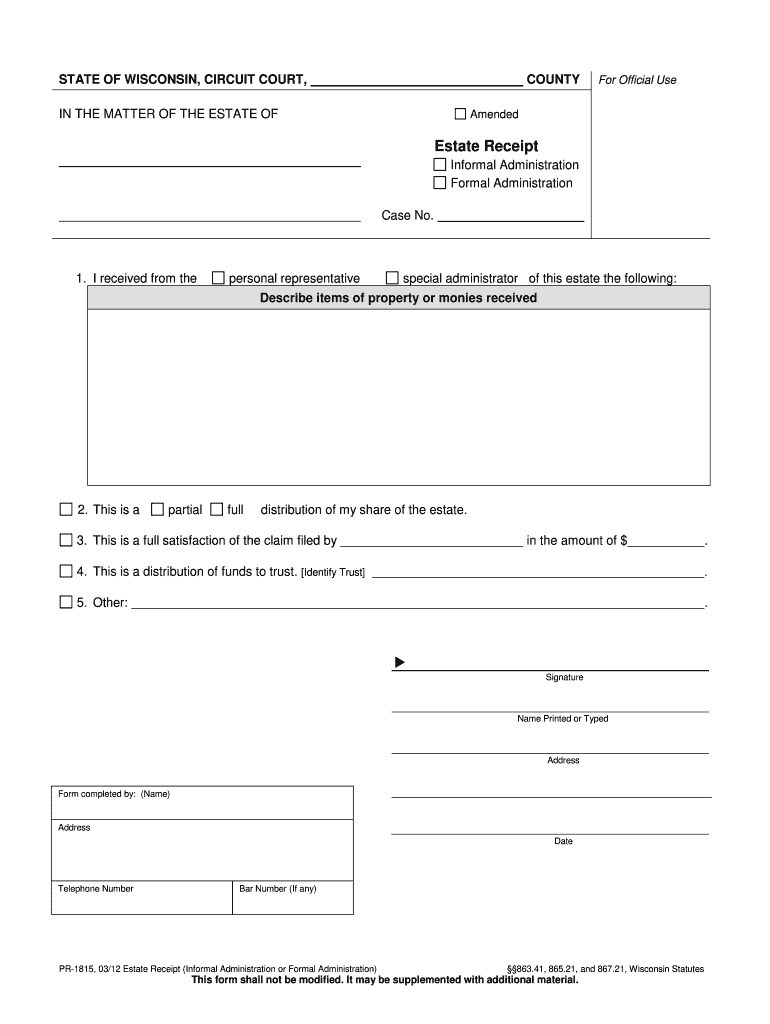
- Click ‘Get Form’ to open the pr 1815 estate receipt in the editor.
- Begin by entering the name of the personal representative or special administrator from whom you received property or money in the designated field.
- In the next section, describe the items of property or amounts of money received. Be specific to ensure clarity.
- Indicate whether this is a partial or full distribution of your share of the estate by selecting the appropriate option.
- If applicable, provide details regarding any claims filed, including the name and amount, in the corresponding fields.
- For distributions to a trust, identify the trust in the specified area.
- Complete your signature and print your name clearly. Fill in your address and contact information as required.
Start using our platform today for free to streamline your document editing and form completion!
It's free
See more pr 1815 estate receipt versions
Got questions?
How do I sign my estate account without printing?
eSignatures are a perfect replacement for traditional signing, as they save time, effort, and money people spend on printing, scanning, and paper delivery. You can eSign your estate account using a reliable and robust online document processing services like DocHub. It complies with main eSignature regulations (ESIGN and UETA), so all forms approved there are legally binding and have the same validity as physically signed ones.
How do you get pr 1815 estate receipt?
You can find the latest and most relevant version of the pr 1815 estate receipt in our DocHub forms collection. Search it by categories or utilize the search field to locate the exact template that suits your situation. You may open this form for editing after you find it.
Security and compliance
At DocHub, your data security is our priority. We follow HIPAA, SOC2, GDPR, and other standards, so you can work on your documents with confidence.
Learn more




