Type text, add images, blackout confidential details, add comments, highlights and more.
02. Sign it in a few clicks
Draw your signature, type it, upload its image, or use your mobile device as a signature pad.
03. Share your form with others
Send chp 555 form pdf via email, link, or fax. You can also download it, export it or print it out.
How to use or fill out chp 555 fillable form with our platform
Ease of Setup
DocHub User Ratings on G2
Ease of Use
DocHub User Ratings on G2
Click ‘Get Form’ to open the chp 555 fillable form in the editor.
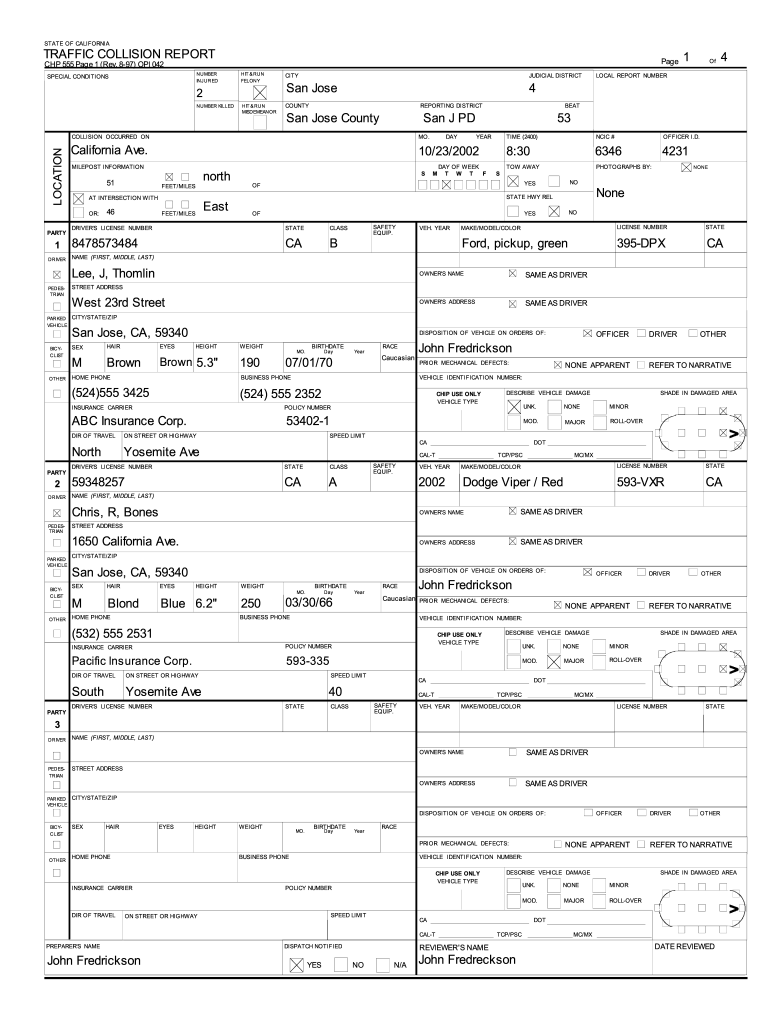
Begin by entering the date of the collision in the designated fields for month, day, and year. Ensure accuracy as this is crucial for record-keeping.
Fill in the location details including city, county, and specific street names. This information helps in identifying where the incident occurred.
Complete the driver and vehicle information sections. Include names, license numbers, vehicle make/model/color, and insurance details. This data is essential for processing claims.
In the injuries section, indicate any visible injuries sustained by involved parties. Use checkboxes to mark severity levels accurately.
Utilize the diagram section to sketch out the accident scene if applicable. This visual representation can aid in understanding how the collision occurred.
Start using our platform today to easily complete your chp 555 form online for free!
Chp 555 fillable form pdf downloadChp 555 fillable form pdfCHP 555 form PDFChp 555 fillable form onlineCHP 555 ManualCHP 555-03 formCHP 108 form PDFCHP 555 FACTUAL DIAGRAM
Security and compliance
At DocHub, your data security is our priority. We follow HIPAA, SOC2, GDPR, and other standards, so you can work on your documents with confidence.
New Jersey Institute of Technology Chemical Hygiene Plan
In the spaces below, please insert the titles of the protocol Specific SOPs included in this plan as well as the names of lab workers who have been providedRead more
Cookie consent notice
This site uses cookies to enhance site navigation and personalize your experience.
By using this site you agree to our use of cookies as described in our Privacy Notice.
You can modify your selections by visiting our Cookie and Advertising Notice.