




Here's how it works

01. Edit your form online
Type text, add images, blackout confidential details, add comments, highlights and more.

02. Sign it in a few clicks
Draw your signature, type it, upload its image, or use your mobile device as a signature pad.

03. Share your form with others
Send it via email, link, or fax. You can also download it, export it or print it out.
How to use or fill out Public Health Fee Assessment Report with our platform

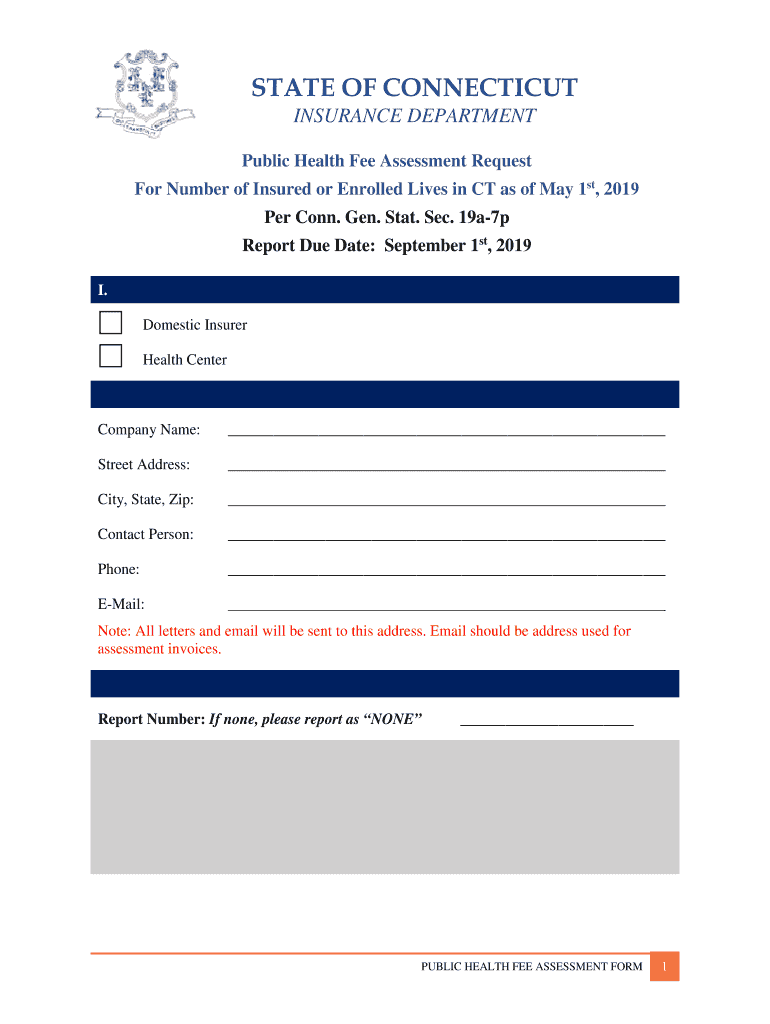
- Click ‘Get Form’ to open the Public Health Fee Assessment Report in the editor.
- Begin by selecting your filling status under section I, choosing either 'Domestic Insurer' or 'Health Center'.
- In section II, enter the Reporting Entity details. Fill in your Company Name, Street Address, City, State, Zip Code, Contact Person's name, Phone number, and Email address. Ensure the email is correct as all correspondence will be sent there.
- Proceed to section III and report the number of insured or enrolled lives in Connecticut as of May 1st. If there are none, indicate 'NONE'. Remember to exclude certain categories like Medicare.
- In section IV, certify the report by providing your signature and printing your name and title. Make sure you are authorized to submit this certification.
- Finally, review all entries for accuracy before submitting electronically via email or mailing it to the specified address in section V.
Start using our platform today for free to streamline your Public Health Fee Assessment Report submission!
Fill out Public Health Fee Assessment Report online
It's free
It's free
See more Public Health Fee Assessment Report versions
We've got more versions of the Public Health Fee Assessment Report form. Select the right Public Health Fee Assessment Report version from the list and start editing it straight away!
| Versions | Form popularity | Fillable & printable |
|---|---|---|
| 2019 | 4.8 Satisfied (83 Votes) |
Got questions?
We have answers to the most popular questions from our customers. If you can't find an answer to your question, please contact us.
Contact us
What is an example of a health assessment?
An assessment report refers to a document that is produced as a primary output in the RMF process, providing an analysis and evaluation of security or risk.
What is a health assessment report?
ATSDR performs the public health assessment (PHA) process to determine whether people living near a hazardous waste site are being exposed to toxic substances, whether that exposure is harmful, and what must be done to stop or reduce exposure.
Security and compliance
At DocHub, your data security is our priority. We follow HIPAA, SOC2, GDPR, and other standards, so you can work on your documents with confidence.
Learn more


