




Here's how it works



How to use or fill out petition lift restrictions with our platform

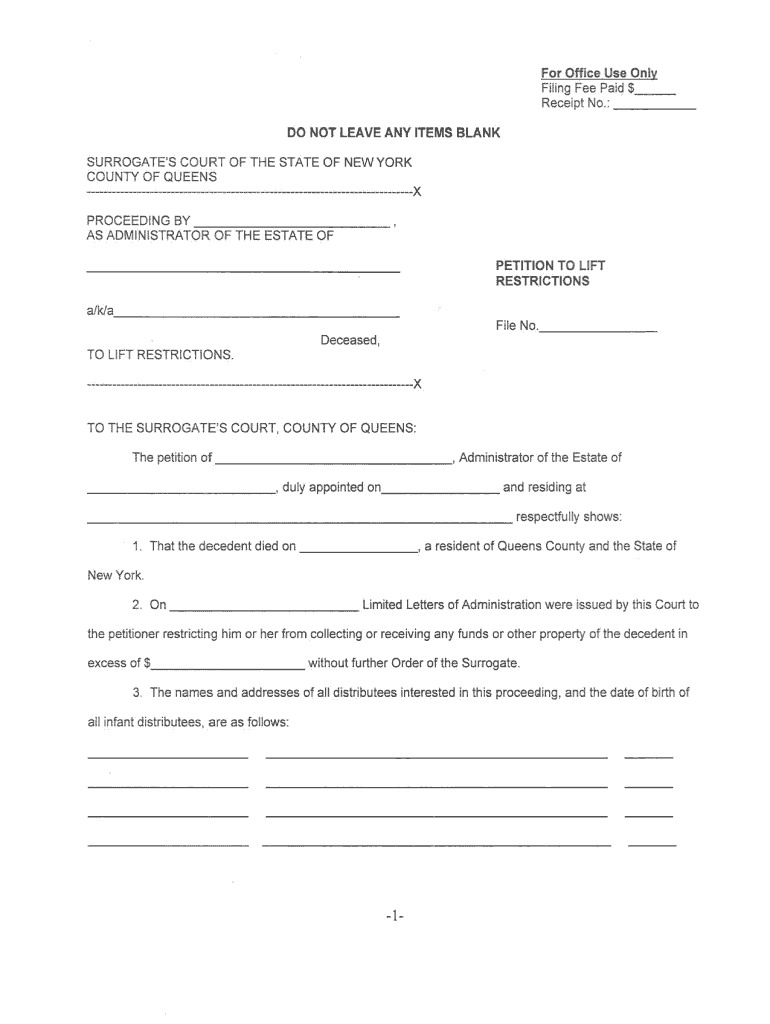
- Click ‘Get Form’ to open the petition lift restrictions document in the editor.
- Begin by filling in your name as the petitioner and your address in the designated fields. Ensure all information is accurate to avoid delays.
- Provide details about the decedent, including their date of death and residency information. This section is crucial for establishing jurisdiction.
- List all distributees interested in this proceeding, along with their addresses and birth dates for any minors. This ensures that all parties are informed.
- Detail any creditors and lien holders, including amounts owed. Transparency here is vital for a smooth process.
- Indicate whether a wrongful death action was settled or terminated, and provide the respective amounts. This helps justify the need to lift restrictions.
- Request attorney's fees and disbursements clearly, ensuring you attach supporting documents like retainer agreements.
- Review all entries for completeness before submitting your petition through our platform for free.
Start using our editor today to simplify your petition process!
It's free
Got questions?
How can I eSign my lift the restriction in Word?
Microsoft Word doesn’t have signing tools to create valid electronic signatures and enforceable paperwork. Luckily, DocHub is an online eSignature-compliant editor that supports different document formats, including .doc files. Log in to your account and import the Word version of your lift the restriction from your device and cloud, or URL - our editor will automatically turn it into an editable PDF. Make all essential modifications in your document and click Sign to create your own legally-binding eSignature. There are four signing methods from which to choose.
How do you get petition lift restrictions?
You can find the latest and most relevant version of the petition lift restrictions in our DocHub forms collection. Search it by categories or use the search field to get the exact template that fits your case. You can open this form for editing after you find it.
What is a letter of administration with limitations in NY?
What does petition for administration mean?
What is a petitioner in probate?
Security and compliance
At DocHub, your data security is our priority. We follow HIPAA, SOC2, GDPR, and other standards, so you can work on your documents with confidence.
Learn more


