




Here's how it works
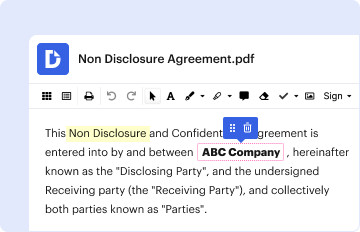
01. Edit your form online
Type text, add images, blackout confidential details, add comments, highlights and more.
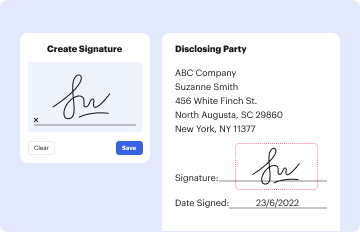
02. Sign it in a few clicks
Draw your signature, type it, upload its image, or use your mobile device as a signature pad.

03. Share your form with others
Send it via email, link, or fax. You can also download it, export it or print it out.
How to use or fill out Indiana Administrative Rules - IN with our platform

- Click ‘Get Form’ to open the Indiana Administrative Rules - IN document in the editor.
- Begin by entering your name as the Prosecuting Attorney in the designated field. Ensure accuracy for proper identification.
- Select your county and court from the dropdown menus provided, ensuring that you choose the correct options relevant to your position.
- Indicate your employment status by checking one of the boxes: 'Assumed Office', 'Left Employment', or 'Continued in Office'.
- Fill in the effective date of your employment status change in the specified field.
- Choose whether you are serving full-time or part-time by checking the appropriate box.
- Enter your Social Security number and attach a copy of your Social Security card if you are a new employee.
- Complete your home address, including city, state, and zip code, along with home and cell phone numbers.
- Provide your email address and work address, followed by your work phone number.
- Fill in your date of birth and select your gender and marital status by checking the applicable boxes.
- If applicable, enter the name of any prosecutor being replaced.
- Finally, sign and date the form at the bottom before submitting it to ensure all information is verified as accurate.
Start using our platform today to easily complete and submit your Indiana Administrative Rules - IN form for free!
Fill out Indiana Administrative Rules - IN online
It's free
It's free
See more Indiana Administrative Rules - IN versions
We've got more versions of the Indiana Administrative Rules - IN form. Select the right Indiana Administrative Rules - IN version from the list and start editing it straight away!
| Versions | Form popularity | Fillable & printable |
|---|---|---|
| 2016 | 4.8 Satisfied (144 Votes) |
Got questions?
We have answers to the most popular questions from our customers. If you can't find an answer to your question, please contact us.
Contact us
What is the Administrative Rule 7 in Indiana?
Administrative Rule 7 is to provide an orderly procedure for the preservation and disposition of court records while protecting public and private rights.
What is the Administrative Rule 21 in Indiana?
Ind. Access to Court Records Rule 5 defines confidential information and access rules for the public information in records. All confidential information that is e- filed must be filed as a confidential document. All confidential information paper filings must be filed on green paper.
What is the Indiana Administrative Rules and Procedure Act?
Administrative Rule 21. In all counties, a special judge is selected the same way used to select the original judge. When this process does not result in obtaining a special judge, a selection is made pursuant to local rule.
What is the Administrative Procedure Act in simple terms?
Administrative laws at the federal level are typically called rules (or regulations). Rules are promulgated to implement, interpret, or prescribe law or policy.
Security and compliance
At DocHub, your data security is our priority. We follow HIPAA, SOC2, GDPR, and other standards, so you can work on your documents with confidence.
Learn more


