Kentucky vacate form 2026

Get Form
kentucky vacate form Preview on Page 1

Here's how it works

01. Edit your kentucky vacate form online
Type text, add images, blackout confidential details, add comments, highlights and more.

02. Sign it in a few clicks
Draw your signature, type it, upload its image, or use your mobile device as a signature pad.

03. Share your form with others
Send it via email, link, or fax. You can also download it, export it or print it out.

How to use or fill out Kentucky Vacate Form with our platform

Form edit decoration
9.5
Ease of Setup
DocHub User Ratings on G2
9.0
Ease of Use
DocHub User Ratings on G2
  1. Click ‘Get Form’ to open the Kentucky Vacate Form in the editor.
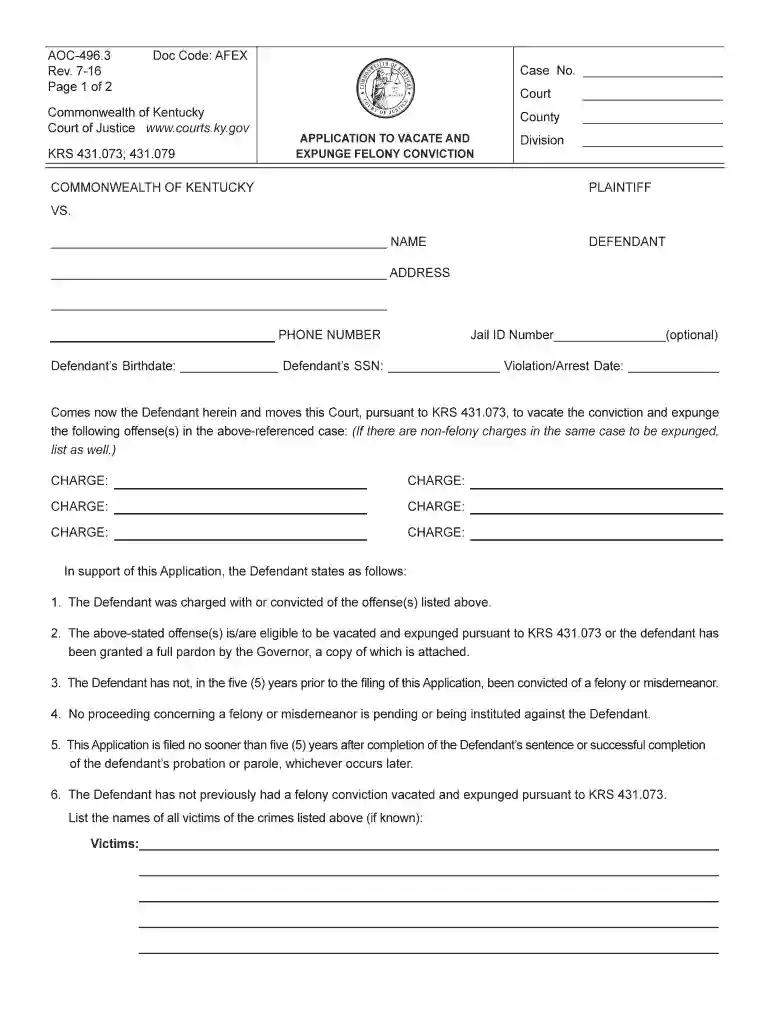
  2. Begin by filling in the court details, including the county and division. This information is crucial for identifying where your application will be processed.
  3. Enter your case number at the top of the form. This helps link your application to your existing legal records.
  4. Provide your personal information, including your name, address, phone number, birthdate, and Social Security Number. Ensure accuracy as this data is essential for processing.
  5. List all charges you wish to vacate and expunge. Be thorough; if there are multiple charges, include each one clearly.
  6. Confirm eligibility by checking that you meet all criteria outlined in the form. This includes having no recent felony or misdemeanor convictions.
  7. Sign the application in front of a notary or circuit court clerk to validate it before submission.

Start using our platform today to fill out your Kentucky Vacate Form easily and for free!

See more kentucky vacate form versions

We've got more versions of the kentucky vacate form form. Select the right kentucky vacate form version from the list and start editing it straight away!
Versions Form popularity Fillable & printable
2016 4.8 Satisfied (213 Votes)
be ready to get more

Complete this form in 5 minutes or less

Get form

Got questions?

We have answers to the most popular questions from our customers. If you can't find an answer to your question, please contact us.
Contact us
A notice to vacate is a letter to end a lease. It can be written by you or by your landlord. There has to be a written notice to vacate to end any periodic lease, including oral month-to-month leases. Some leases say you have to give notice even if you plan to move on the lease ending date.
In most states, you are allowed to evict tenants without a motive, meaning a no-cause notice to vacate would be accepted. Certain state laws, such as Californian law, restrict tenant evictions, and a no-cause notice to vacate is not accepted until you give a specific reason.
Detail the reason that the notice is being served Review each provision in the lease or rental agreement. If you are evicting tenants for unpaid rent, determine the amount of unpaid rent, if any. If you are evicting tenants for lease violations, determine violations of the lease or rental agreement, if any.
Depending on the eviction reason, the landlord must serve the tenant with either a 3-day, 7-day, or 30-day notice. This notice should be in writing and should specify the reason for eviction.
They can give you a notice to cure or quit or a notice to vacate a tenancy in a handwritten form, yes. What is it that you received? Can you post a picture of it?

Security and compliance

At DocHub, your data security is our priority. We follow HIPAA, SOC2, GDPR, and other standards, so you can work on your documents with confidence.

Learn more

People also ask

A section 21 notice has to give you at least 2 months. Some tenants have a right to a longer notice. For example, 3 months notice if your rent is due every 3 months.

Related links