




Here's how it works



How to use or fill out Indiana TR3 4 with our platform

- Click ‘Get Form’ to open the Indiana TR3 4 in the editor.
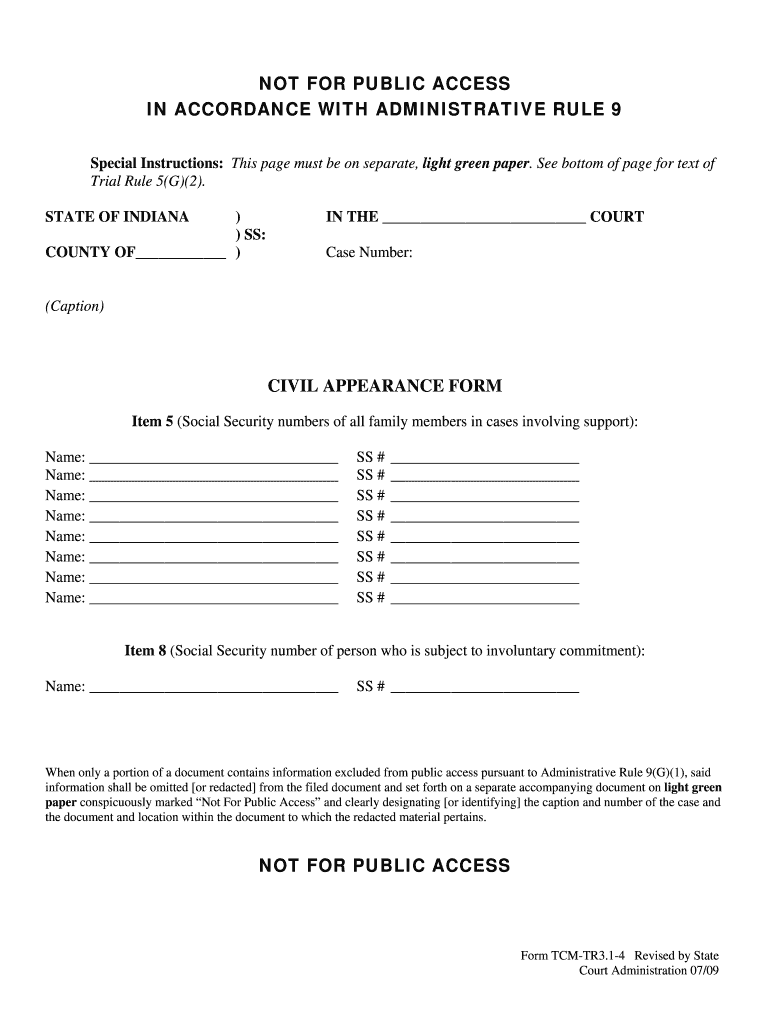
- Begin by filling in the case number at the top of the form. This is essential for identifying your case.
- In Item 5, list the names and Social Security numbers of all family members involved in support cases. Ensure accuracy as this information is sensitive.
- For each name listed, enter their corresponding Social Security number in the designated fields below their names.
- Proceed to Item 8, where you will need to provide the name and Social Security number of the person subject to involuntary commitment. Fill this out carefully.
- Remember that any information marked as 'Not For Public Access' must be printed on separate light green paper, as per administrative rules.
Start using our platform today for free to streamline your document editing and completion process!
It's free
See more indiana tr3 4 versions
| Versions | Form popularity | Fillable & printable |
|---|---|---|
| 2009 | 4.8 Satisfied (155 Votes) |
Got questions?
Can I type my eSignature on my indiana tr3 4 form?
Yes, a typed name is recognized as a legitimate electronic signature when you add it to your document utilizing a compliant solution like DocHub. Simply add your indiana tr3 4 form to our editor, click Sign in the top tool pane → Create your signature → Type your name in the appropriate tab, and choose how it will appear on your document.
Can I sign my indiana tcm civil while I edit it?
If you edit your indiana tcm civil with DocHub, you will not need to look for other software or services to eSign it. An electronic signature is a component of DocHub’s substantial editing toolset, which enables you to implement changes in your form without jumping between platforms. Simply complete your form, double-check the correctness of the data and put your electronic signature at the end to make it submission-ready within minutes.
Security and compliance
At DocHub, your data security is our priority. We follow HIPAA, SOC2, GDPR, and other standards, so you can work on your documents with confidence.
Learn more


