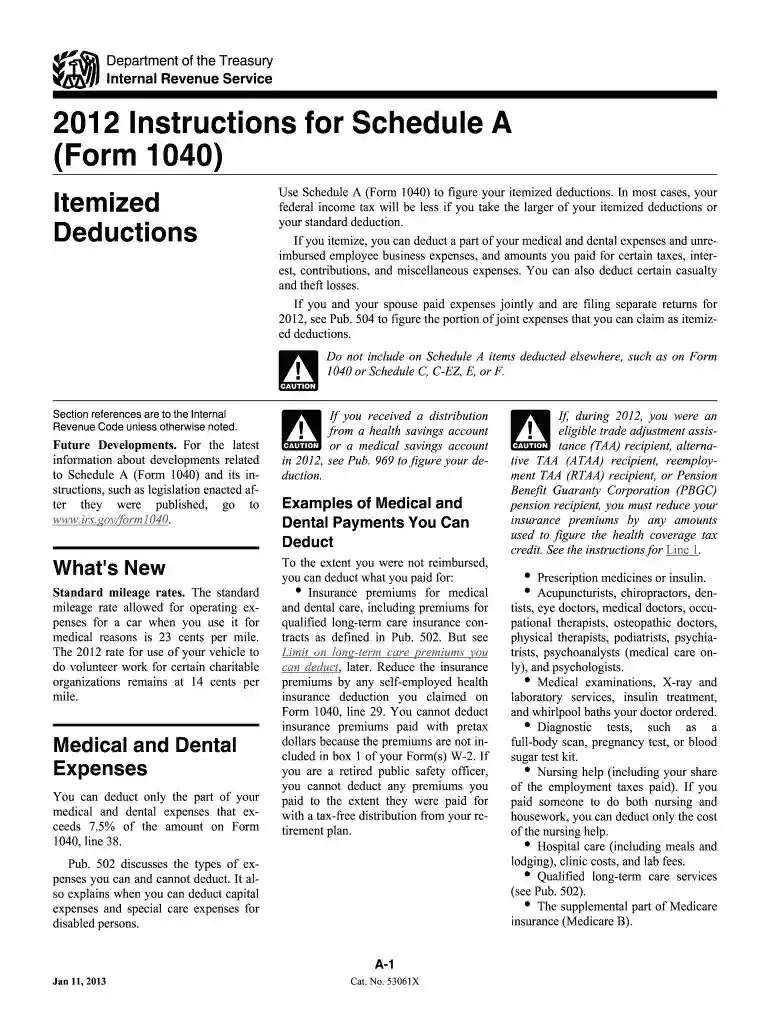
2012 instructions form-2026

Get Form
2012 instructions form Preview on Page 1

Here's how it works

01. Edit your form online
Type text, add images, blackout confidential details, add comments, highlights and more.

02. Sign it in a few clicks
Draw your signature, type it, upload its image, or use your mobile device as a signature pad.

03. Share your form with others
Send it via email, link, or fax. You can also download it, export it or print it out.

How to use or fill out 2012 instructions form with our platform

Form edit decoration
9.5
Ease of Setup
DocHub User Ratings on G2
9.0
Ease of Use
DocHub User Ratings on G2
  1. Click 'Get Form' to open the 2012 Instructions for Schedule A in the editor.
  2. Begin by reviewing the introduction section, which explains the purpose of Schedule A and itemized deductions. Familiarize yourself with what can be deducted.
  3. Navigate to the 'Medical and Dental Expenses' section. Enter your total medical expenses on Line 1, ensuring you account for any reimbursements received.
  4. Proceed to the 'Taxes You Paid' section. Choose between deducting state and local income taxes or general sales taxes. Fill in the appropriate lines based on your choice.
  5. In the 'Interest You Paid' section, enter mortgage interest from Form 1098 on Line 10. If applicable, report additional interest on Line 11.
  6. Complete the 'Gifts to Charity' section by entering cash contributions on Line 16 and property donations on Line 17, ensuring you have proper documentation.
  7. Finally, review all entries for accuracy before saving or exporting your completed form using our platform's features.

Start filling out your 2012 instructions form today for free using our platform!

See more 2012 instructions form versions

We've got more versions of the 2012 instructions form form. Select the right 2012 instructions form version from the list and start editing it straight away!
Versions Form popularity Fillable & printable
2023 4.8 Satisfied (49 Votes)
2022 4.5 Satisfied (55 Votes)
2021 4.9 Satisfied (32 Votes)
2020 4.3 Satisfied (179 Votes)
2019 4.2 Satisfied (53 Votes)
2019 4.3 Satisfied (73 Votes)
2018 4.4 Satisfied (128 Votes)
2017 4.3 Satisfied (186 Votes)
2016 4.3 Satisfied (228 Votes)
2015 4.3 Satisfied (55 Votes)
2014 4.4 Satisfied (192 Votes)
2012 4.4 Satisfied (160 Votes)
2011 4.4 Satisfied (575 Votes)
be ready to get more

Complete this form in 5 minutes or less

Get form

Got questions?

We have answers to the most popular questions from our customers. If you can't find an answer to your question, please contact us.
Contact us
Get the current filing years forms, instructions, and publications for free from the IRS. Download them from IRS.gov. Order online and have them delivered by U.S. mail. Order by phone at 1-800-TAX-FORM (1-800-829-3676)
Are tax forms available at my local Post Office? No, Post Offices do not have tax forms available for customers.
Keep records for 7 years if you file a claim for a loss from worthless securities or bad debt deduction. Keep records for 6 years if you do not report income that you should report, and it is more than 25% of the gross income shown on your return. Keep records indefinitely if you do not file a return.
During the tax-filing season, many libraries and some post offices offer free tax forms to taxpayers. Some libraries also have copies of commonly-requested publications. Braille materials for the blind are also available.
Youll need to account for all jobs you have and for your spouse if applicable and desired. Step 1: Enter your personal information. Step 2: Account for all jobs you and your spouse have. Step 3: Claim your children and other dependents. Step 4: Make other adjustments. Step 5: Sign and date your form.

Security and compliance

At DocHub, your data security is our priority. We follow HIPAA, SOC2, GDPR, and other standards, so you can work on your documents with confidence.

Learn more
ccpa2
pci-dss
gdpr-compliance
hipaa
soc-compliance

People also ask

Picking up copies at an IRS Taxpayer Assistance Center. Going to the IRS Small Business and Self-Employed Tax Center page. Requesting copies by phone 800-TAX-FORM (800-829-3676). Hours of operation are 7 a.m. to 10 p.m., Monday-Friday, your local time except Alaska and Hawaii which are Pacific time.
See IRS.gov and IRS.gov/Forms, and for the latest information about developments related to Forms 1040 and 1040-SR and their instructions, such as legislation enacted after they were published, go to IRS.gov/Form1040. Free File is the fast, safe, and free way to prepare and e-file your taxes. See IRS.gov/FreeFile.
You can still file your late 2012 taxes! Prepare them online with PriorTax today. * The IRS does not allow electronic filing of prior year tax returns, and the deadline for 2012 electronic filing has passed on October 15, 2013. You may still prepare your 2012 taxes using our website.

Related links