



01. Edit your service court online
Type text, add images, blackout confidential details, add comments, highlights and more.

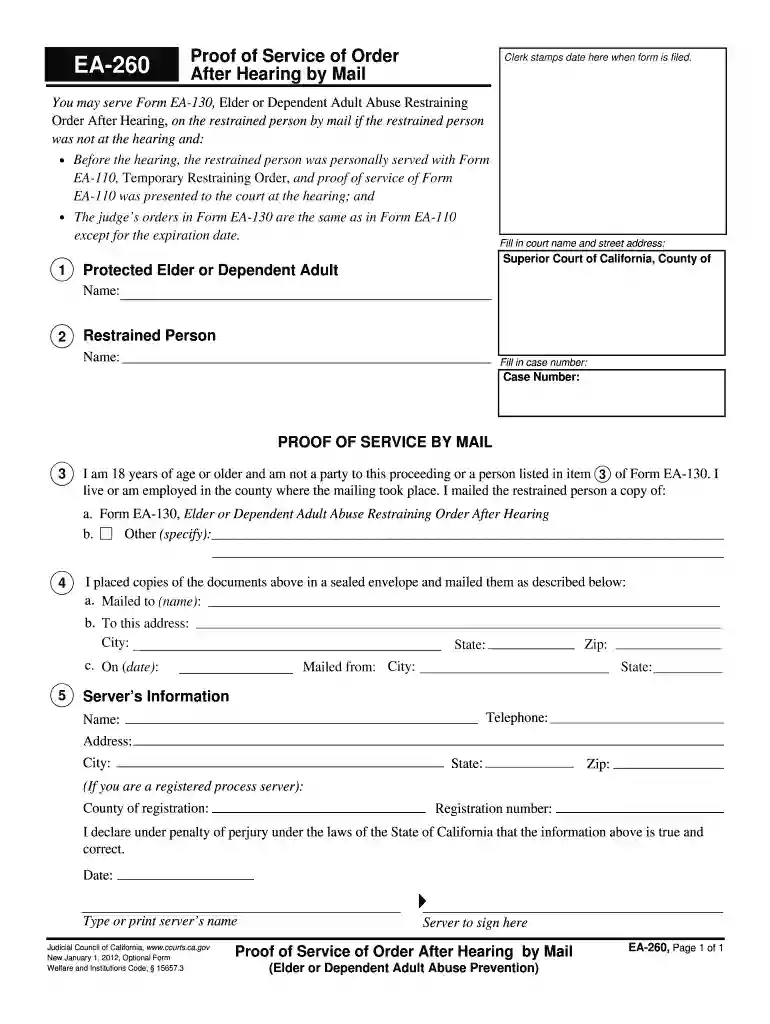
Type text, add images, blackout confidential details, add comments, highlights and more.

Draw your signature, type it, upload its image, or use your mobile device as a signature pad.

Send service proof mail via email, link, or fax. You can also download it, export it or print it out.

Start using our platform today for free to streamline your document editing and form completion!
We've got more versions of the service court form. Select the right service court version from the list and start editing it straight away!
| Versions | Form popularity | Fillable & printable |
|---|---|---|
| 2012 | 4.8 Satisfied (120 Votes) |
With DocHub, you can rapidly sign your mailed dependent or any other document on iOS, even without setting up extra programs. You can access your DocHub account from any web-connected browser and complete and sign your form in any way you like with just a few clicks.
In case your go-to electronic mail service is Gmail, it is simple to integrate your DocHub editor in your work. Modify your service hearing mail with DocHub instruments and attach it to your drafts in Gmail. See how easy it is to exchange documents and collaborate with a swift PDF editing solution at hand.
At DocHub, your data security is our priority. We follow HIPAA, SOC2, GDPR, and other standards, so you can work on your documents with confidence.
In this course, you will be introduced to theories and concepts that illustrate the relationship between acoustics, speech production and speech perception, theRead more
EA-260, Page 1 of 1. EA-260. Proof of Service of Order. After Hearing by Mail. Clerk stamps date here when form is filed. Fill in court name and street addressRead more


