Treasury direct form 3500 2013-2026

Get Form
treasury direct form 3500 2013 Preview on Page 1

Here's how it works

01. Edit your form online
Type text, add images, blackout confidential details, add comments, highlights and more.

02. Sign it in a few clicks
Draw your signature, type it, upload its image, or use your mobile device as a signature pad.

03. Share your form with others
Send it via email, link, or fax. You can also download it, export it or print it out.

How to use or fill out treasury direct form 3500 2013 with DocHub

Form edit decoration
9.5
Ease of Setup
DocHub User Ratings on G2
9.0
Ease of Use
DocHub User Ratings on G2
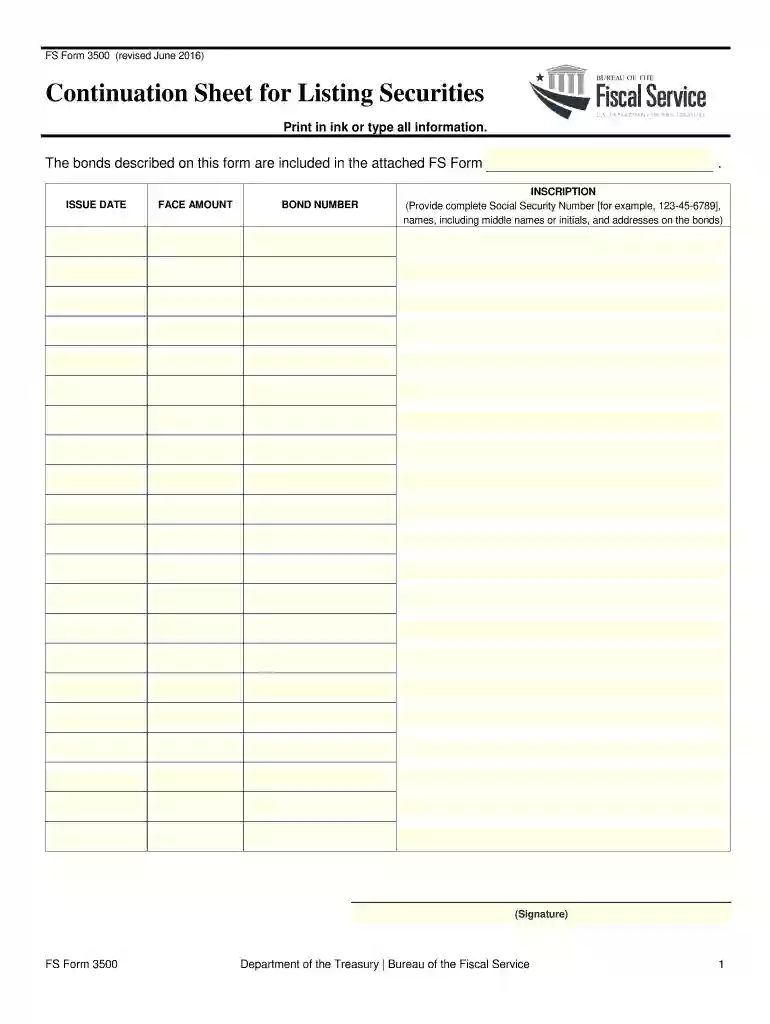
  1. Click ‘Get Form’ to open the treasury direct form 3500 in our platform's editor.
  2. Begin by entering the issue date of the bonds in the designated field. Ensure that you input this information accurately as it is crucial for record-keeping.
  3. Next, fill in the face amount of the bonds. This should reflect the total value of the securities you are listing.
  4. In the bond number section, provide the unique identifier for each bond. This helps in tracking and managing your securities effectively.
  5. For the inscription, carefully enter complete details including Social Security Numbers, names (with middle names or initials), and addresses associated with each bond. Accuracy is key here.
  6. Finally, sign in the signature field to validate your entries. Make sure your signature matches any official documents related to these securities.

Start using our platform today to fill out your treasury direct form 3500 for free and streamline your document management!

See more treasury direct form 3500 2013 versions

We've got more versions of the treasury direct form 3500 2013 form. Select the right treasury direct form 3500 2013 version from the list and start editing it straight away!
Versions Form popularity Fillable & printable
2020 4.8 Satisfied (35 Votes)
2019 4.3 Satisfied (39 Votes)
2016 4.3 Satisfied (102 Votes)
2013 4.4 Satisfied (187 Votes)
2007 4.4 Satisfied (577 Votes)
be ready to get more

Complete this form in 5 minutes or less

Get form

Got questions?

We have answers to the most popular questions from our customers. If you can't find an answer to your question, please contact us.
Contact us
In Treasury Direct, when you buy a Treasury marketable security, you must hold it in your TreasuryDirect account for 45 days before selling or transferring it. This means you cant sell or transfer a 4-week bill from TreasuryDirect because it matures in less than 45 days.
How do I withdraw from my Treasury Account? Tap on Withdraw at the bottom of your Treasury Account portfolio. Enter the amount desired or tap Withdraw All Tap Next. Tap Confirm.
Note: United States Savings Bonds must be held for a minimum of one year from their issue date before they are eligible to be redeemed. Log into your primary TreasuryDirect account. Click the ManageDirect tab at the top of the page. Under the heading Manage My Securities, click Redeem securities.
To file a claim for a savings bond that is lost, stolen, or destroyed, complete a Claim for Lost, Stolen, or Destroyed United States Savings Bonds (FS Form 1048). Please sign the form in the presence of an authorized docHubing officer (available at a bank, trust company, or credit union).
Redeem up to 30 paper savings bonds using FS Form 1522 from TreasuryDirect. To complete the form, youll need the names, serial numbers and issue dates listed on each bond you want to cash. Be prepared to provide your Social Security number and direct deposit information to have payment sent directly to your account.

Security and compliance

At DocHub, your data security is our priority. We follow HIPAA, SOC2, GDPR, and other standards, so you can work on your documents with confidence.

Learn more
ccpa2
pci-dss
gdpr-compliance
hipaa
soc-compliance
be ready to get more

Complete this form in 5 minutes or less

Get form