Health notice privacy practices 2026

Get Form
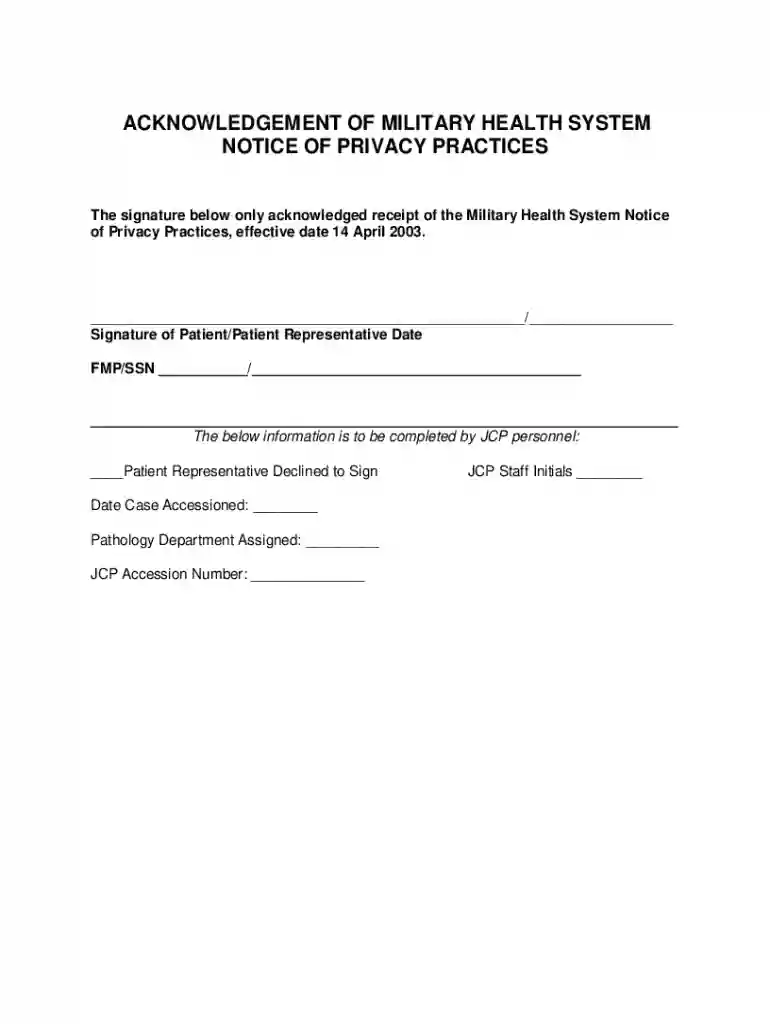
acknowledgement notice privacy practices Preview on Page 1

Here's how it works

01. Edit your acknowledgement notice privacy practices online
Type text, add images, blackout confidential details, add comments, highlights and more.

02. Sign it in a few clicks
Draw your signature, type it, upload its image, or use your mobile device as a signature pad.

03. Share your form with others
Send health notice privacy practices via email, link, or fax. You can also download it, export it or print it out.

How to use or fill out health notice privacy practices with our platform

Form edit decoration
9.5
Ease of Setup
DocHub User Ratings on G2
9.0
Ease of Use
DocHub User Ratings on G2
  1. Click ‘Get Form’ to open the health notice privacy practices document in the editor.
  2. Locate the signature field at the bottom of the form. Here, you will need to provide your signature or that of a patient representative, confirming receipt of the Military Health System Notice of Privacy Practices.
  3. Next, enter the date next to your signature. This should reflect when you acknowledged receipt of the document.
  4. Fill in the FMP/SSN section with the appropriate information. Ensure accuracy as this is crucial for identification purposes.
  5. If applicable, complete the section designated for JCP personnel. Indicate if a patient representative declined to sign and fill in any additional required details such as case accession date and pathology department assigned.
  6. Finally, ensure all fields are completed accurately before saving or exporting your document for submission.

Start using our platform today to easily fill out your health notice privacy practices form online for free!

See more health notice privacy practices versions

We've got more versions of the health notice privacy practices form. Select the right health notice privacy practices version from the list and start editing it straight away!
Versions Form popularity Fillable & printable
2024 4.3 Satisfied (21 Votes)
2024 4.6 Satisfied (51 Votes)
2024 4.5 Satisfied (23 Votes)
2024 4.8 Satisfied (29 Votes)
2023 4.7 Satisfied (42 Votes)
2023 4.4 Satisfied (48 Votes)
2023 4 Satisfied (63 Votes)
2023 4.5 Satisfied (26 Votes)
2023 4.6 Satisfied (34 Votes)
2023 4.2 Satisfied (30 Votes)
2023 3.9 Satisfied (31 Votes)
2023 4.3 Satisfied (42 Votes)
2023 4.7 Satisfied (39 Votes)
2023 4.4 Satisfied (22 Votes)
2023 4.2 Satisfied (51 Votes)
be ready to get more

Complete this form in 5 minutes or less

Get form

Got questions?

We have answers to the most popular questions from our customers. If you can't find an answer to your question, please contact us.
Contact us
The Notice of Privacy Practices must contain: A statement that the provider unit is required by law to maintain the privacy of protected health information and to provide individuals with notice of its legal duties and privacy practices with respect to protected health information.
Covered health care providers that maintain an office or other physical site where they provide health care directly to individuals are required to post their entire notice at the facility in a clear and prominent location.
The Notice must contain a statement that informs individuals of their HIPAA rights to: Request restrictions on certain uses and disclosures of PHI. Choose how they receive communications that include PHI. Request a copy of PHI maintained in a designated record set.
The notice must describe individuals rights, including the right to complain to HHS and to the covered entity if they believe their privacy rights have been violated. The notice must include a point of contact for further information and for making complaints to the covered entity.

Security and compliance

At DocHub, your data security is our priority. We follow HIPAA, SOC2, GDPR, and other standards, so you can work on your documents with confidence.

Learn more
ccpa2
pci-dss
gdpr-compliance
hipaa
soc-compliance
be ready to get more

Complete this form in 5 minutes or less

Get form