



612 - Arizona Department of Revenue - azdor 2026

Get Form
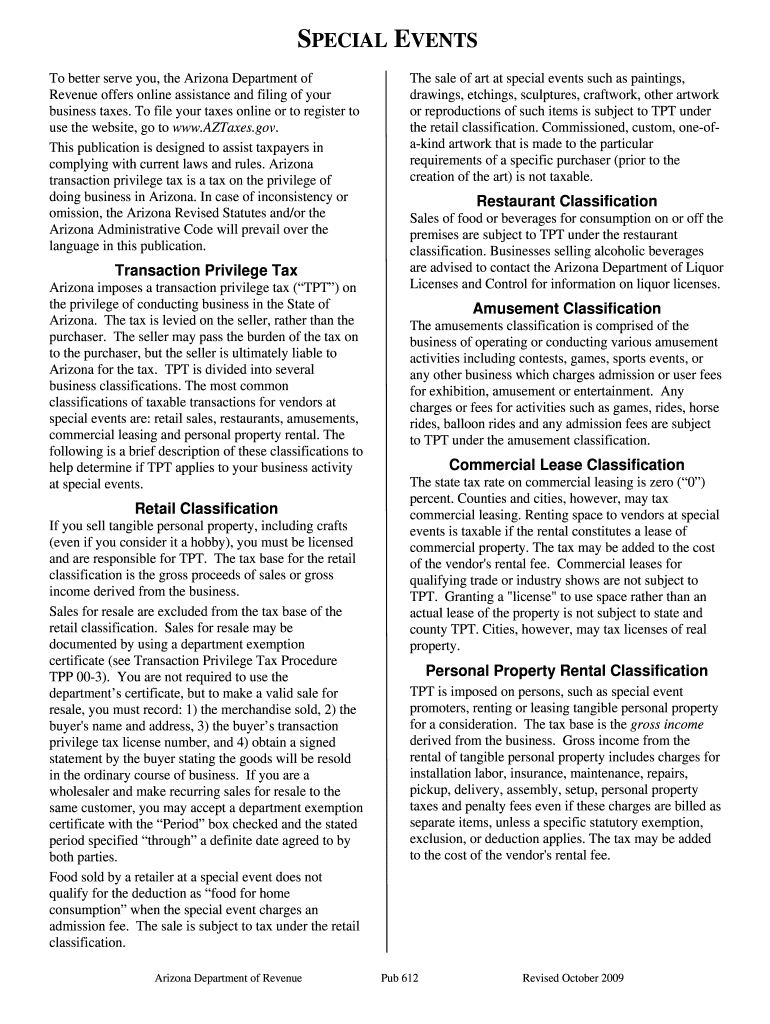
612 - Arizona Department of Revenue - azdor Preview on Page 1

Here's how it works

01. Edit your form online
Type text, add images, blackout confidential details, add comments, highlights and more.

02. Sign it in a few clicks
Draw your signature, type it, upload its image, or use your mobile device as a signature pad.

03. Share your form with others
Send it via email, link, or fax. You can also download it, export it or print it out.

How to use or fill out 612 - Arizona Department of Revenue - azdor with our platform

Form edit decoration
9.5
Ease of Setup
DocHub User Ratings on G2
9.0
Ease of Use
DocHub User Ratings on G2
  1. Click ‘Get Form’ to open the 612 - Arizona Department of Revenue form in the editor.
  2. Begin by entering your business information in the designated fields, including your business name, address, and contact details. Ensure accuracy to avoid any processing delays.
  3. Next, identify your business classification from the options provided (retail, restaurant, amusement, etc.). This is crucial for determining your transaction privilege tax obligations.
  4. Fill out the sales figures for each classification as applicable. Be sure to include gross proceeds and any exemptions you may qualify for.
  5. Review all entered information carefully. Use our platform's editing tools to make any necessary adjustments before finalizing your submission.
  6. Once satisfied with the form, utilize the signing feature to electronically sign and submit your document directly through our platform.

Start using our platform today for free to streamline your form completion process!

See more 612 - Arizona Department of Revenue - azdor versions

We've got more versions of the 612 - Arizona Department of Revenue - azdor form. Select the right 612 - Arizona Department of Revenue - azdor version from the list and start editing it straight away!
Versions Form popularity Fillable & printable
2017 4.8 Satisfied (75 Votes)
2009 4.4 Satisfied (91 Votes)
be ready to get more

Complete this form in 5 minutes or less

Get form

Got questions?

We have answers to the most popular questions from our customers. If you can't find an answer to your question, please contact us.
Contact us
Keep in mind that ADOR will never: Use text messages or any social media to discuss personal tax issues. Call to demand immediate payment; nor will we call about taxes owed without first having mailed an official demand notice.
A tax correction notice (TCN) is a correspondence letter sent by the Arizona Department of Revenue to inform taxpayers of important account matters or changes.
5 percent of the tax unpaid for each month, or fraction of a month the tax remains unpaid. Individuals who fail to make a required estimated tax payment, underpayment of the correct amount or late payment will be charged an underpayment of estimated tax penalty.
Rob Woods | Arizona Department of Revenue.
How can I check the status of my refund? When it comes to Arizona income tax refunds, processing times vary and depend on how taxpayers file (e-file or paper) and the date the return was filed. Individuals waiting for refunds can check their status by visiting Wheres My Refund on AZTaxes.gov.

Security and compliance

At DocHub, your data security is our priority. We follow HIPAA, SOC2, GDPR, and other standards, so you can work on your documents with confidence.

Learn more
ccpa2
pci-dss
gdpr-compliance
hipaa
soc-compliance
be ready to get more

Complete this form in 5 minutes or less

Get form

People also ask

This agency will never use unsolicited email, text messages, or any social media to discuss their personal tax information, Greenberg said. The Arizona Department of Revenue does not call to demand immediate payment or call about taxes owed without having initial communication with them through the mail.
Email correspondence is available to make appointments, send correspondence, and questions at AZTaxHelp. Did you receive a call from the Arizona Department of Revenue? The call-back numbers for those who have received a call are: (602) 542-1048, (602) 542-0545, (602) 716-6751, or (602) 716-6752.
If you have an Automated Clearing House (ACH) debit block on your bank account, you must inform your bank of the Arizona Department of Revenues Company ID number to avoid rejection of your payment. The Departments Company ID number is 4866004791.

Related links

