Ohio education certificate 2026

Get Form
ohio medical certificate Preview on Page 1

Here's how it works

01. Edit your ohio medical certificate online
Type text, add images, blackout confidential details, add comments, highlights and more.

02. Sign it in a few clicks
Draw your signature, type it, upload its image, or use your mobile device as a signature pad.

03. Share your form with others
Send 2017 certificate download via email, link, or fax. You can also download it, export it or print it out.

How to use or fill out Ohio Education Certificate with our platform

Form edit decoration
9.5
Ease of Setup
DocHub User Ratings on G2
9.0
Ease of Use
DocHub User Ratings on G2
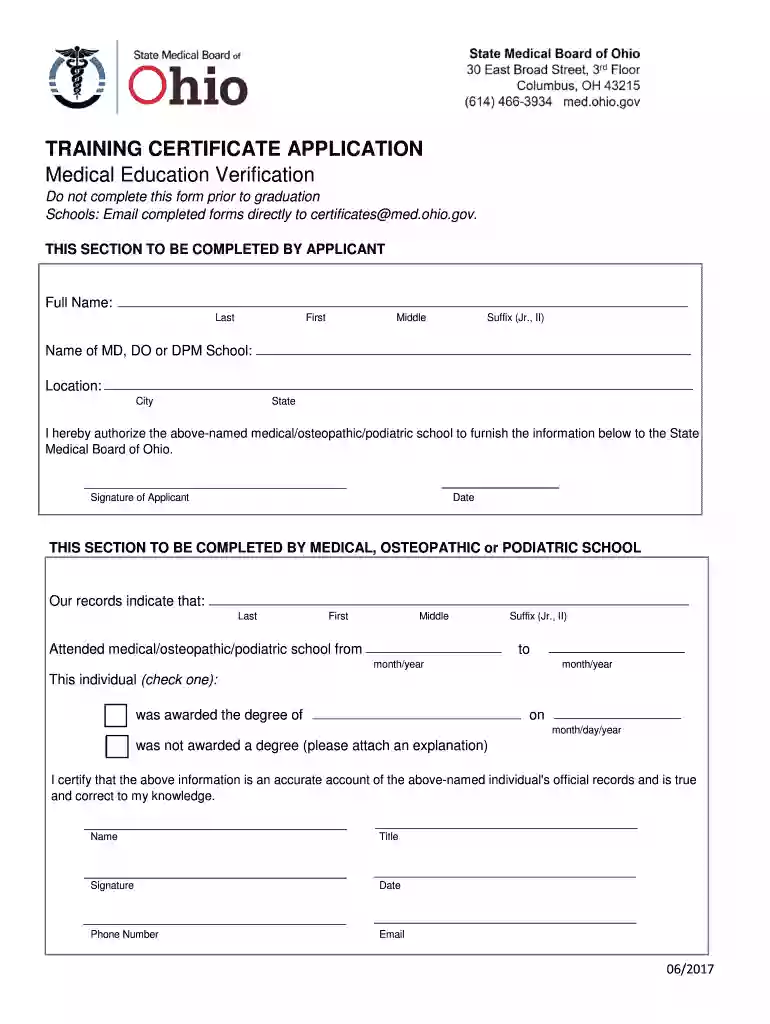
  1. Click ‘Get Form’ to open the Ohio Education Certificate in the editor.
  2. Begin by filling out your full name in the designated fields: Last, First, Middle, and Suffix (if applicable).
  3. Next, enter the name and location of your MD, DO, or DPM school. Ensure that you provide accurate city and state information.
  4. Authorize your medical/osteopathic/podiatric school to release your information by signing in the 'Signature of Applicant' section and adding the date.
  5. If you are a representative from the medical school, complete the section regarding attendance dates and degree status. Check the appropriate box indicating whether a degree was awarded.
  6. Finally, ensure that all required signatures and contact information are filled out accurately before submitting.

Start using our platform today to easily fill out your Ohio Education Certificate for free!

See more ohio education certificate versions

We've got more versions of the ohio education certificate form. Select the right ohio education certificate version from the list and start editing it straight away!
Versions Form popularity Fillable & printable
2017 4.6 Satisfied (36 Votes)
be ready to get more

Complete this form in 5 minutes or less

Get form

Got questions?

We have answers to the most popular questions from our customers. If you can't find an answer to your question, please contact us.
Contact us
First log in to your OHID account. Open the Educator Licensure and Records (CORE) app. Select Click to View in the My Documents section of your Core Dashboard. Click View next to the document you wish to download and view.
There are alternative certification programs in Ohio for those who did not complete a bachelors degree or masters degree in education. One of the most popular options for professionals with a bachelors degree in another field is a post-baccalaureate teacher licensure program.
Expired License Holders: Ohio Educators with an expired license will complete 9 semester hours of coursework related to classroom teaching or area of licensure. This requirement can be met through the following Teaching Channel path: Complete three 3-credit courses to earn 9 credits.
You can become a teacher in Ohio on your own schedule, without quitting your current job or going into debt. The program is entirely online, and you can complete it in less than one month.
How can I get a copy of my license or permit? First log in to your OHID account. Open the Educator Licensure and Records (CORE) app. Click Action next to the active credential and select Print from the dropdown menu to download and print your license or permit.

Security and compliance

At DocHub, your data security is our priority. We follow HIPAA, SOC2, GDPR, and other standards, so you can work on your documents with confidence.

Learn more
ccpa2
pci-dss
gdpr-compliance
hipaa
soc-compliance
be ready to get more

Complete this form in 5 minutes or less

Get form

People also ask

Requirements for Licensure Hold a bachelors degree with a 2.5 GPA or higher OR a masters degree with a 3.0 GPA or higher from an accredited college or university. Pass the required content area exam for your selected subject area. Have a current background check on file with the Ohio State Board of Education.

training edit