




Here's how it works

01. Edit your dochub com fillable form online
Type text, add images, blackout confidential details, add comments, highlights and more.

02. Sign it in a few clicks
Draw your signature, type it, upload its image, or use your mobile device as a signature pad.

03. Share your form with others
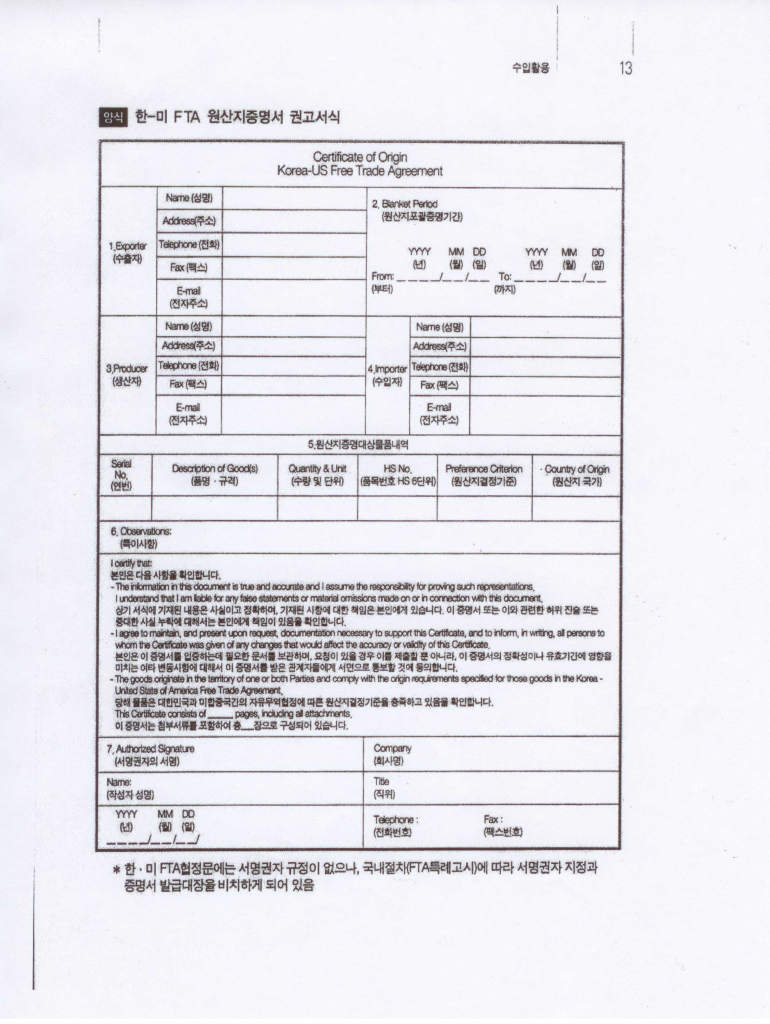
Send certificate of origin korea us free trade agreement via email, link, or fax. You can also download it, export it or print it out.
How to use or fill out US Trade Form with Our Platform

- Click ‘Get Form’ to open the US Trade Form in the editor.
- Begin by filling out the 'Exporter' section. Enter your company name, address, telephone number, and fax number. Ensure all details are accurate for smooth processing.
- Next, move to the 'Importer' section. Input the importer’s information including their name, address, and contact details. This is crucial for customs clearance.
- In the 'Product Description' area, provide a detailed description of the goods being exported. Include quantity and unit of measure to avoid any discrepancies.
- Complete the 'HS Number' field with the appropriate Harmonized System code for your products. This helps in identifying tariffs and trade regulations.
- Finally, review all entries for accuracy before signing at the bottom of the form. Use our platform's signature feature to add your digital signature effortlessly.
Start using our platform today to fill out your US Trade Form online for free!
Fill out us trade form online
It's free
Security and compliance
At DocHub, your data security is our priority. We follow HIPAA, SOC2, GDPR, and other standards, so you can work on your documents with confidence.
Learn more


