Type text, add images, blackout confidential details, add comments, highlights and more.
02. Sign it in a few clicks
Draw your signature, type it, upload its image, or use your mobile device as a signature pad.
03. Share your form with others
Send tenant communication log via email, link, or fax. You can also download it, export it or print it out.
How to use or fill out landlord tenant communication with our platform
Ease of Setup
DocHub User Ratings on G2
Ease of Use
DocHub User Ratings on G2
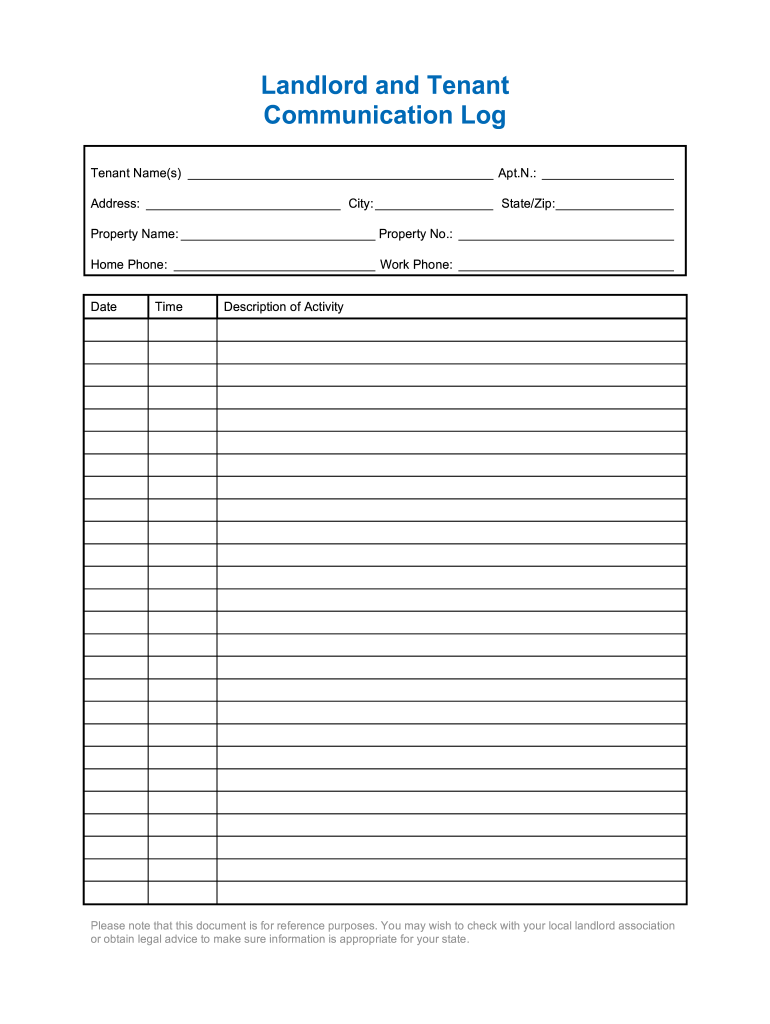
Click ‘Get Form’ to open the landlord tenant communication log in the editor.
Begin by entering the Tenant Name(s) in the designated field. This ensures that all communications are accurately attributed.
Fill in the Apartment Number and Address fields. Providing complete address details helps in identifying the specific rental unit.
Next, input the Property Name and Property Number. This information is crucial for tracking multiple properties if applicable.
Enter both Home Phone and Work Phone numbers. Having multiple contact options facilitates better communication between landlords and tenants.
Finally, document each interaction by filling out the Date, Time, and Description of Activity sections as they occur. This log serves as a valuable reference for future discussions.
Start using our platform today to streamline your landlord-tenant communications for free!
Fill out landlord tenant communication online It's free
Every time you have a call with a landlord follow up in writing. This ensures everyone is in agreement. Be honest about damage that you cause. You cant foolRead more
Cookie consent notice
This site uses cookies to enhance site navigation and personalize your experience.
By using this site you agree to our use of cookies as described in our Privacy Notice.
You can modify your selections by visiting our Cookie and Advertising Notice.