




Here's how it works

01. Edit your sf 1152 online
Type text, add images, blackout confidential details, add comments, highlights and more.

02. Sign it in a few clicks
Draw your signature, type it, upload its image, or use your mobile device as a signature pad.

03. Share your form with others
Send 1152 via email, link, or fax. You can also download it, export it or print it out.
How to use or fill out sf 1152 with our platform

- Click ‘Get Form’ to open the sf 1152 in the editor.
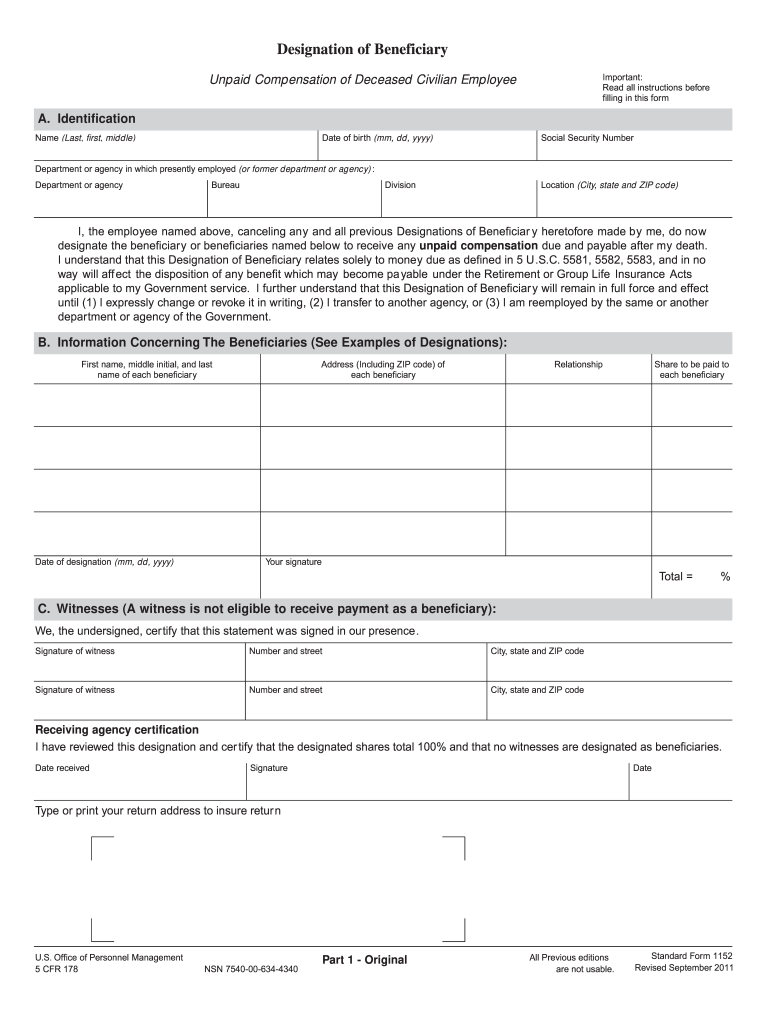
- In Section A, provide your identification details: enter your name, date of birth, and Social Security Number. Specify the department or agency you are currently employed with.
- Proceed to Section B to designate your beneficiaries. Fill in their names, addresses, relationships to you, and the share of compensation each will receive. Ensure that the total shares equal 100%.
- Sign the form in the designated area and have two witnesses sign as well. Remember that witnesses cannot be beneficiaries.
- Complete Section C by having a receiving agency certify your designation. This ensures that all details are accurate and compliant.
Start using our platform today for free to streamline your sf 1152 completion!
Fill out sf 1152 online
It's free
It's free
Security and compliance
At DocHub, your data security is our priority. We follow HIPAA, SOC2, GDPR, and other standards, so you can work on your documents with confidence.
Learn more




