Type text, add images, blackout confidential details, add comments, highlights and more.
02. Sign it in a few clicks
Draw your signature, type it, upload its image, or use your mobile device as a signature pad.
03. Share your form with others
Send it via email, link, or fax. You can also download it, export it or print it out.
How to use or fill out Everything You Need to Know about Filing Medical Claims
Ease of Setup
DocHub User Ratings on G2
Ease of Use
DocHub User Ratings on G2
Click ‘Get Form’ to open it in the editor.
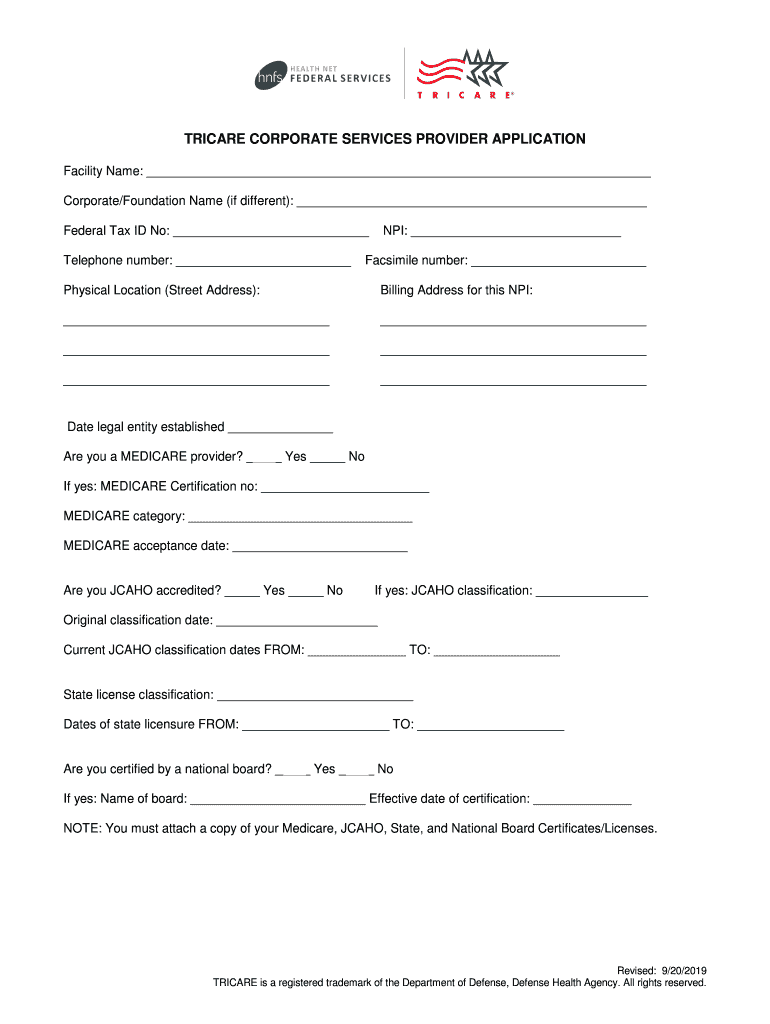
Begin by entering your Facility Name and Corporate/Foundation Name if applicable. Ensure that the Federal Tax ID No and NPI are accurately filled out.
Provide your contact information, including telephone and facsimile numbers, as well as the physical location and billing address for your NPI.
Indicate whether you are a Medicare provider by checking 'Yes' or 'No', and fill in the required Medicare certification details if applicable.
Complete the accreditation section by indicating if you are JCAHO accredited, along with relevant classification dates.
Select the appropriate services you provide by checking the corresponding boxes. Make sure to attach any necessary certification documents as specified.
Review all entered information for accuracy before submitting. Once complete, save your document and submit it via fax or mail as instructed.
Start using our platform today to streamline your medical claims process for free!
Fill out Everything You Need to Know about Filing Medical Claims online It's free
See more Everything You Need to Know about Filing Medical Claims versions
We've got more versions of the Everything You Need to Know about Filing Medical Claims form. Select the right Everything You Need to Know about Filing Medical Claims version from the list and start editing it straight away!
Health insurance claim exampleWhat is claim processing in healthcareFiling Medicare claimsMedical claim exampleSubmit insurance claim Blue Cross Blue ShieldClaim processing steps in healthcarePrintable Medicare claim forms for reimbursementIs a medical claim a bill
Security and compliance
At DocHub, your data security is our priority. We follow HIPAA, SOC2, GDPR, and other standards, so you can work on your documents with confidence.
What Are Medical Claims and How Are They Processed?
Medical claims are a way for healthcare providers to get paid for the services that they provide. They help the providers get paid for the cost of the care.
Medicare claims must be filed no later than 12 months (or 1 full calendar year) after the date when the services were provided unless an exception applies.Read more
Cookie consent notice
This site uses cookies to enhance site navigation and personalize your experience.
By using this site you agree to our use of cookies as described in our Privacy Notice.
You can modify your selections by visiting our Cookie and Advertising Notice.