




Here's how it works

01. Edit your form 941 vi online
Type text, add images, blackout confidential details, add comments, highlights and more.

02. Sign it in a few clicks
Draw your signature, type it, upload its image, or use your mobile device as a signature pad.

03. Share your form with others
Send form 941 v i via email, link, or fax. You can also download it, export it or print it out.
How to use or fill out 941 vi with our platform

- Click ‘Get Form’ to open the 941 vi in the editor.
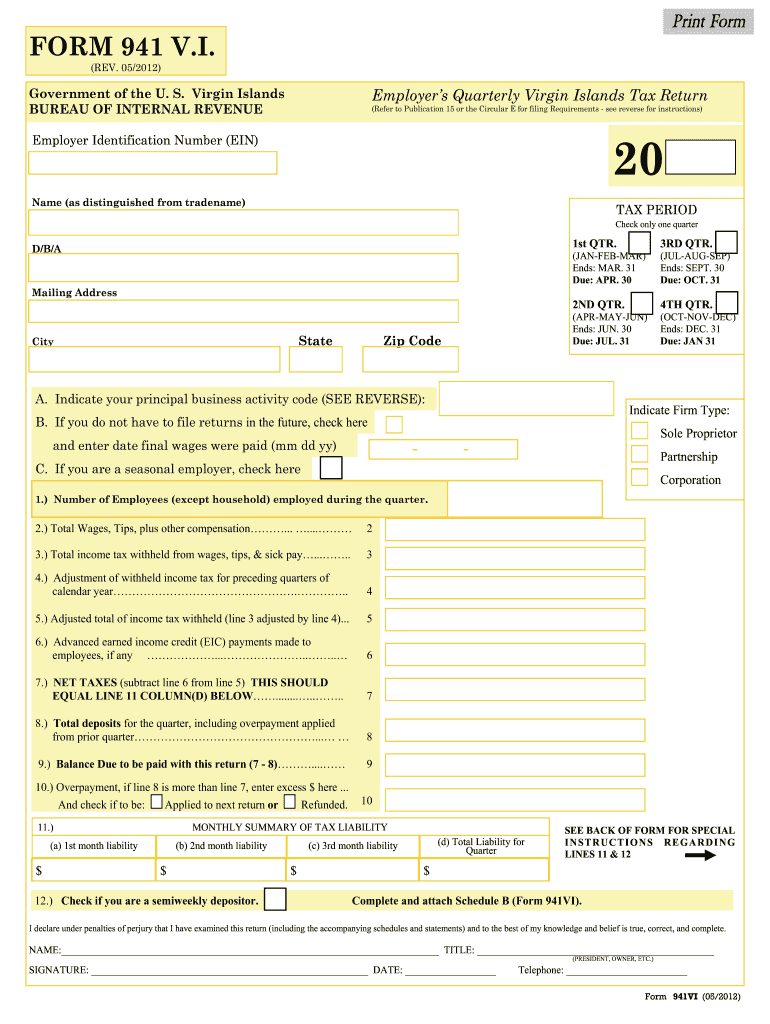
- Begin by entering your Employer Identification Number (EIN) and your business name, ensuring it is distinct from any trade name.
- Select the tax period by checking only one quarter box that corresponds to your filing date.
- Fill in your mailing address, including state, city, and zip code.
- Indicate your principal business activity code and firm type. If applicable, check the boxes for final returns or seasonal employer status.
- Complete lines 1 through 10 with accurate figures regarding employees, wages, taxes withheld, and any adjustments needed from previous quarters.
- Review the monthly summary of tax liability on line 11 and check if you are a semiweekly depositor on line 12.
- Finally, declare under penalties of perjury by signing and dating the form before submission.
Start using our platform today to easily complete your 941 vi form online for free!
Fill out 941 vi online
It's free
It's free
Security and compliance
At DocHub, your data security is our priority. We follow HIPAA, SOC2, GDPR, and other standards, so you can work on your documents with confidence.
Learn more




