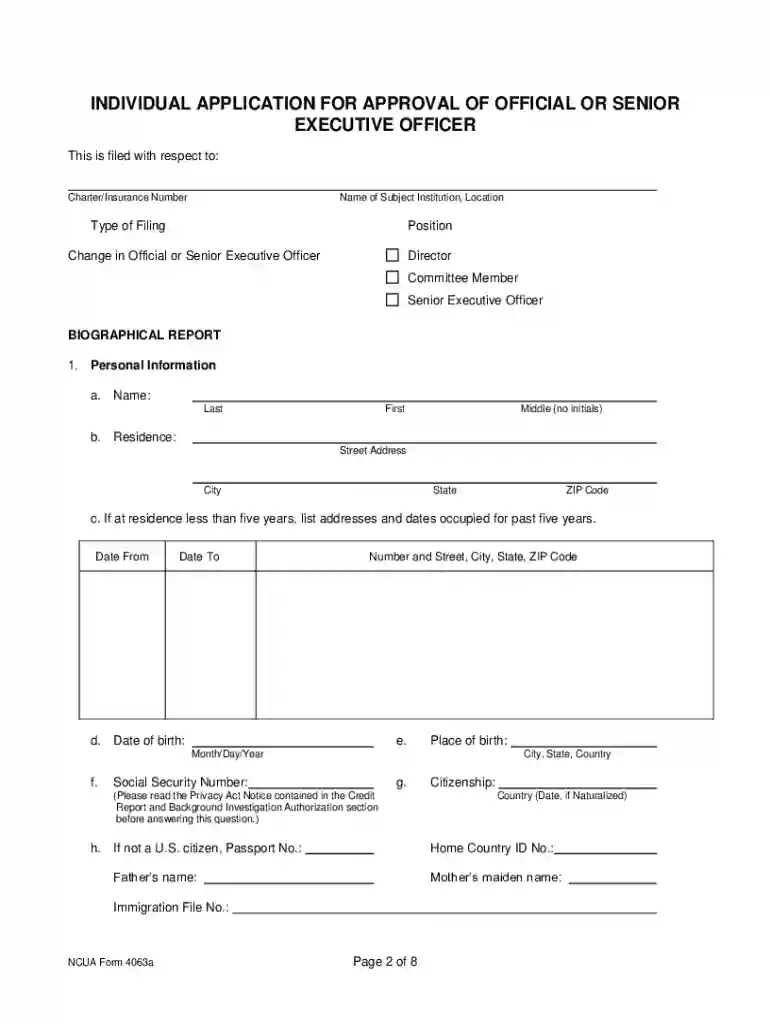
Ncua form 2026

Get Form
ncua form Preview on Page 1

Here's how it works

01. Edit your ncua form online
Type text, add images, blackout confidential details, add comments, highlights and more.

02. Sign it in a few clicks
Draw your signature, type it, upload its image, or use your mobile device as a signature pad.

03. Share your form with others
Send it via email, link, or fax. You can also download it, export it or print it out.

How to use or fill out NCUA form with our platform

Form edit decoration
9.5
Ease of Setup
DocHub User Ratings on G2
9.0
Ease of Use
DocHub User Ratings on G2
  1. Click ‘Get Form’ to open the NCUA form in the editor.
  2. Begin by filling out the 'Personal Information' section. Enter your full name, residence address, and contact details. If you have lived at your current address for less than five years, provide previous addresses.
  3. Complete the 'Employment Record' section by listing your last five years of employment in reverse chronological order. Include details such as position held and reasons for leaving.
  4. In the 'Education and Professional Credentials' section, list all relevant diplomas and licenses. Ensure that you include issuing authorities and dates.
  5. Proceed to the 'Legal and Related Matters' section. Answer all questions truthfully regarding any past legal issues or affiliations with financial institutions.
  6. Finally, review all sections for accuracy before signing the certification at the end of the form. Make sure to read the Privacy Act Notice carefully.

Start using our platform today to streamline your NCUA form completion process for free!

be ready to get more

Complete this form in 5 minutes or less

Get form

Got questions?

We have answers to the most popular questions from our customers. If you can't find an answer to your question, please contact us.
Contact us

Electronic document approval requires a software solution that complies with data protection and eSignature standards. DocHub is a perfect tool for that, since it fulfills all the aforementioned requirements. Whatever method you like to sign your ncua form in DocHub, your eSignature will be legally binding and court-admissible.

You can get and modify your ncua form online by using DocHub. Its straightforward yet feature-rich design enables you to begin effective work immediately after you sign up your account. Create your account and add your file, then our interface will guide you through our stress-free form completion experience.

A three-member Board of Directors oversees the NCUAs operations by setting policy, approving budgets and adopting rules and regulations.
The NCUA Consumer Assistance Center assists consumers in resolving disputes with credit unions and provides information about federal consumer financial protection and general share insurance matters.
The NCUA does not insure money invested in stocks, bonds, mutual funds, life insurance policies, annuities or municipal securities, even if these investment or insurance products are sold at a federally insured credit union.

Security and compliance

At DocHub, your data security is our priority. We follow HIPAA, SOC2, GDPR, and other standards, so you can work on your documents with confidence.

Learn more
ccpa2
pci-dss
gdpr-compliance
hipaa
soc-compliance
be ready to get more

Complete this form in 5 minutes or less

Get form

People also ask

Search for the credit union on the Conservatorships and Liquidations page and select the credit union name to view the Creditor Notice. The deadline for filing claims is in the Creditor Notice. Complete a Proof of Claim Form . You may attach a separate document if additional space is needed.
The NCUA works to protect credit union members and consumers, raise awareness of potential frauds, facilitate access to affordable financial services, and educate consumers on the importance of savings and how they can improve their financial well-being.
The National Credit Union Administration (NCUA) is an agency of the United States federal government.
The National Credit Union Administration charters and supervises federal credit unions, and insures savings in federal and most state-chartered credit unions.
The National Credit Union Administration (NCUA) is an independent agency created by the U.S. government to regulate and protect credit unions and their owners. Just like the FDIC, the NCUA insures up to $250,000 to all credit union members and provides protection in the event of a credit union failure.

Related links