




Here's how it works



How to use or fill out Reproductive Endocrinology & Infertility Service - Madigan with our platform

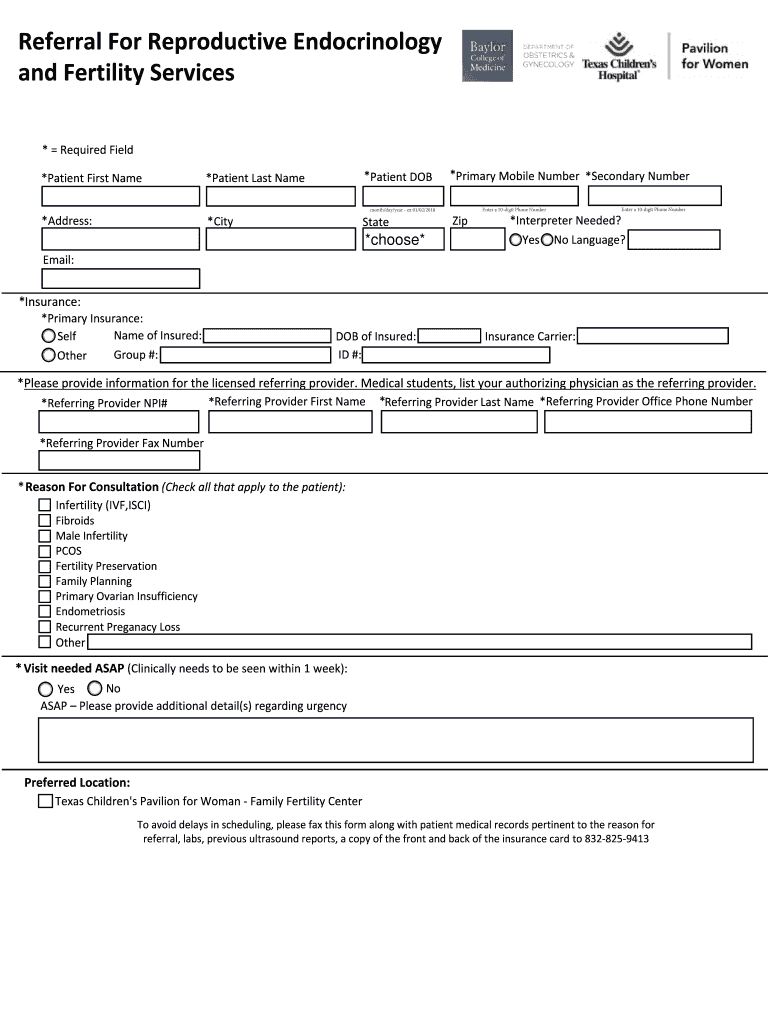
- Click ‘Get Form’ to open the Reproductive Endocrinology & Infertility Service - Madigan document in the editor.
- Begin by entering the patient's first and last name, date of birth, and address. Ensure that all required fields marked with an asterisk (*) are filled out accurately.
- Provide contact information including primary and secondary mobile numbers. If an interpreter is needed, select 'Yes' and specify the language.
- Fill in insurance details, including primary insurance name, insured's name, group number, date of birth of the insured, ID number, and insurance carrier.
- Complete the referring provider's information by entering their first and last name, office phone number, NPI number, and fax number.
- Indicate the reason for consultation by checking all applicable options related to infertility or other conditions listed.
- Specify if a visit is needed urgently by selecting 'Yes' or 'No' and providing additional details if necessary.
- Select the preferred location for services before finalizing your form. To avoid delays in scheduling, fax this completed form along with relevant medical records to the provided fax number.
Start using our platform today to streamline your form completion process for free!
It's free
Got questions?
Can I sign my madigan endocrinology on a mobile?
Sure, you’ll find numerous applications for this on the web. Nevertheless, if you need to eSign your madigan endocrinology without installing extra software, DocHub is the optimum choice you can make. This powerful editor works on mobile devices just like on desktops. Open our editor in any internet browser, register or sign in to your account, and start processing your forms.
Can I sign my ivf paperwork while I edit it?
If you edit your ivf paperwork with DocHub, you will not need to look for other software or services to sign it. An electronic signature is part of DocHub’s comprehensive editing toolset, which enables you to apply changes in your form without switching between websites. Simply complete your form, double-check the correctness of the information and place your electronic signature at the end to make it submission-ready in minutes.
Security and compliance
At DocHub, your data security is our priority. We follow HIPAA, SOC2, GDPR, and other standards, so you can work on your documents with confidence.
Learn more


