BCO-10 Renewal Application - Pa Department of State 2026

Get Form
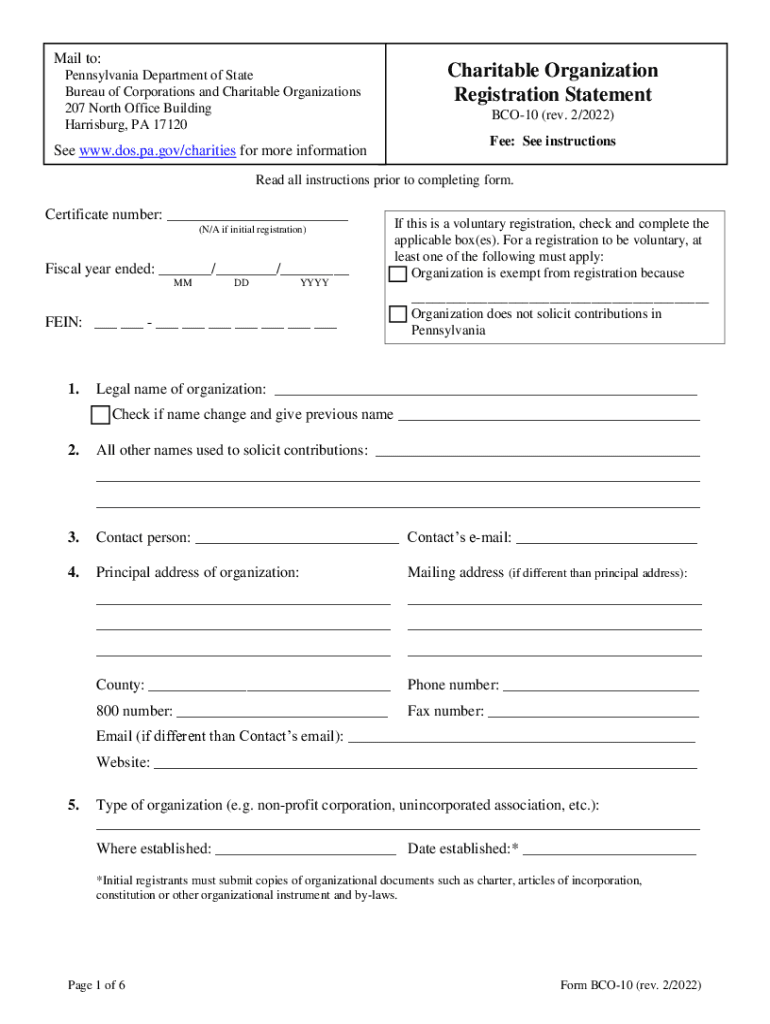
bco 10 Preview on Page 1

Here's how it works

01. Edit your bco 10 online
Type text, add images, blackout confidential details, add comments, highlights and more.
02. Sign it in a few clicks
Draw your signature, type it, upload its image, or use your mobile device as a signature pad.
03. Share your form with others
Send pa bco 10 via email, link, or fax. You can also download it, export it or print it out.

How to use or fill out BCO-10 Renewal Application - Pa Department of State with DocHub

Form edit decoration
9.5
Ease of Setup
DocHub User Ratings on G2
9.0
Ease of Use
DocHub User Ratings on G2
  1. Click ‘Get Form’ to open the BCO-10 Renewal Application in our editor.
  2. Begin by entering your certificate number, if applicable, and the fiscal year end date in the specified format (MM/DD/YYYY).
  3. Fill in your organization’s legal name and check the box if there has been a name change, providing the previous name.
  4. Complete all sections regarding contact information, including the contact person’s details and principal address. Ensure accuracy for effective communication.
  5. Indicate the type of organization and provide details about its establishment. If you are an initial registrant, attach necessary organizational documents.
  6. For sections requiring additional information about solicitation practices and financial reporting, provide clear descriptions as requested.
  7. Finally, ensure that two authorized officers sign the certification section before submitting your application.

Start using our platform today to streamline your BCO-10 Renewal Application process for free!

See more BCO-10 Renewal Application - Pa Department of State versions

We've got more versions of the BCO-10 Renewal Application - Pa Department of State form. Select the right BCO-10 Renewal Application - Pa Department of State version from the list and start editing it straight away!
Versions Form popularity Fillable & printable
2022 4.8 Satisfied (60 Votes)
2017 4.4 Satisfied (29 Votes)
2009 4.9 Satisfied (233 Votes)
2001 4.5 Satisfied (35 Votes)
be ready to get more

Complete this form in 5 minutes or less

Get form

Got questions?

We have answers to the most popular questions from our customers. If you can't find an answer to your question, please contact us.
Contact us
(a) New registrations. A new registration shall expire 1 year after the last day of the month preceding either the date of issuance of a registration card by the Department or the date of issuance of a temporary registration card by either the Department or an authorized agent of the Department, whichever occurs first.
To renew online you will need your registration plate number, title number, insurance information, odometer reading, a valid credit card, and a printer. At the end of the transaction, you will be given the opportunity to print a receipt and a permanent registration credential.
The Pennsylvania public disclosure form, Form BCO-23, reports an organizations income, expenses, and net assets. There is also a salary and expense statement for the organizations officers and five highest-paid employees.
How to renew your apportioned registration Complete Form MV-550 and MV-551 if renewing a fleet with multiple vehicles. Complete Form MV-550A if renewing a fleet with one vehicle. Contact the PennDOT Customer Call Center at 717-412-5300. Hearing impaired callers dial 711 and a staff member will gladly assist you.
Youll want to identify at least three board members to meet IRS requirements. Pennsylvania law requires every nonprofit corporation to have a President, Treasurer, and Secretary (i.e. officers who perform comparable duties) and a single person may hold all three offices.

Security and compliance

At DocHub, your data security is our priority. We follow HIPAA, SOC2, GDPR, and other standards, so you can work on your documents with confidence.

Learn more
ccpa2
pci-dss
gdpr-compliance
hipaa
soc-compliance