Type text, add images, blackout confidential details, add comments, highlights and more.
02. Sign it in a few clicks
Draw your signature, type it, upload its image, or use your mobile device as a signature pad.
03. Share your form with others
Send mv104a form via email, link, or fax. You can also download it, export it or print it out.
How to use or fill out mv104a form with our platform
Ease of Setup
DocHub User Ratings on G2
Ease of Use
DocHub User Ratings on G2
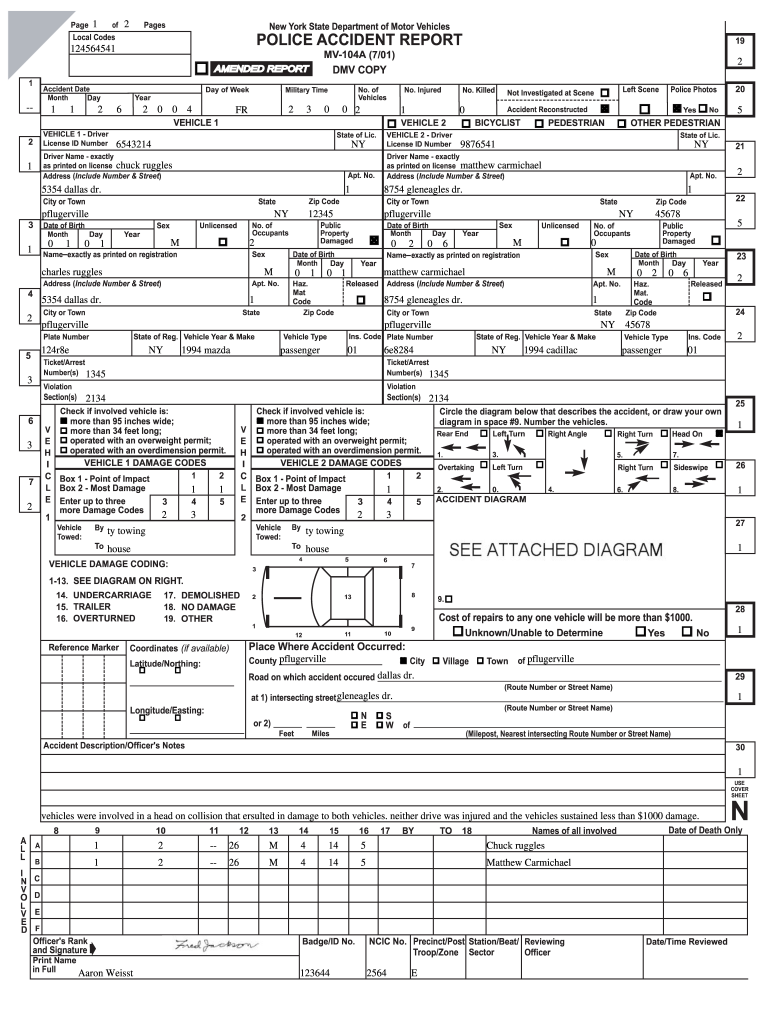
Click ‘Get Form’ to open the mv104a form in the editor.
Begin by entering the accident date and time in the designated fields. Ensure you select the correct month, day, and year.
Fill in the details for Vehicle 1, including the driver's license ID number, name, address, and date of birth. Make sure all information matches what is printed on their license.
Proceed to Vehicle 2 and repeat the process for its driver’s information. Include vehicle registration details such as year, make, and plate number.
Complete sections regarding damages and injuries. Indicate if there were any fatalities or injuries involved in the accident.
Utilize our platform's drawing tools to create an accident diagram if necessary. Number each vehicle accordingly.
Review all entered information for accuracy before saving or submitting your completed form.
Start using our platform today to fill out your mv104a form easily and for free!
MV-104: Report of Motor Vehicle Crash (PDF) - NY DMV
Before completing this form, read the instructions on page 2. Use only for crashes that happen in New York State. Print or type all information. Use black ink.Read more
PEDESTRIAN/BICYCLIST/OTHER PEDESTRIAN ACTION. 1. Crossing, With Signal. 2. Crossing, Against Signal. 3. Crossing, No Signal, Marked Crosswalk.Read more
Cookie consent notice
This site uses cookies to enhance site navigation and personalize your experience.
By using this site you agree to our use of cookies as described in our Privacy Notice.
You can modify your selections by visiting our Cookie and Advertising Notice.