Type text, add images, blackout confidential details, add comments, highlights and more.

02. Sign it in a few clicks
Draw your signature, type it, upload its image, or use your mobile device as a signature pad.

03. Share your form with others
Send hotline complaint form via email, link, or fax. You can also download it, export it or print it out.

How to use or fill out complaint submission form with our platform
Ease of Setup
DocHub User Ratings on G2
Ease of Use
DocHub User Ratings on G2
Click ‘Get Form’ to open the complaint submission form in the editor.
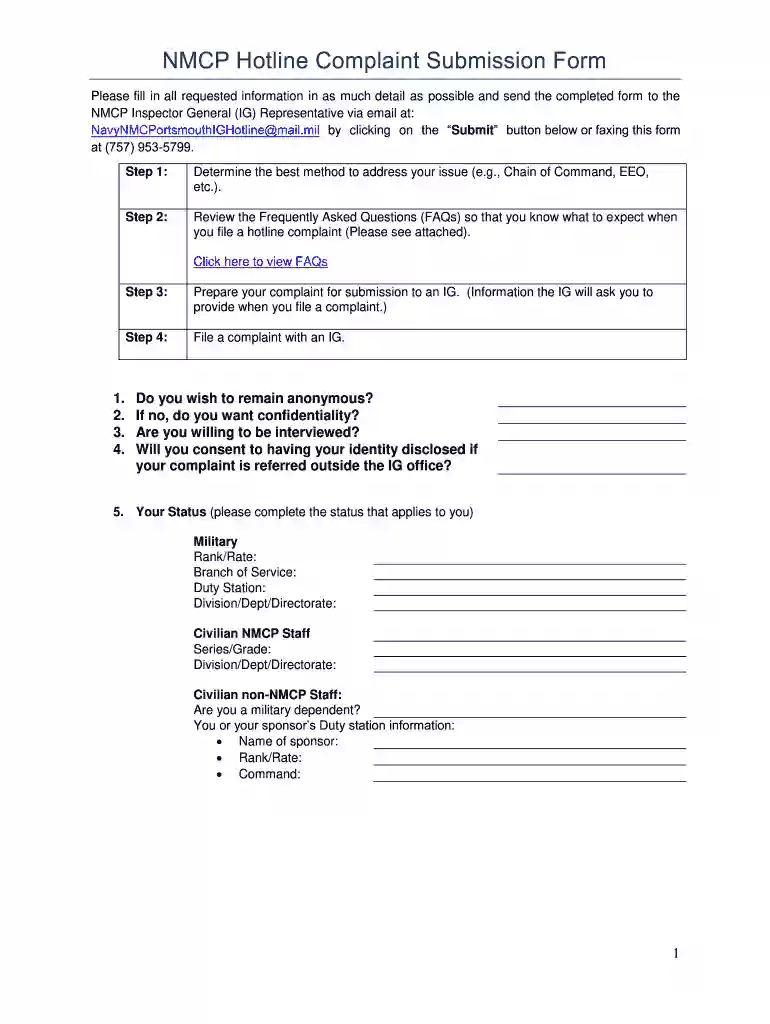
Begin by determining the best method to address your issue, such as through your Chain of Command or EEO.
Review the Frequently Asked Questions (FAQs) provided to understand what to expect when filing a hotline complaint.
Prepare your complaint by gathering all necessary information that the Inspector General will require, including details about those involved and the nature of the complaint.
Fill out your status accurately, indicating whether you are military, civilian NMCP staff, or a dependent. Include relevant details like rank and duty station.
Provide your name and contact information clearly, avoiding nicknames. Ensure all fields are filled out completely for effective communication.
Answer specific questions regarding who is involved, what actions were taken or not taken, and any rules or regulations that may have been violated.
Indicate if you have attempted to resolve the issue previously and specify what actions you would like the IG to take.
Once completed, click on the ‘Submit’ button to send your form directly via email or print it for faxing.
Start using our platform today for free to streamline your complaint submission process!
Fill out complaint submission form online It's free
Complaint submission form templateComplaint submission form template wordFree complaint submission formComplaint submission form pdfComplaint submission form onlineFiling a complaint against someoneHow to file a complaint against a company onlineHow to file a complaint against a company as an employee
Security and compliance
At DocHub, your data security is our priority. We follow HIPAA, SOC2, GDPR, and other standards, so you can work on your documents with confidence.
The petitioner has submitted a Request to Waive Court Fees (form FW-001). This request is based on Code of Civil Procedure section 413.30. Posting locationRead more
Please tell us as much as you can, including What, When, Where, and Who was involved. Include all facts you believe are relevant. Be as specific as possibleRead more
Your complaint cannot be processed without an affidavit. Please attach your signed affidavit document at the bottom this form in the Affidavit section.Read more
Cookie consent notice
This site uses cookies to enhance site navigation and personalize your experience.
By using this site you agree to our use of cookies as described in our Privacy Notice.
You can modify your selections by visiting our Cookie and Advertising Notice.