What Are the Steps to Apply for a Canada Pension Plan 2026

Get Form
employment insurance ei Preview on Page 1

Here's how it works

01. Edit your employment insurance ei online
Type text, add images, blackout confidential details, add comments, highlights and more.

02. Sign it in a few clicks
Draw your signature, type it, upload its image, or use your mobile device as a signature pad.

03. Share your form with others
Send canada pension plan form pdf via email, link, or fax. You can also download it, export it or print it out.

How to use or fill out What Are the Steps to Apply for a Canada Pension Plan with DocHub

Form edit decoration
9.5
Ease of Setup
DocHub User Ratings on G2
9.0
Ease of Use
DocHub User Ratings on G2
  1. Click ‘Get Form’ to open it in the editor.
  2. Begin by filling out Section A, which requires your personal information. Ensure you include your Social Insurance Number at the top of each page.
  3. In Section B, answer questions regarding pension sharing and benefits from other countries. Provide details as necessary, ensuring clarity in your responses.
  4. Proceed to Section C to indicate when you wish your pension to start. You can select a specific date or choose 'as soon as I qualify'.
  5. Complete Section D if you want voluntary income tax deductions from your pension payments. Specify the amount or percentage you wish deducted.
  6. Finally, review and sign Section E, confirming that all information is accurate before submitting your application.

Start using our platform today to simplify your application process for the Canada Pension Plan!

See more What Are the Steps to Apply for a Canada Pension Plan versions

We've got more versions of the What Are the Steps to Apply for a Canada Pension Plan form. Select the right What Are the Steps to Apply for a Canada Pension Plan version from the list and start editing it straight away!
Versions Form popularity Fillable & printable
2023 4.9 Satisfied (43 Votes)
2023 4.2 Satisfied (22 Votes)
2020 4.9 Satisfied (53 Votes)
2013 4.2 Satisfied (102 Votes)
2012 4.2 Satisfied (69 Votes)
2012 4.2 Satisfied (66 Votes)
2006 4.1 Satisfied (51 Votes)
be ready to get more

Complete this form in 5 minutes or less

Get form

Got questions?

We have answers to the most popular questions from our customers. If you can't find an answer to your question, please contact us.
Contact us
You should apply in advance of when you want your pension to start. How long does it take to receive CPP after applying? It takes approximately 7 to 14 days for online applications, 120 days for applications delivered by mail or in-person to a Service Canada Centre.
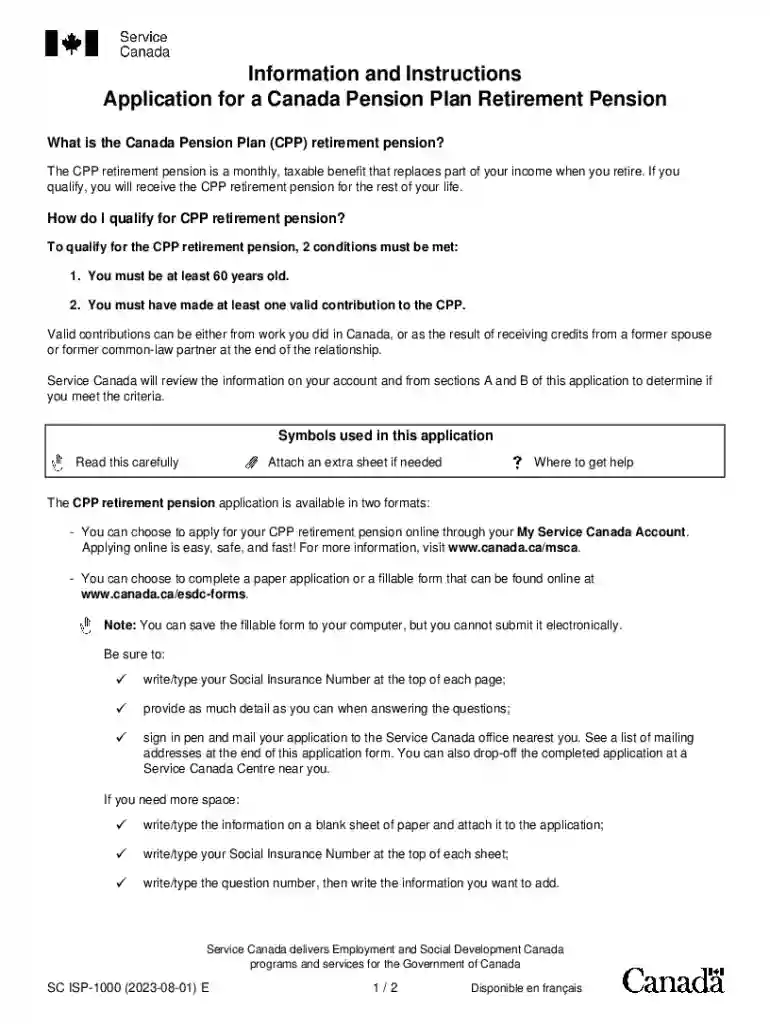
To qualify for the CPP retirement pension, 2 conditions must be met: 1. You must be at least 60 years old. 2. You must have made at least one valid contribution to the CPP.
For information about the OAS program, visit Canada.ca/OAS or call Service Canada at 1-800-277-9914. - Apply online at any time for available Canada Pension Plan (CPP) and Old Age Security (OAS) benefits and services.
The CPP retirement pension application (ISP1000) is available in two formats: Online: Go to .canada.ca/msca; ✓ Paper or fillable form: Go to .canada.ca/esdc-forms. Note: You can save the fillable form to your computer, but you cannot submit it electronically.
Yes, you can receive your Canada Pension Plan (CPP) payments while living outside Canada, as long as you meet the eligibility requirements. The CPP is a contributory plan, meaning you must have made sufficient contributions during your working years in Canada to qualify for benefits.

Security and compliance

At DocHub, your data security is our priority. We follow HIPAA, SOC2, GDPR, and other standards, so you can work on your documents with confidence.

Learn more
ccpa2
pci-dss
gdpr-compliance
hipaa
soc-compliance
be ready to get more

Complete this form in 5 minutes or less

Get form