Type text, add images, blackout confidential details, add comments, highlights and more.
02. Sign it in a few clicks
Draw your signature, type it, upload its image, or use your mobile device as a signature pad.
03. Share your form with others
Send de428t via email, link, or fax. You can also download it, export it or print it out.
How to use or fill out de 428t form 2011 with our platform
Ease of Setup
DocHub User Ratings on G2
Ease of Use
DocHub User Ratings on G2
Click ‘Get Form’ to open the DE 428T form in the editor.
Begin by reviewing the PREDECESSOR ACCOUNT NUMBER field if applicable. This will indicate any previous business account transfers.
Fill in the CLAIMANT’S NAME and SOCIAL SECURITY NUMBER (SSN) fields accurately, as these are crucial for identifying the claimants associated with your reserve account.
Enter the CLAIM DATE, which is essential for establishing when benefits were claimed.
Review the EMPLOYER CHARGE section to understand your prorated share of benefits paid. If there’s a MINUS (-) sign, it indicates a credit to your account.
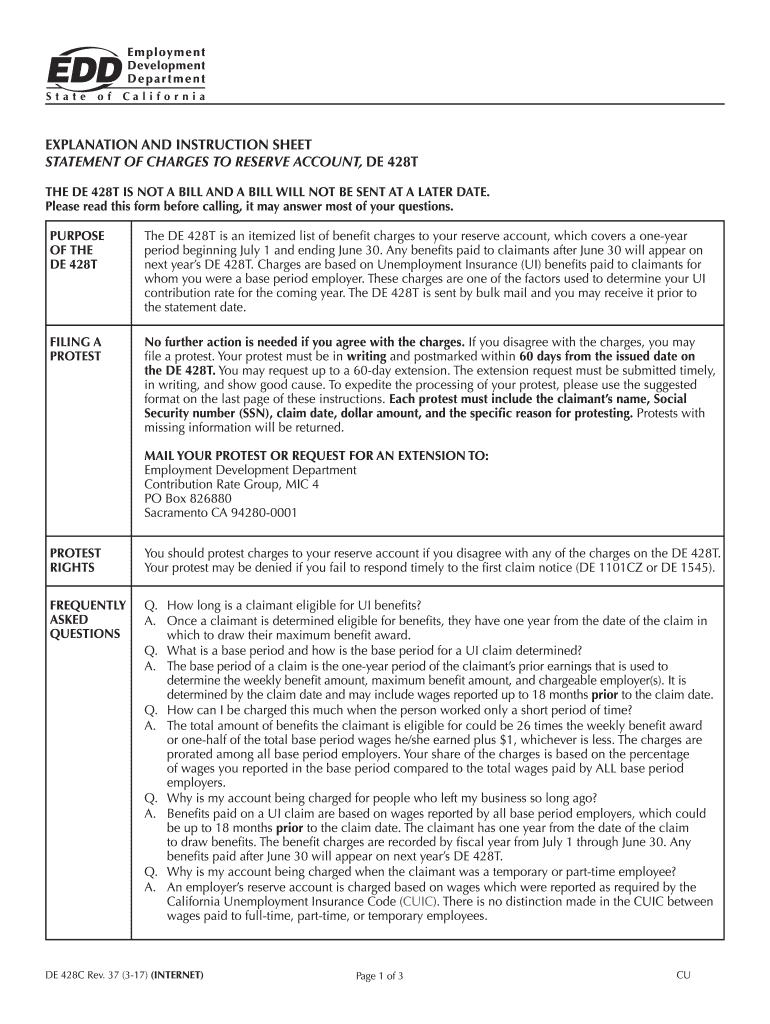
If you disagree with any charges, prepare a written protest using the suggested format provided at the end of the document and submit it within 60 days.
Start editing your DE 428T form today for free on our platform!
De 428t form 2011 pdfDe 428t form 2011 onlineWhat is de 428t protest formDe 428c formEdd de 428t form 2011De 428t protest reasonsDe 428t claim type aStatement of charges to reserve account de 428t
Security and compliance
At DocHub, your data security is our priority. We follow HIPAA, SOC2, GDPR, and other standards, so you can work on your documents with confidence.
This Article argues that one potentially effective form of such ex ante regulatory control is pre- market government licensing of complex financial instrumentsRead more
e-Services for Business is a fast, easy, and secure way to manage your employer payroll tax account online. Find answers to frequently asked questions (FAQs)Read more
Cookie consent notice
This site uses cookies to enhance site navigation and personalize your experience.
By using this site you agree to our use of cookies as described in our Privacy Notice.
You can modify your selections by visiting our Cookie and Advertising Notice.