




Here's how it works
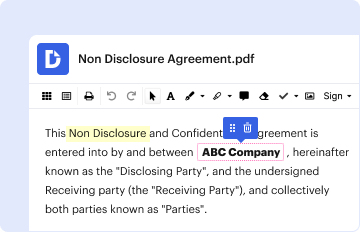
01. Edit your ifsp form pdf online
Type text, add images, blackout confidential details, add comments, highlights and more.
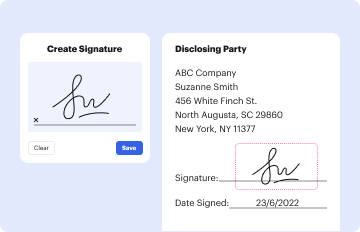
02. Sign it in a few clicks
Draw your signature, type it, upload its image, or use your mobile device as a signature pad.
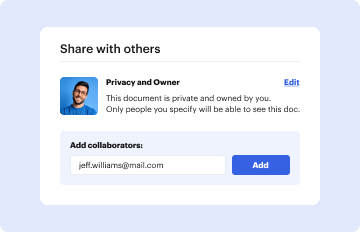
03. Share your form with others
Send individualized plan via email, link, or fax. You can also download it, export it or print it out.
How to use or fill out individual family service plan example with our platform

- Click ‘Get Form’ to open the Individualized Family Service Plan (IFSP) in the editor.
- Begin by filling in the 'Referral Date', 'IFSP Meeting Date', and 'IFSP Meeting Type' at the top of the form. This information is crucial for tracking your child's progress.
- In the 'Child and Family Information' section, enter details such as the child's name, birth date, ID number, and contact information for parents or guardians. Ensure accuracy for effective communication.
- Proceed to 'Part I - Information About My Child’s Development'. Fill out health information, including gestational age at birth and immunization records. This section helps assess your child's developmental needs.
- Complete 'Part II - Information About My Family', detailing concerns, priorities, and resources. This will guide service providers in tailoring support to your family's unique situation.
- In 'Part III - My Child/Family Outcomes', outline specific outcomes related to your child’s development. Collaborate with team members to set measurable criteria for success.
- Finally, review all sections for completeness before saving or sharing your IFSP document directly from our platform. Utilize features like e-signatures for a seamless process.
Start using our platform today to easily fill out your Individualized Family Service Plan!
Fill out individual family service plan example online
It's free
It's free
See more individual family service plan example versions
We've got more versions of the individual family service plan example form. Select the right individual family service plan example version from the list and start editing it straight away!
Security and compliance
At DocHub, your data security is our priority. We follow HIPAA, SOC2, GDPR, and other standards, so you can work on your documents with confidence.
Learn more




