Application form for vendor registration in indian coast guard 2026

Get Form
indian coast guard registration Preview on Page 1

Here's how it works

01. Edit your indian coast guard registration online
Type text, add images, blackout confidential details, add comments, highlights and more.
02. Sign it in a few clicks
Draw your signature, type it, upload its image, or use your mobile device as a signature pad.
03. Share your form with others
Send it via email, link, or fax. You can also download it, export it or print it out.

How to use or fill out application form for vendor registration in Indian Coast Guard

Form edit decoration
9.5
Ease of Setup
DocHub User Ratings on G2
9.0
Ease of Use
DocHub User Ratings on G2
  1. Click ‘Get Form’ to open it in the editor.
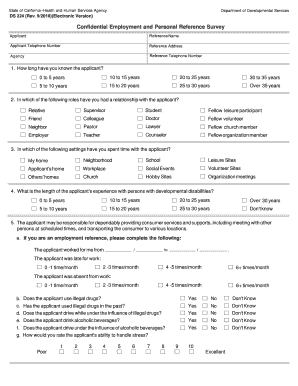
  2. Begin by entering the 'Name of the Firm' in the designated field. Ensure that this matches your official business name.
  3. Fill in your registered office address, including the pin code, telephone number, mobile number, fax, and email. Repeat this for your factory or working office if applicable.
  4. Provide details about the date and year of establishment, category of industry, and nature of your company. This information is crucial for classification purposes.
  5. In the section regarding past work undertaken, list relevant projects or supplies you have completed. Attach supporting documents as needed.
  6. Complete sections on financial details such as capital outlay and bank information. Ensure all figures are accurate and up-to-date.
  7. Finally, review all entries for accuracy before signing and stamping each page of the application. Submit your completed form along with required enclosures.

Start using our platform today to streamline your vendor registration process with ease!

be ready to get more

Complete this form in 5 minutes or less

Get form

Got questions?

We have answers to the most popular questions from our customers. If you can't find an answer to your question, please contact us.
Contact us

Electronic signatures are an excellent replacement for traditional signing, as they save time, effort, and money people spend on printing, scanning, and paper delivery. You can eSign your application form for vendor registration in indian coast guard using a reliable and powerful online document processing tool like DocHub. It complies with primary eSignature regulations (ESIGN and UETA), so all documents approved there are legally binding and have the same validity as manually signed ones.

You may quickly fill out, modify, and even eSign your application form for vendor registration in indian coast guard using DocHub. Create a new account and start your free trial. After that, you can upload the file with the form and simply make all the required edits. No need to print on paper or use a third-party application to sign it, as you can place your electronic signature on your document quicker through DocHub.

Security and compliance

At DocHub, your data security is our priority. We follow HIPAA, SOC2, GDPR, and other standards, so you can work on your documents with confidence.

Learn more
ccpa2
pci-dss
gdpr-compliance
hipaa
soc-compliance
be ready to get more

Complete this form in 5 minutes or less

Get form