01. Edit your ga business property tax return online
Type text, add images, blackout confidential details, add comments, highlights and more.
02. Sign it in a few clicks
Draw your signature, type it, upload its image, or use your mobile device as a signature pad.
03. Share your form with others
Send it via email, link, or fax. You can also download it, export it or print it out.
How to use or fill out TAX RETURN with our platform
Ease of Setup
DocHub User Ratings on G2
Ease of Use
DocHub User Ratings on G2
Click ‘Get Form’ to open the TAX RETURN in the editor.
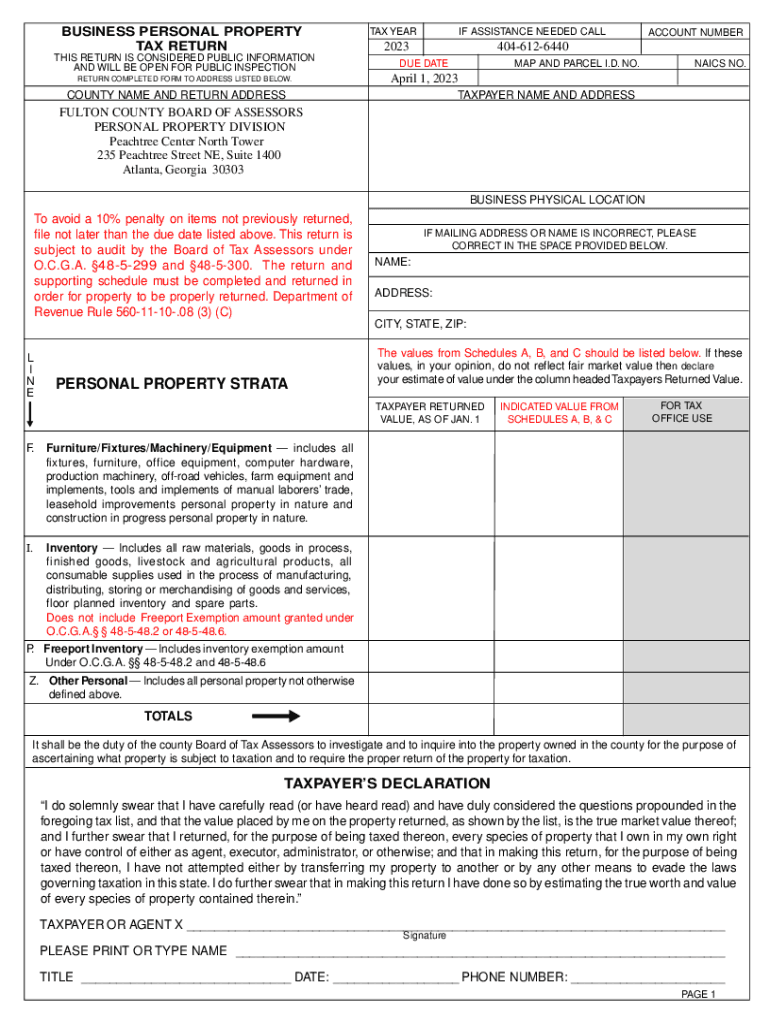
Begin by entering the tax year at the top of the form. Ensure that you input '2023' for this return.
Fill in your account number and map/parcel ID number as required. This information is crucial for accurate processing.
Provide your taxpayer name and address, ensuring all details are correct to avoid any issues with your submission.
In the General Information section, check the type of business and income tax filed. This helps categorize your return appropriately.
Complete Schedules A, B, and C as applicable. For each schedule, list assets or inventory owned as of January 1, ensuring to include original costs and any adjustments.
Review your entries carefully before signing the taxpayer declaration at the bottom of the form. This confirms that all information is accurate and complete.
Start filling out your TAX RETURN today for free using our platform!
7 days ago Check your refund status 24 hours after you e-file or 4 weeks after you mail a paper return. Check in your account or use the refund tracker
Feb 1, 2018 Use Form 7004 to request an automatic extension of time to file certain business income tax, information, and other returns. The extension willRead more
You can access your personal tax records online or by mail, including transcripts of past tax returns, tax account information, wage and income statements.Read more
Cookie consent notice
This site uses cookies to enhance site navigation and personalize your experience.
By using this site you agree to our use of cookies as described in our Privacy Notice.
You can modify your selections by visiting our Cookie and Advertising Notice.