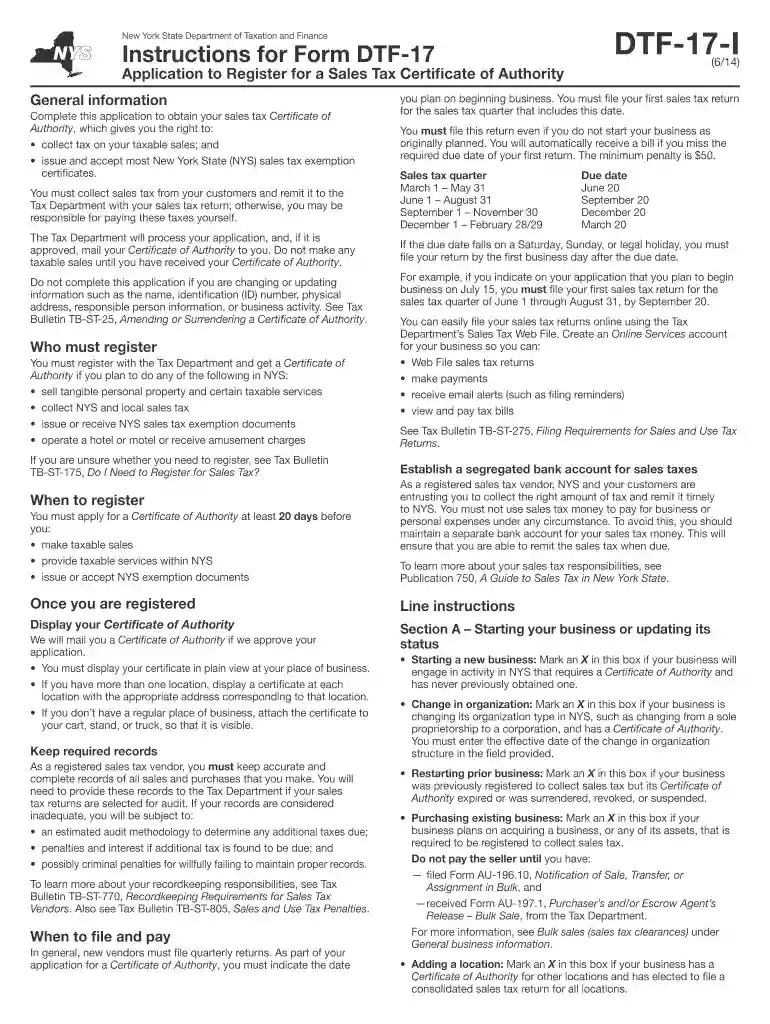
Dtf 17 2014 form-2026

Get Form
dtf fill form Preview on Page 1

Here's how it works

01. Edit your dtf fill form online
Type text, add images, blackout confidential details, add comments, highlights and more.

02. Sign it in a few clicks
Draw your signature, type it, upload its image, or use your mobile device as a signature pad.

03. Share your form with others
Send it via email, link, or fax. You can also download it, export it or print it out.

How to use or fill out dtf 17 2014 form with our platform

Form edit decoration
9.5
Ease of Setup
DocHub User Ratings on G2
9.0
Ease of Use
DocHub User Ratings on G2
  1. Click ‘Get Form’ to open the dtf 17 2014 form in the editor.
  2. Begin by filling out Section A, indicating whether you are starting a new business, changing organization, or restarting a prior business. Mark the appropriate box and provide any necessary details.
  3. In Section B, enter your business identification information. This includes your legal name, DBA (if applicable), federal employer ID number (EIN), and physical address where taxable sales will occur.
  4. Proceed to Section C to select your type of entity or organization. Choose from options like sole proprietorship, partnership, corporation, etc., ensuring you understand the implications of each.
  5. Complete Section D by providing general business information such as when you plan to begin operations and any relevant NAICS codes that describe your business activities.
  6. Finally, review all sections for accuracy before submitting. Use our platform's features to save your progress and ensure all required fields are filled out correctly.

Start using our platform today for free to streamline your dtf 17 2014 form completion!

See more dtf 17 2014 form versions

We've got more versions of the dtf 17 2014 form form. Select the right dtf 17 2014 form version from the list and start editing it straight away!
Versions Form popularity Fillable & printable
2018 4.8 Satisfied (181 Votes)
2016 4.2 Satisfied (50 Votes)
2014 3.9 Satisfied (29 Votes)
2010 4.1 Satisfied (30 Votes)
be ready to get more

Complete this form in 5 minutes or less

Get form

Got questions?

We have answers to the most popular questions from our customers. If you can't find an answer to your question, please contact us.
Contact us
Picking up copies at an IRS Taxpayer Assistance Center. Going to the IRS Small Business and Self-Employed Tax Center page. Requesting copies by phone 800-TAX-FORM (800-829-3676). Hours of operation are 7 a.m. to 10 p.m., Monday-Friday, your local time except Alaska and Hawaii which are Pacific time.
You can order forms using our automated forms order telephone line: 518-457-5431.
We accept forms that are consistent with the official printed versions and do not have an adverse impact on our processing. This policy includes forms printed from IRS.gov and output on high-quality devices such as laser or ink-jet printers, unless otherwise specified on the form itself.
(1) A certificate of authority shall expire on the date indicated in the notice of expiration unless, prior to such expiration date, a new, properly completed certificate of registration is filed with the department (see section 539.2(h) of this Title for information required on certificates of registration).
1. How long does it take to get an NYS Certificate of Authority? Processing typically takes five business days for online applications.

Security and compliance

At DocHub, your data security is our priority. We follow HIPAA, SOC2, GDPR, and other standards, so you can work on your documents with confidence.

Learn more
ccpa2
pci-dss
gdpr-compliance
hipaa
soc-compliance

People also ask

To fill it out, include buyer and seller details, vehicle information, sale price, and date of sale. Both parties should sign the form. Accurate completion helps avoid tax issues and ensures proper title transfer. The form can be obtained online or at DMV offices.
You can order forms using our automated forms order telephone line: 518-457-5431. Its compatible with TTY equipment through NY Relay (Dial 711) and with Internet and mobile relay services (see Assistance for the hearing and speech impaired for more information).
Are tax forms available at my local Post Office? No, Post Offices do not have tax forms available for customers.

Related links