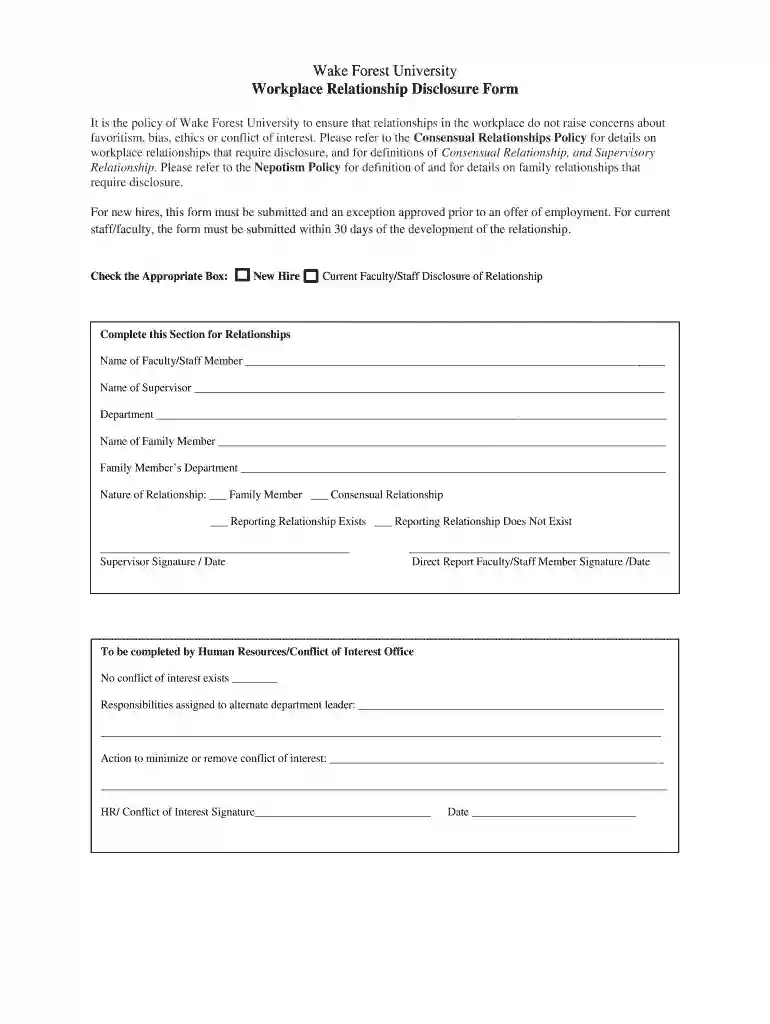
relationship disclosure form Preview on Page 1

It is the policy of Wake Forest University to ensure that relationships in the workplace do not rais 2026

Here's how it works

  • 01. Edit your relationship disclosure form online

    Type text, add images, blackout confidential details, add comments, highlights and more.

  • 02. Sign it in a few clicks

    Draw your signature, type it, upload its image, or use your mobile device as a signature pad.

  • 03. Share your form with others

    Send workplace relationship disclosure form via email, link, or fax. You can also download it, export it or print it out.

How to use or fill out It is the policy of Wake Forest University to ensure that relationships in the workplace do not raise concerns with our platform

Form edit decoration
9.5
Ease of Setup
DocHub User Ratings on G2
9.0
Ease of Use
DocHub User Ratings on G2
  1. Click ‘Get Form’ to open it in the editor.
  2. Begin by checking the appropriate box for your status: either 'New Hire' or 'Current Faculty/Staff'. This helps categorize your disclosure correctly.
  3. In the section labeled 'Complete this Section for Relationships', fill in the name of the faculty/staff member involved, along with their supervisor's name and department.
  4. Next, provide the name of any family member involved and their respective department. This ensures clarity regarding familial relationships.
  5. Indicate the nature of your relationship by selecting one or more options: Family Member, Consensual Relationship, Reporting Relationship Exists, or Reporting Relationship Does Not Exist.
  6. Finally, both parties must sign and date the form. Ensure that all information is accurate before submission.

Start using our platform today to streamline your document editing and submission process for free!

See more relationship disclosure form versions

We've got more versions of the relationship disclosure form form. Select the right relationship disclosure form version from the list and start editing it straight away!

VersionsForm popularityFillable & printable
20194.2 Satisfied (41 Votes)
20164.8 Satisfied (58 Votes)

be ready to get more

Complete this form in 5 minutes or less

Security and compliance

At DocHub, your data security is our priority. We follow HIPAA, SOC2, GDPR, and other standards, so you can work on your documents with confidence.

workplace relationship disclosure form template

CONSENSUAL RELATIONSHIPS

Wake Forest University is committed to ensuring that relationships in the workplace and educational environment do not raise the perception of favoritism orRead more

Learn more
Alternatives for Managing the Nations Complex

Cited by 239 Containment, however, is not inexpensive, and the monitoring to ensure it is work- ing correctly leads to recurring costs.

Learn more
Legal Violence, Health, and Access to Care: Latina - PMC

by AG Cervantes 2020 Cited by 127 We examine the consequences of an amplified immigration enforcement combined with a local limited health care infrastructure that reproduce legal violence.Read more

Learn more
If you believe that this page should be taken down, please follow our DMCA take down process here