Type text, add images, blackout confidential details, add comments, highlights and more.
02. Sign it in a few clicks
Draw your signature, type it, upload its image, or use your mobile device as a signature pad.
03. Share your form with others
Send adhd forms via email, link, or fax. You can also download it, export it or print it out.
How to use or fill out Vanderbilt forms with our platform
Ease of Setup
DocHub User Ratings on G2
Ease of Use
DocHub User Ratings on G2
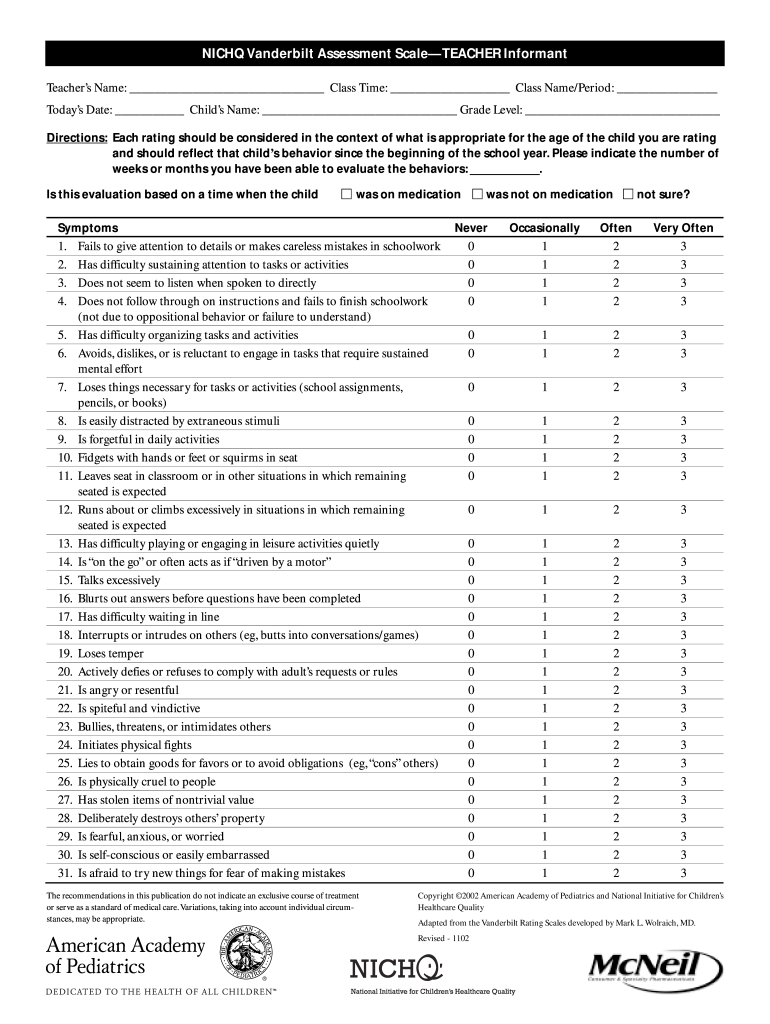
Click ‘Get Form’ to open the Vanderbilt Assessment Scale in the editor.
Begin by entering the Teacher’s Name, Class Time, Class Name/Period, Today’s Date, Child’s Name, and Grade Level in the designated fields.
In the Directions section, note how long you have been evaluating the child's behaviors and indicate if this evaluation is based on a time when the child was on medication.
Proceed to rate each symptom listed from 0 (Never) to 3 (Very Often) based on your observations since the beginning of the school year. Ensure you consider age-appropriate behavior.
Fill out the Performance section by rating Academic Performance and Classroom Behavioral Performance using the provided scale.
Add any additional comments in the Comments section and ensure all required fields are completed before submission.
Start filling out your Vanderbilt forms for free today using our platform!
Vanderbilt forms TEACHERVanderbilt Forms PDFVanderbilt forms TEACHER pdfVanderbilt Parent form pdfVanderbilt forms ParentVanderbilt ADHD formsVanderbilt scoring calculatorVanderbilt forms scoring
Security and compliance
At DocHub, your data security is our priority. We follow HIPAA, SOC2, GDPR, and other standards, so you can work on your documents with confidence.
When completing this form, please think about your childs behaviors in the past 6 months. Is this evaluation based on a time when the child. D was onRead more
Cookie consent notice
This site uses cookies to enhance site navigation and personalize your experience.
By using this site you agree to our use of cookies as described in our Privacy Notice.
You can modify your selections by visiting our Cookie and Advertising Notice.