Type text, add images, blackout confidential details, add comments, highlights and more.
02. Sign it in a few clicks
Draw your signature, type it, upload its image, or use your mobile device as a signature pad.
03. Share your form with others
Send it via email, link, or fax. You can also download it, export it or print it out.
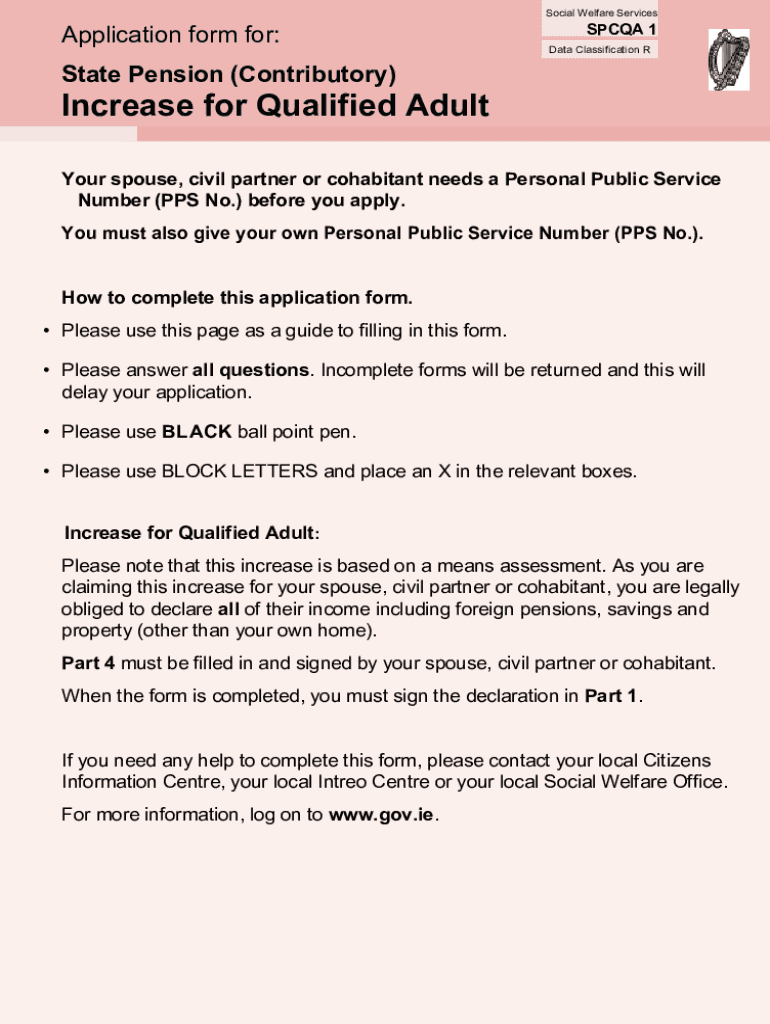
How to use or fill out Data Classification R State Pension - assets ie
Ease of Setup
DocHub User Ratings on G2
Ease of Use
DocHub User Ratings on G2
Click ‘Get Form’ to open it in the editor.
Begin with Part 1 by entering your Personal Public Service Number (PPS No.) and select your title. Ensure you fill in your surname and first name(s) clearly using block letters.
Provide your date of birth, contact details including address, telephone number, and email address. Remember to use a black ballpoint pen for clarity.
In Part 2, enter the details of your spouse, civil partner, or cohabitant. This includes their PPS No., title, surname, first name(s), and date of birth.
Part 3 requires detailed financial information about your spouse’s income and assets. Fill in all relevant fields regarding pensions, employment status, savings accounts, and property ownership.
Complete Part 4 by indicating how any increase for a qualified adult should be paid. Ensure that this section is signed by the relevant party.
Finally, review the checklist in Part 5 to ensure all necessary documents are included before submitting the form.
Start filling out your application today using our platform for free!
Fill out Data Classification R State Pension - assets ie online It's free
See more Data Classification R State Pension - assets ie versions
We've got more versions of the Data Classification R State Pension - assets ie form. Select the right Data Classification R State Pension - assets ie version from the list and start editing it straight away!
Data classification r state pension assets ie 2020Data classification r state pension assets ie 2021Pension funds dataPension databasePublic 401k informationState pension fundsPension funds databaseUs retirement data
Security and compliance
At DocHub, your data security is our priority. We follow HIPAA, SOC2, GDPR, and other standards, so you can work on your documents with confidence.
by PJ Wiedenbeck Cited by 5 A large share of the more than $6.28 trillion in private pension plan assets is held in certain types of indirect investment vehicles. If those.Read more
Sep 20, 2023 Retirement plan holdings include a variety of financial assets, including equities, securities, debt, mutual funds, claims on owed sponsorRead more
Cookie consent notice
This site uses cookies to enhance site navigation and personalize your experience.
By using this site you agree to our use of cookies as described in our Privacy Notice.
You can modify your selections by visiting our Cookie and Advertising Notice.