L2 landlord tenant board 2026

Get Form
l2 landlord tenant board Preview on Page 1

Here's how it works

01. Edit your l2 landlord tenant board online
Type text, add images, blackout confidential details, add comments, highlights and more.
02. Sign it in a few clicks
Draw your signature, type it, upload its image, or use your mobile device as a signature pad.
03. Share your form with others
Send landlord tenant board evict via email, link, or fax. You can also download it, export it or print it out.

How to use or fill out l2 landlord tenant board with our platform

Form edit decoration
9.5
Ease of Setup
DocHub User Ratings on G2
9.0
Ease of Use
DocHub User Ratings on G2
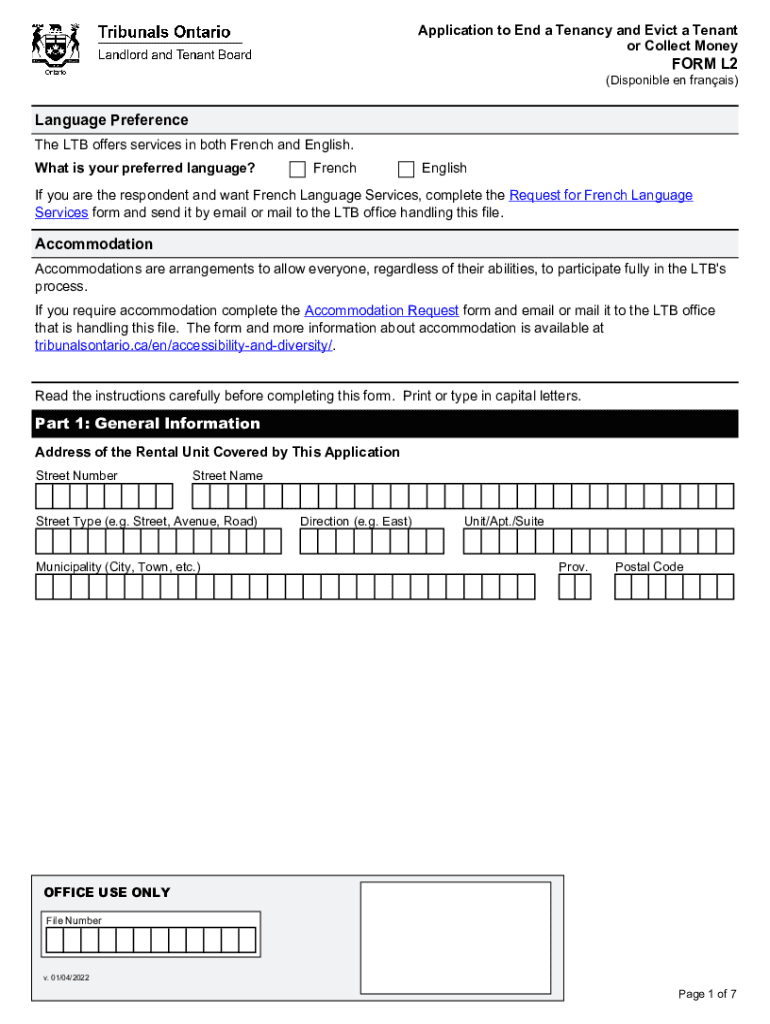
  1. Click ‘Get Form’ to open the L2 application in the editor.
  2. Select your language preference (French or English) at the top of the form.
  3. In Part 1, provide general information about the rental unit, including its address and details about you and the tenants.
  4. In Part 2, select and explain your reasons for applying to end a tenancy. Shade the appropriate boxes based on the notices you provided.
  5. If applying to collect money owed by the tenant, complete Part 3 by selecting reasons and detailing how you calculated the amounts owed.
  6. Complete any necessary schedules (A or B) if applicable, based on your reason for eviction.
  7. Sign in Part 4 and ensure all required information is filled out before submitting your application to the LTB.

Start using our platform today to streamline your L2 application process for free!

See more l2 landlord tenant board versions

We've got more versions of the l2 landlord tenant board form. Select the right l2 landlord tenant board version from the list and start editing it straight away!
Versions Form popularity Fillable & printable
2022 4.8 Satisfied (103 Votes)
be ready to get more

Complete this form in 5 minutes or less

Get form

Got questions?

We have answers to the most popular questions from our customers. If you can't find an answer to your question, please contact us.
Contact us
A Section 3 Notice is a mandatory legal document outlined under the Landlord and Tenant Act 1985, designed to inform tenants about a change in the ownership of the property they rent. The notice serves as a crucial communication tool between the new landlord and the tenant.
Application to End a Tenancy and Evict a Tenant. or Collect Money. FORM L2.
L2- Application to End a Tenancy and Evict a Tenant for Serious Problems Caused in the Rental Unit or Residential Complex (N7) - Landlords Self Help Centre.
L2- Application to End a Tenancy and Evict a Tenant for Serious Problems Caused in the Rental Unit or Residential Complex (N7)
Forms for landlords Form nameHow to fileDownload instructions L2 Application to End a Tenancy and Evict a Tenant or Collect Money File with Tribunals Ontario Portal L2 Instructions L3 Application to End a Tenancy Tenant Gave Notice or Agreed to Terminate the Tenancy File with Tribunals Ontario Portal L3 Instructions42 more rows

Security and compliance

At DocHub, your data security is our priority. We follow HIPAA, SOC2, GDPR, and other standards, so you can work on your documents with confidence.

Learn more
ccpa2
pci-dss
gdpr-compliance
hipaa
soc-compliance

People also ask

How Long Does It Take to Evict a Tenant in Ontario? Unfortunately, eviction is not a speedy process. It can take anywhere from 85 138 days to evict a tenant after an eviction notice has been given. If the tenant needs to be removed by the Sheriffs office, the timeline could stretch to 168 days.
The Landlord and Tenant Board ( LTB ) is the tribunal with the authority to resolve disagreements between landlords and tenants and can provide you with information about your rights and responsibilities under the Residential Tenancies Act, 2006 .
In Ontario, when a residential lease expires, and there is no new lease, the tenancy automatically becomes a month-to-month tenancy. The main advantage for tenants with a month-to-month tenancy is that they have much more flexibility if they decide to move.

l2 tenant tenancy evict