




Here's how it works



How to use or fill out affidavit of absent applicant for marriage license texas with DocHub

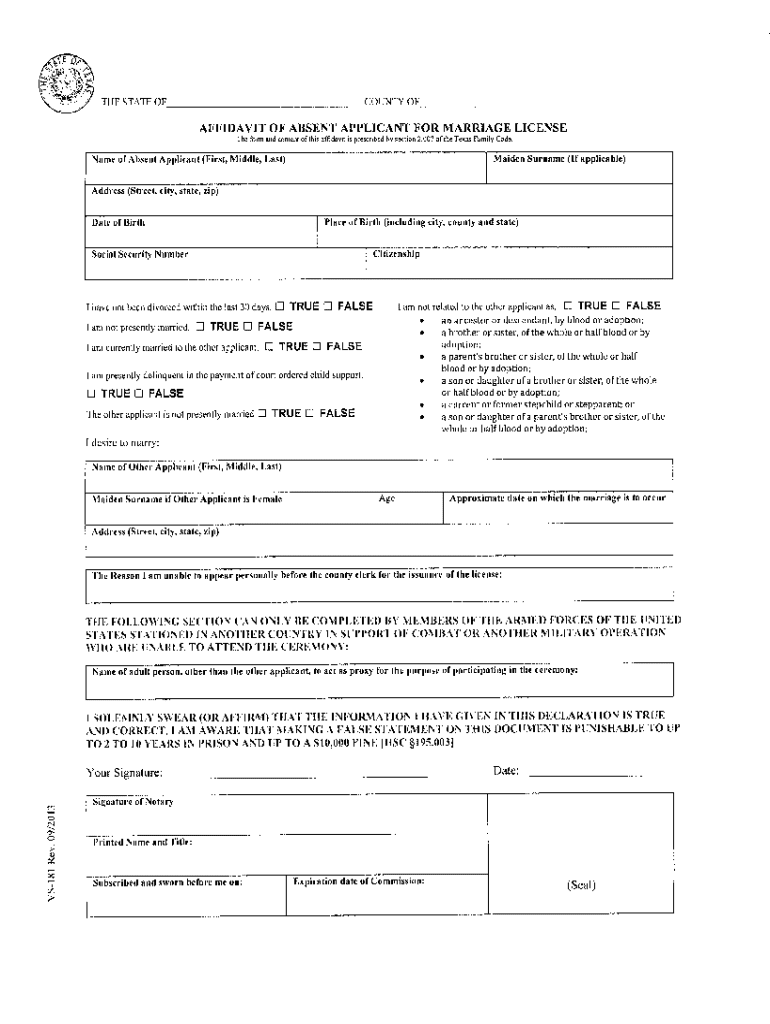
- Click ‘Get Form’ to open the Affidavit of Absent Applicant for Marriage License in our editor.
- Begin by entering the names of both parties exactly as they appear on their identification. This ensures accuracy and compliance with legal requirements.
- If the absentee applicant is a member of the Armed Forces stationed abroad, designate a proxy. Enter the proxy's name; they must be present at the ceremony but not required during application.
- The appearing party must complete the form and have it notarized. Ensure all fields are filled out correctly before proceeding.
- Gather acceptable forms of identification for both parties, including original IDs for the appearing party and a photocopy for the absent applicant. Ensure these documents match the names provided in the affidavit.
- Submit your completed affidavit along with identification to the County Clerk’s office at least 72 hours before your ceremony, ensuring you meet all requirements outlined.
Start using our platform today to streamline your affidavit process for free!
It's free
See more affidavit of absent applicant for marriage license texas versions
Got questions?
How can I eSign my affidavit of absent applicant for marriage license from Gmail?
With DocHub, it’s pretty simple. The service offers users an add-on called DocHub for Gmail, which you can find in the Google Workspace Marketplace free of charge. Install it and give it access to your Google account. Open your email with your affidavit of absent applicant for marriage license attached and click on the add-on button in the right-side panel. Sign in to your DocHub account, and upload the file to our editor, where you can fill it out and sign.
How do you complete texas marriage license application on iOS?
You need only a web connection and a web browser to complete your texas marriage license application by using an iOS phone. Open the DocHub website and authenticate. Then, add your document or select it from the list in your dashboard. Then use our editing instruments to complete your form and save all your adjustments. You may also send it to a specified recipient immediately.
Security and compliance
At DocHub, your data security is our priority. We follow HIPAA, SOC2, GDPR, and other standards, so you can work on your documents with confidence.
Learn more


