Type text, add images, blackout confidential details, add comments, highlights and more.
02. Sign it in a few clicks
Draw your signature, type it, upload its image, or use your mobile device as a signature pad.
03. Share your form with others
Send allianz form s2067 via email, link, or fax. You can also download it, export it or print it out.
How to use or fill out allianz s2067 with our platform
Ease of Setup
DocHub User Ratings on G2
Ease of Use
DocHub User Ratings on G2
Click ‘Get Form’ to open the allianz s2067 in the editor.
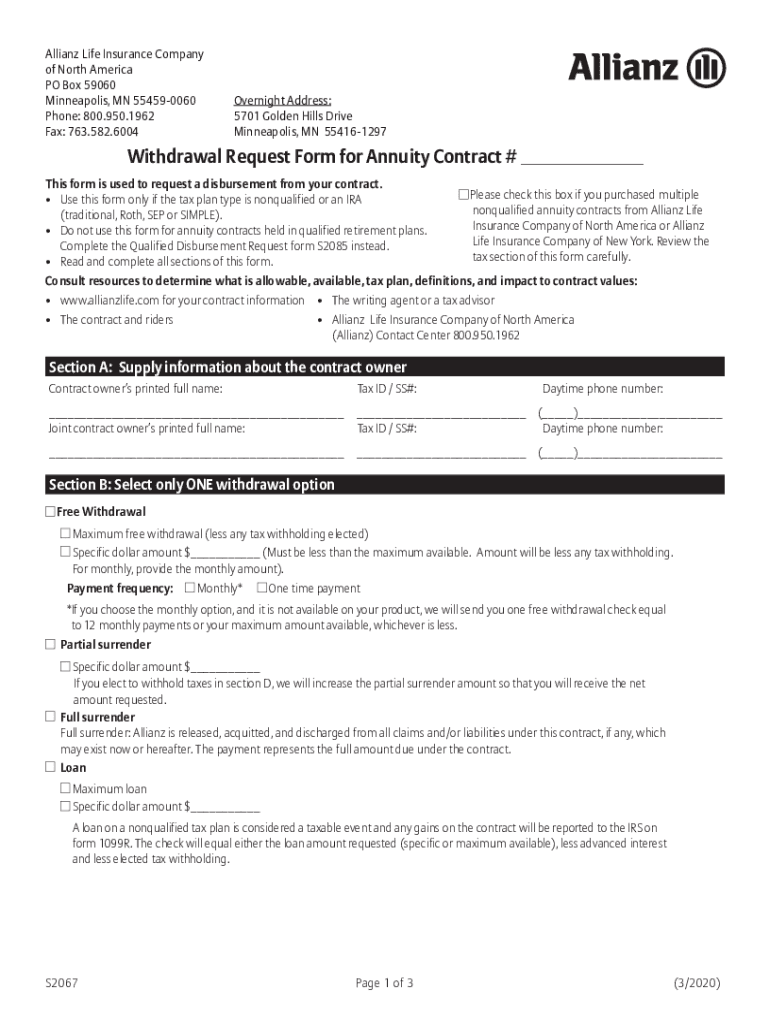
In Section A, provide your full name, Tax ID/SS#, and daytime phone number. If applicable, include the joint contract owner's information.
Move to Section B and select one withdrawal option: Free Withdrawal, Partial Surrender, Full Surrender, or Loan. Specify the amount and payment frequency if necessary.
In Section C, choose your payee information and mailing instructions. You can opt for Direct Deposit (ACH) or a check via USPS or overnight mail.
Complete Section D regarding tax withholding options. Make sure to read the implications carefully before making your selection.
In Section E, certify your Taxpayer Identification Number by agreeing to the statements provided.
Finally, sign in Section F where all owners must provide their signatures and dates. Ensure that you submit the completed form as instructed.
Start using our platform today to easily fill out your allianz s2067 form for free!
The platform supports asynchronous collaboration using web-based resources. An intensive review process ensures the quality of contributions in GI publications.Read more
Cookie consent notice
This site uses cookies to enhance site navigation and personalize your experience.
By using this site you agree to our use of cookies as described in our Privacy Notice.
You can modify your selections by visiting our Cookie and Advertising Notice.