Type text, add images, blackout confidential details, add comments, highlights and more.

02. Sign it in a few clicks
Draw your signature, type it, upload its image, or use your mobile device as a signature pad.

03. Share your form with others
Send avmed provider interest via email, link, or fax. You can also download it, export it or print it out.

How to use or fill out guardian-research provider-interest-formPROVIDER INTEREST FORM - Guardian Research with our platform
Ease of Setup
DocHub User Ratings on G2
Ease of Use
DocHub User Ratings on G2
Click ‘Get Form’ to open it in the editor.
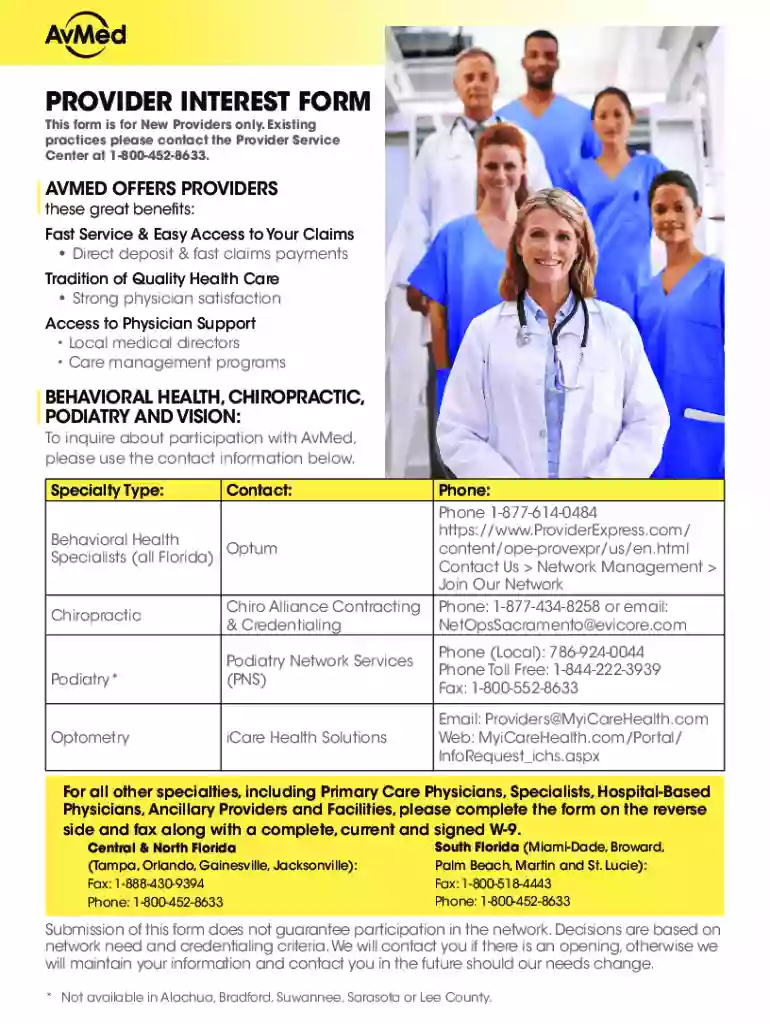
Begin by filling out the PROVIDER INFORMATION section. Enter your first name, middle initial, last name, degree, and date. Ensure that your Tax ID# and Group/Individual NPI are accurately provided.
Complete the facility name and primary office address fields. Include your office hours, contact person, phone number, fax number, email address, and primary county.
In the PROVIDER TYPE/DESCRIPTION section, check the appropriate box for your practice type (e.g., Primary Care/Specialists). Indicate if you are board certified or eligible and provide details about your hospital affiliations if applicable.
Ensure all information is legible and complete. Once finished, download the form and fax it along with a signed W-9 to the appropriate number listed on the form.
Start using our platform today to streamline your document completion process for free!
Fill out guardian-research provider-interest-formPROVIDER INTEREST FORM - Guardian Research online It's free
See more guardian-research provider-interest-formPROVIDER INTEREST FORM - Guardian Research versions
We've got more versions of the guardian-research provider-interest-formPROVIDER INTEREST FORM - Guardian Research form. Select the right guardian-research provider-interest-formPROVIDER INTEREST FORM - Guardian Research version from the list and start editing it straight away!
How long does it take for guardian accident insurance to pay out?
If the claim is approved and the payment is processed, the check is mailed 2 business days after the processing date. The mail time can take up to 10 business days.
How long does it take for Guardian Dental Claims to process?
How long is the processing time? Claims can take up to 48-72 hours to display in Guardian systems and up to 10 business days to be sent for processing. Once Guardian begins processing, claim submissions that do not require review are processed within 10 business days.
How long does Guardian take to pay claims?
Once all the information is received, most claim decisions are made within 7 business days. We make most claim decisions within 2-4 business days, provided all information is supplied timely. Note: If the claim is approved and the payment is processed, the check is mailed 2 business days after the processing date.
How do I check the status of my Guardian insurance claim?
The status of claims can be found online by logging into the Provider Portal; then by selecting Claims. You may also call 1-844-561-5600 to receive a claim status.
How do I check the status of my claim on Guardian anytime?
As a member, you can view your claims in Guardian Anytime by selecting Claims and then Claims status from the menu options. Claims, Explanation of Benefits (EOB) and letters, for the past 30 days will automatically display. Use the advanced search options to search by coverage, patient, date of service or claim number.
Related Searches
Guardian formsGuardian EOI formGuardian EOI form pdfGuardian Forms pdfGuardian Life insurance claim formGuardian dental insuranceGuardian Dental claim formGuardian claim status
Security and compliance
At DocHub, your data security is our priority. We follow HIPAA, SOC2, GDPR, and other standards, so you can work on your documents with confidence.
How long does it take for an insurance company to process a payment?
In California, private insurance companies are required to acknowledge the claim within 15 days. Once a claim has been acknowledged, it must be accepted or denied within 40 days. If a claim has been accepted, the insurer must make a payment within 30 days after a settlement has been reached.
How to file a claim with Guardian?
As a member, you can submit your claim online, by phone or by completing a paper form. In Guardian Anytime, from the menu options, select Claims and then Submit a claim. Select Accident. Follow the 4 steps to complete the online form.
How do I change my address with Guardian insurance?
You may also call Client Services at 1-888-Guardian (482-7342), Monday-Thursday, 8:00 AM-6:00 PM ET and Friday, 8:00 AM-5:00 PM ET. What if my address information has changed? Select Profile to update your personal information including your home, mailing and billing addresses.
Related links
PROVIDER MANUAL Molina Medicare of Ohio
A convenient Provider web form can be found on the POD and on the Provider Portal at . You can also notify your Provider
2024-25-UF-NCES-Provider-MOA - North Central Early Steps
In Relation to Service Delivery: Service Provider agrees: 1. To support the provision of interest-based child learning opportunities as part of everyday family.
Cookie consent notice
This site uses cookies to enhance site navigation and personalize your experience.
By using this site you agree to our use of cookies as described in our Privacy Notice.
You can modify your selections by visiting our Cookie and Advertising Notice.