Type text, add images, blackout confidential details, add comments, highlights and more.
02. Sign it in a few clicks
Draw your signature, type it, upload its image, or use your mobile device as a signature pad.
03. Share your form with others
Send gap certificate via email, link, or fax. You can also download it, export it or print it out.
How to use or fill out gap certificate assam with our platform
Ease of Setup
DocHub User Ratings on G2
Ease of Use
DocHub User Ratings on G2
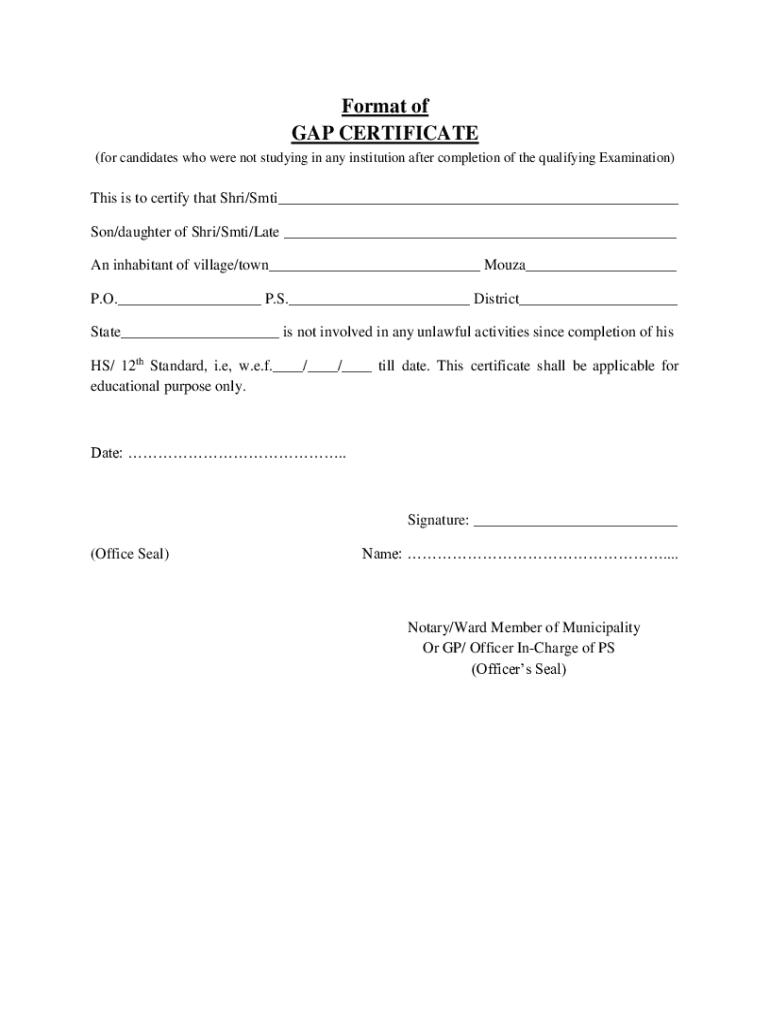
Click ‘Get Form’ to open the gap certificate Assam in the editor.
Begin by entering the name of the candidate in the designated field, ensuring accuracy for official purposes.
Fill in the parent’s name, specifying whether it is Shri, Smti, or Late, followed by their full name.
Provide the complete address including village/town, Mouza, P.O., P.S., District, and State. This information is crucial for identification.
Indicate the date from which the candidate has not been involved in any unlawful activities. Ensure this date reflects accurately from completion of HS/12th Standard.
Leave space for signatures and seals. Ensure that you have a designated area for both your signature and that of a Notary or Officer In-Charge.
Start using our platform today to fill out your gap certificate Assam easily and for free!
An innovative model for integrated delivery of prevention
by RR Rahul 2025 An innovative model for integrated delivery of prevention, screening and palliative care services of cancers at health and wellness centres in Assam. RewatiRead more
Cookie consent notice
This site uses cookies to enhance site navigation and personalize your experience.
By using this site you agree to our use of cookies as described in our Privacy Notice.
You can modify your selections by visiting our Cookie and Advertising Notice.